Frappe

Products

Helpdesk

Comparisons

Frappe Helpdesk vs Zendesk

Frappe

Products

Insights

Comparison

Frappe Helpdesk vs Zendesk

Start free trial

Great support shouldn't be priced per agent.
Zendesk is the name most teams think of first. It's also priced per agent, and many of the things a growing support team needs, like business hours for SLAs, a customer portal, light agents and custom roles, sit in its higher plans.
Frappe Helpdesk gives every agent the full helpdesk: tickets, SLAs that count working hours, assignment rules, a knowledge base and a customer portal. You pay for hosting, not for each person who answers a ticket.
Frappe Helpdesk vs Zendesk

At a glance

Here's how the two compare for a growing support team.
Frappe HelpdeskZendesk
How you payBy hosting resources, unlimited agentsPer agent, per month
A team of 10 agentsFrom $40₹4,000 a month for the whole team$1,150 a month on Suite Professional ($115 per agent, billed annually)
Business hours for SLAsBuilt in, with lunch breaks and holidaysOne schedule on Suite Growth and Professional; none on the Team plans
SLAsBuilt in: by priority and by customer, paused while you wait on the customerSuite Growth and above
Knowledge baseBuilt in: branded, with categories, subcategories and pinned articlesNot in Support Team; one help center on Suite Team
Customer portalBuilt inSuite Growth and above
Custom agent rolesBuilt inSuite Enterprise only
CallsBuilt-in integration with Twilio or Exotel (provider charges apply)Built in
AIBuilt in: Frappe Flow (AI usage included up to a limit on Frappe Cloud), plus MCP for your own AI tools5–10 automated resolutions per agent a month, then about $2 each; Copilot $50 per agent
Mobile appPWAiOS and Android apps
Open sourceYes, AGPL-3.0No

Zendesk plans are from its pricing page in November 2026. On Frappe Helpdesk, storage and computing power depend on your plan.

What a growing support team pays in a year

Here's an example as a team grows from 10 to 50 agents, on Zendesk Suite Professional, the lowest plan on its pricing page with business hours and a customer portal.
Zendesk, 10 agents
$13,800
Frappe Helpdesk, 10
$480
Zendesk, 25 agents
$34,500
Frappe Helpdesk, 25
$960
Zendesk, 50 agents
$69,000
Frappe Helpdesk, 50
$1,920

Example only. Zendesk Suite Professional at $115 per agent a month, billed annually; Frappe Helpdesk on the $40₹4,000, $80₹8,000 and $160₹16,000 plans. The plan your site needs depends on how much it's used. Before tax.

Zendesk, 10 agents
≈ ₹12,83,000
Frappe Helpdesk, 10
₹48,000
Zendesk, 25 agents
≈ ₹32,08,000
Frappe Helpdesk, 25
₹96,000
Zendesk, 50 agents
≈ ₹64,17,000
Frappe Helpdesk, 50
₹1,92,000

Example only. Zendesk Suite Professional at $115 per agent a month, billed annually; Frappe Helpdesk on the $40₹4,000, $80₹8,000 and $160₹16,000 plans. The plan your site needs depends on how much it's used. Before tax. Competitor prices are in US dollars, converted at about ₹93 to the dollar.

Every agent on one plan

On Zendesk, every agent who replies to customers is a paid seat (light agents can view and comment but can't reply), and moving to a plan with the features you need raises the price for all of them.
Frappe Helpdesk starts at $20₹2,000 a month with unlimited agents. Bring in managers, developers and anyone else who helps customers, without paying for another seat.

SLAs that count working hours

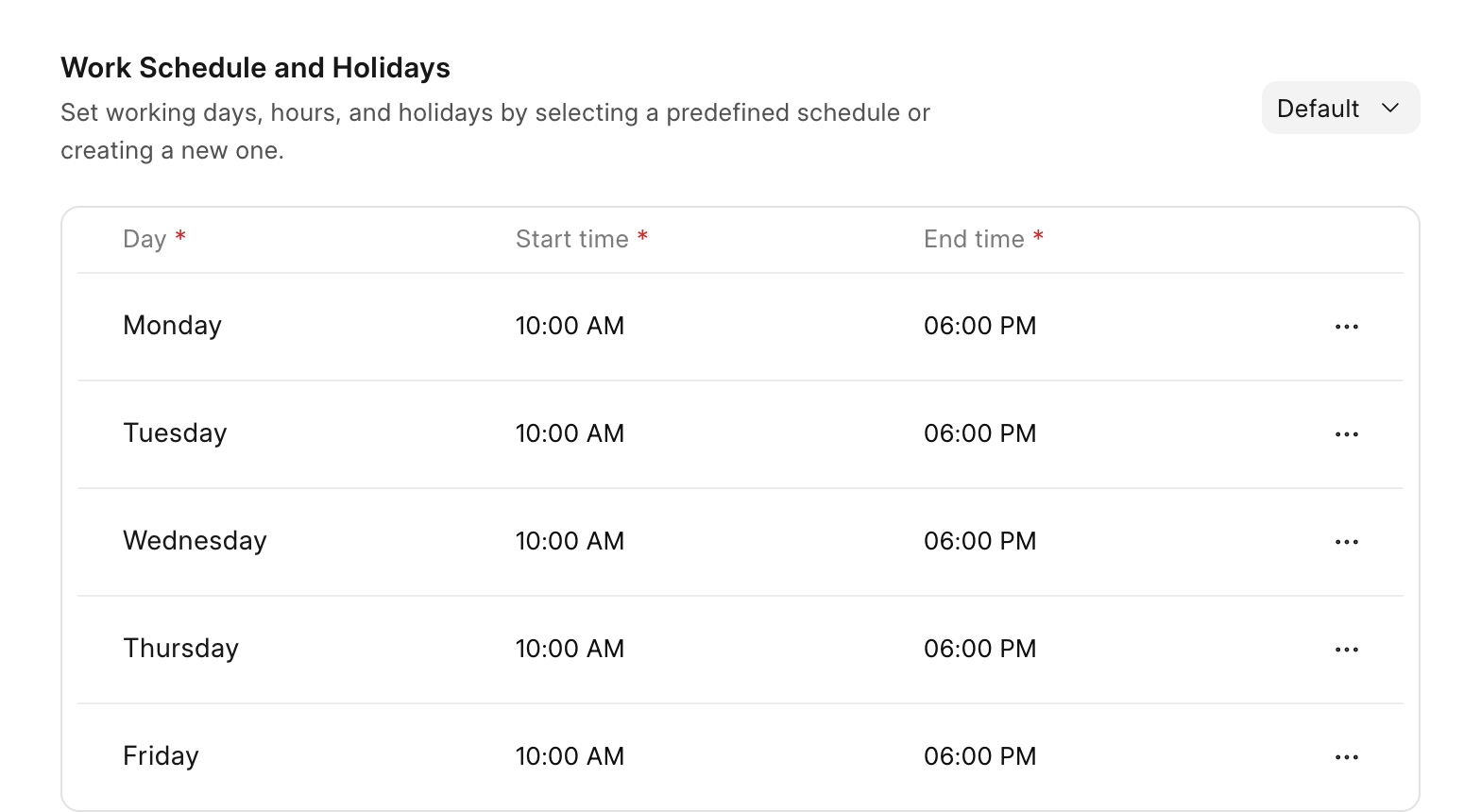
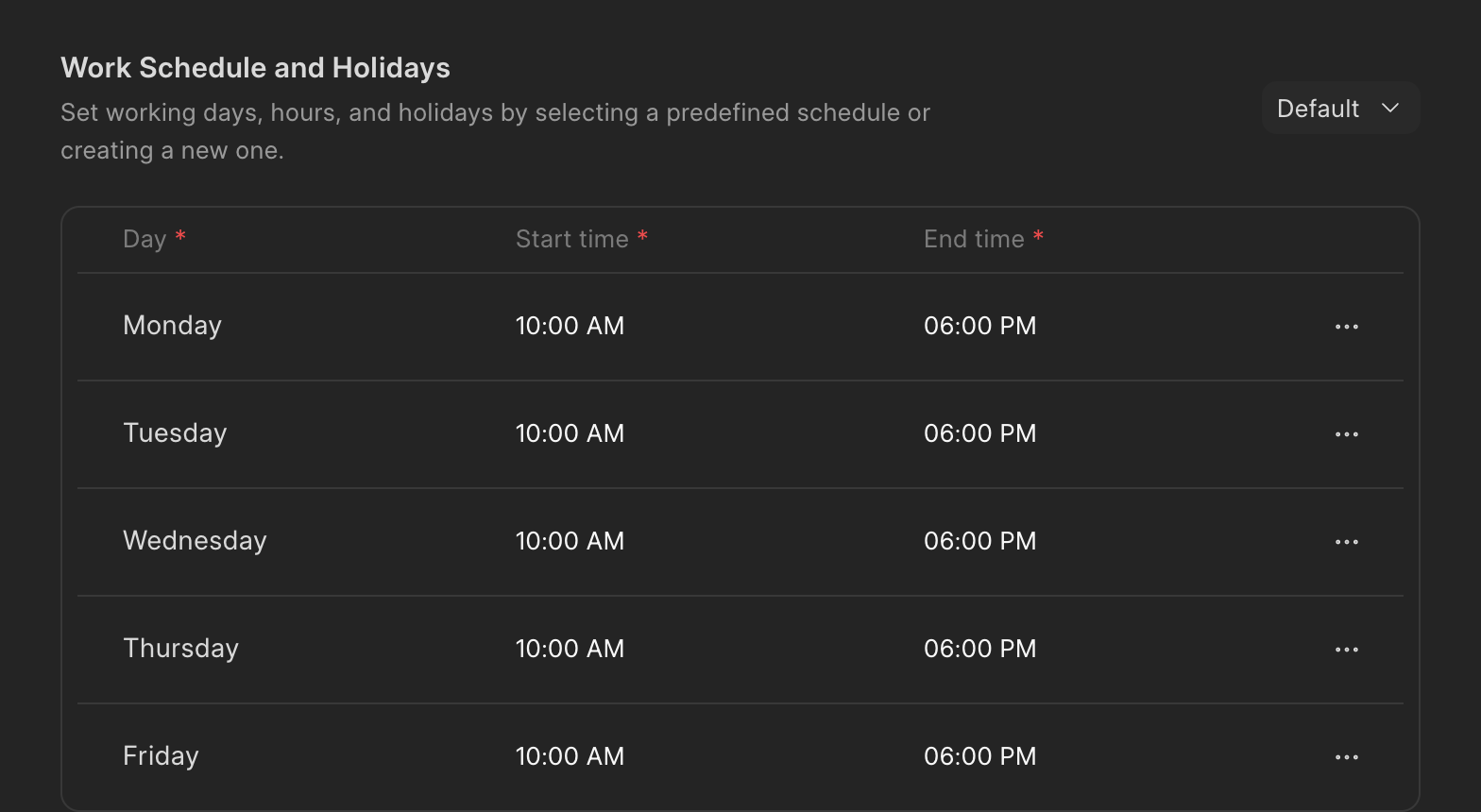
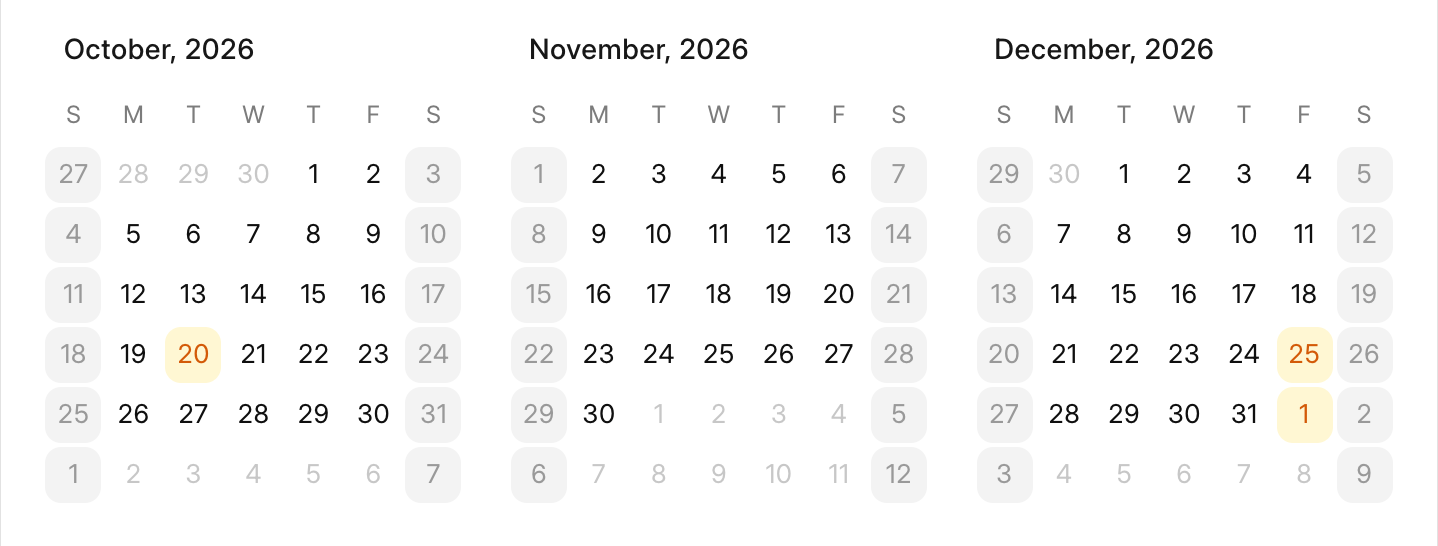
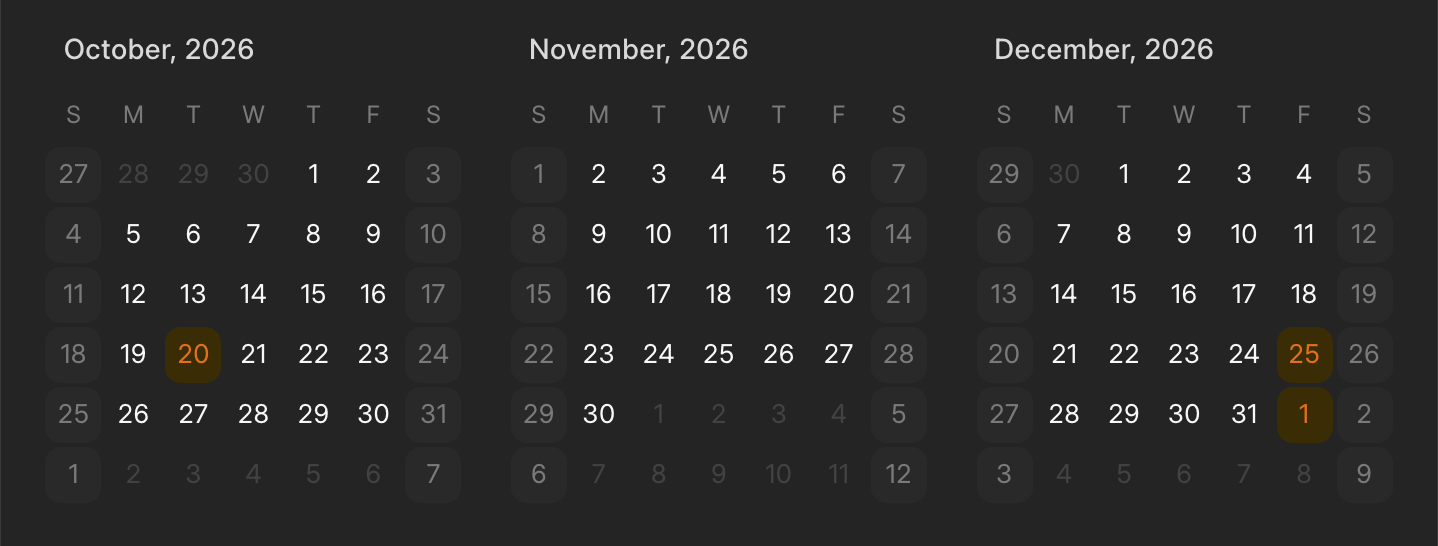
Set first-response and resolution times for each priority, count only your working hours, with lunch breaks and holidays left out, and pause the timer while you wait on the customer. Use conditions to give different customers or ticket types their own SLA policy. On Zendesk, SLAs and business hours start on Suite Growth, with one schedule on Growth and Professional; more than one schedule needs Enterprise.
Work schedule in Frappe Helpdesk: Monday to Friday, 10 AM to 6 PMWork schedule in Frappe Helpdesk: Monday to Friday, 10 AM to 6 PMHoliday calendar in Frappe Helpdesk with weekends and holidays left out of SLA timeHoliday calendar in Frappe Helpdesk with weekends and holidays left out of SLA time

The right ticket to the right agent

Assignment rules share tickets by conditions you set, by round robin or by workload, and skip agents who are away. Agents can set a status like "In a meeting" that clears itself after a set time, and each team can have its own rule. Zendesk also routes tickets by round robin or spare capacity on every Suite plan, but custom agent statuses and skills-based routing start on Suite Professional.
Availability menu in Frappe Helpdesk: Active, Away and UnavailableAvailability menu in Frappe Helpdesk: Active, Away and Unavailable

A knowledge base and portal on every plan
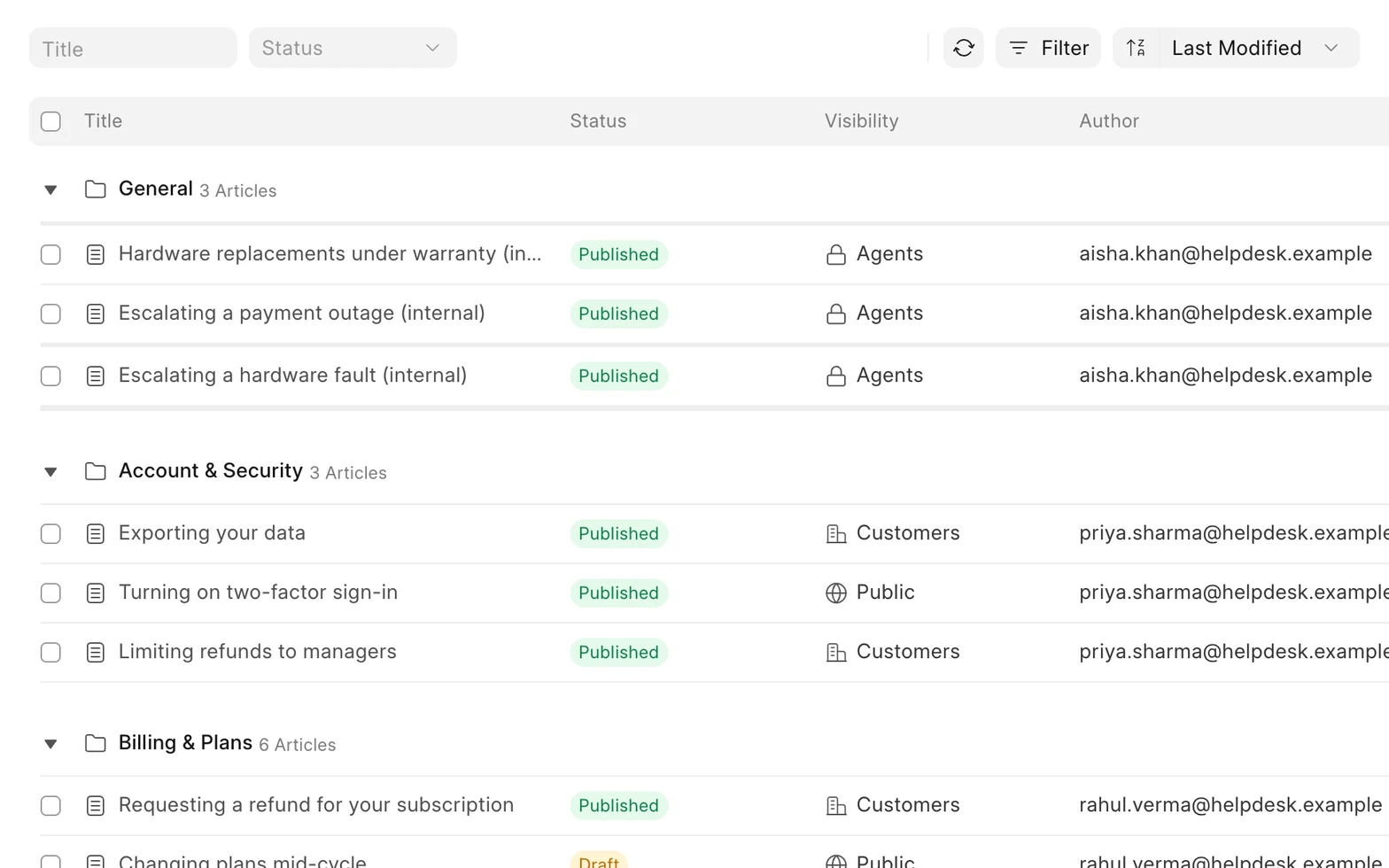
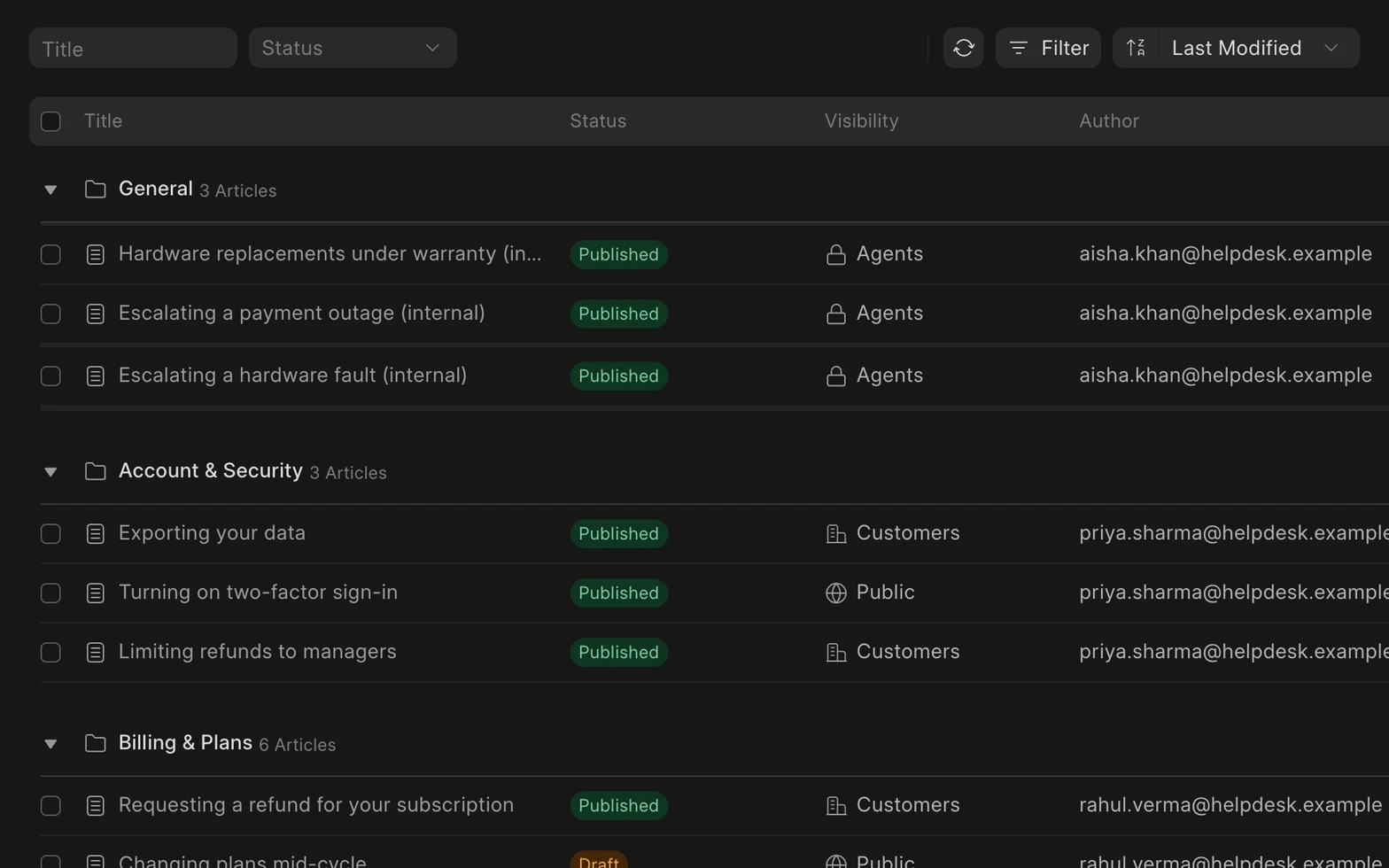
Customers raise tickets, follow their progress and find answers in a knowledge base with categories, subcategories and pinned articles. Articles are public, so anyone can read them without signing in. The portal is built with Frappe Studio, so you can change its pages and branding to match your company. See it live at support.frappe.io/help, our own help center.
On Zendesk, the help center isn't in Support Team, and the customer portal starts on Suite Growth. In Frappe Helpdesk, both are on every plan.
Knowledge base articles in Frappe Helpdesk with their visibility: Agents, Customers or PublicKnowledge base articles in Frappe Helpdesk with their visibility: Agents, Customers or Public

Customers manage their own team

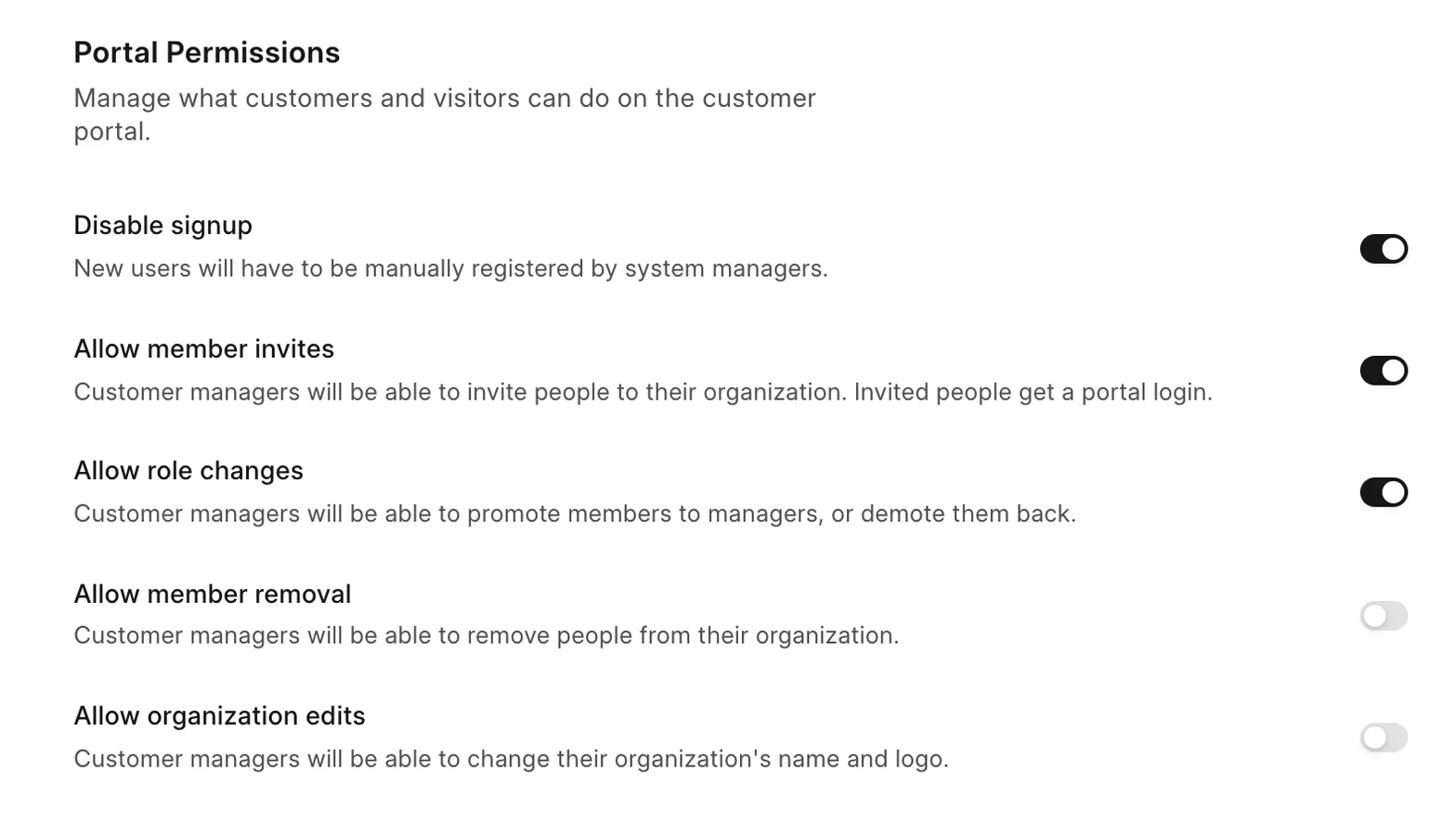
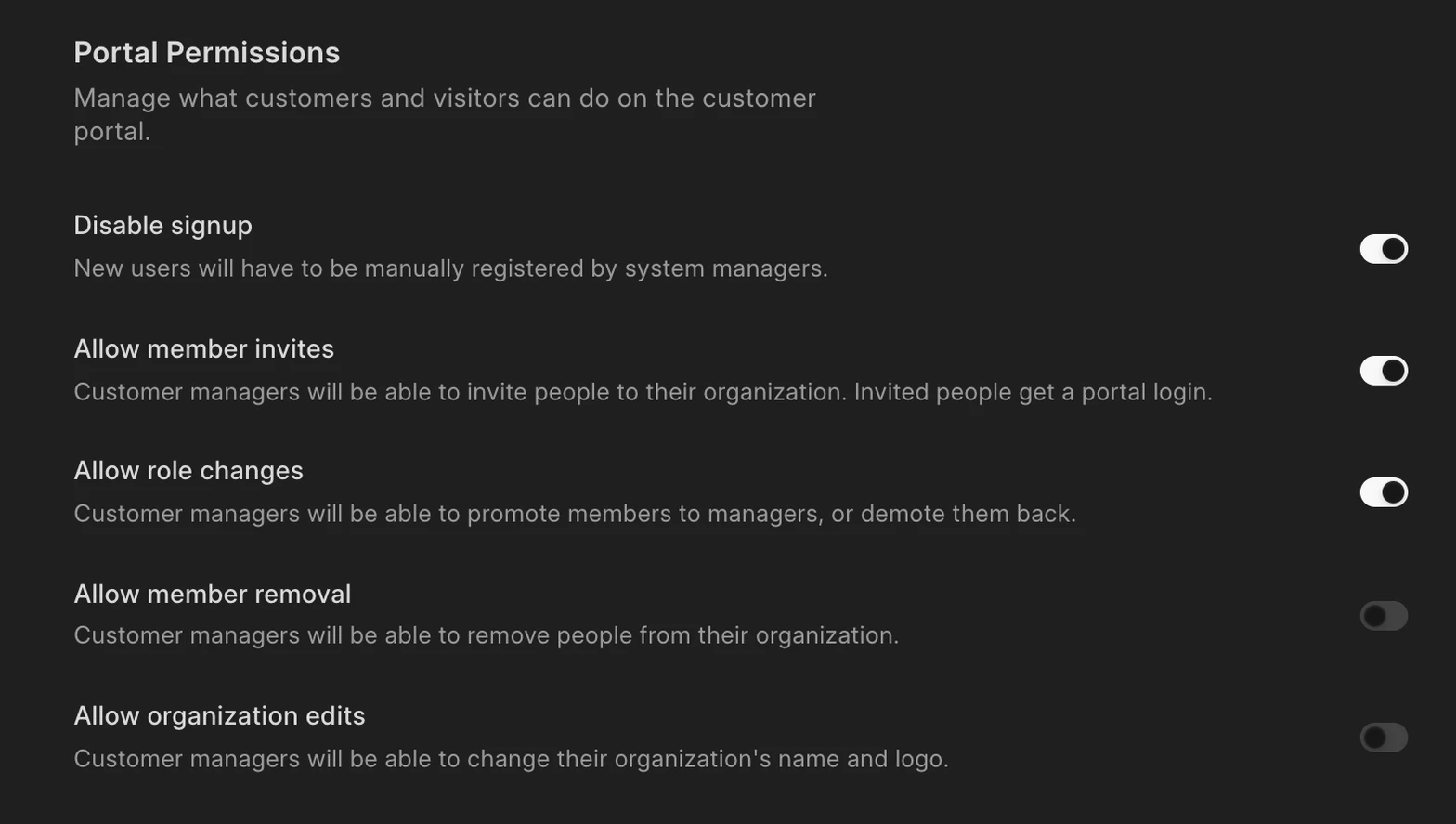
Customers can manage their organization in the portal and invite their own teammates, so everyone at a customer company sees the tickets they share, without you adding each person. On Zendesk, users join an organization when an agent adds them or when their email domain matches, and an admin decides whether members can see each other's tickets.
Portal permissions in Frappe HelpdeskPortal permissions in Frappe Helpdesk

Reply faster

Saved replies can do more than insert text: one click can also set the ticket's status, priority or team. Keep replies for everyone, for a team, or just for yourself. Pin important internal comments, split and merge tickets, update many at once, and group the ticket list by any field to see where work is piling up. Zendesk macros work the same way on every plan, adding a reply and updating ticket fields in one click, though macros for a single group start on Suite Growth.

Decide who can do what

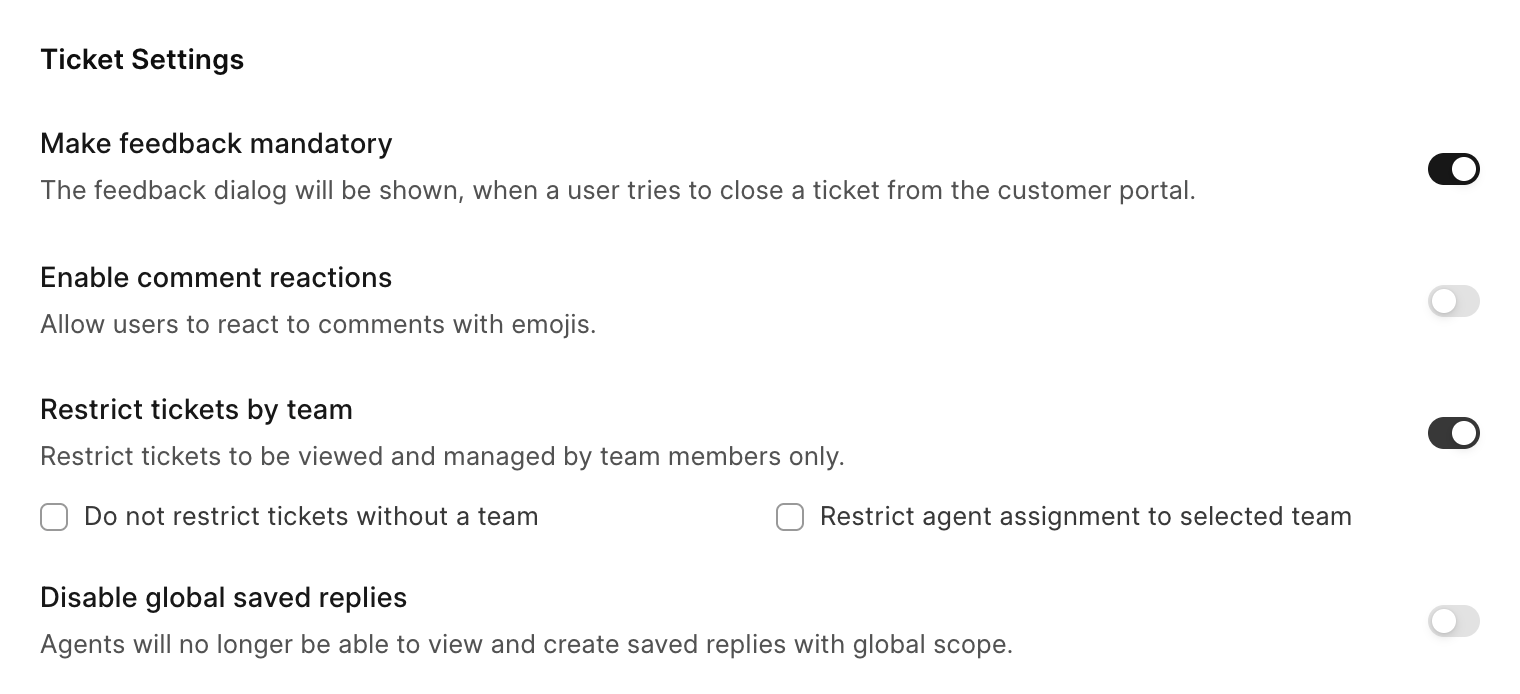
Create the roles your team needs and choose what each one can see and change. On Zendesk, custom agent roles are only on Suite Enterprise.
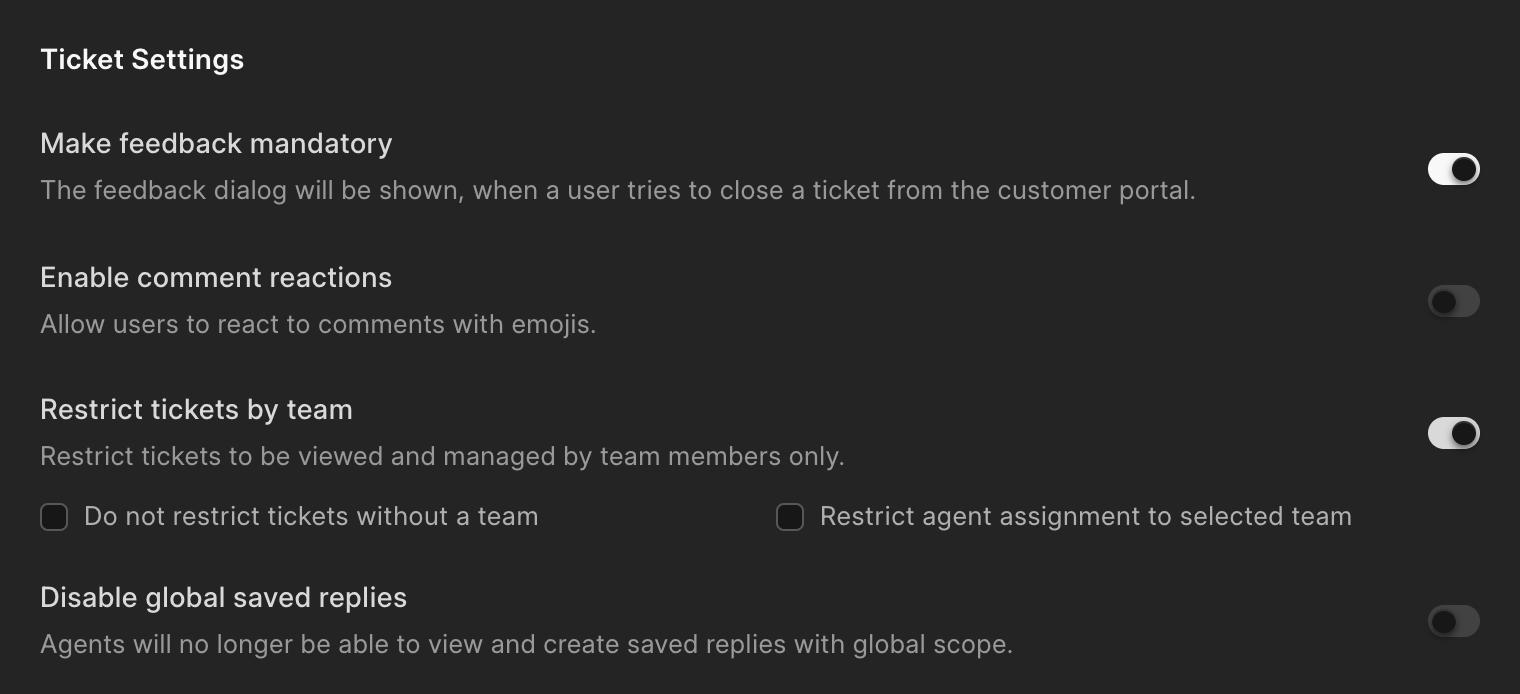
Ticket settings in Frappe Helpdesk with Restrict tickets by team turned onTicket settings in Frappe Helpdesk with Restrict tickets by team turned on

Make it yours

Add the fields your team needs, choose what customers fill in, and add buttons and rules with form scripts. For bigger changes, Frappe Helpdesk is open source and built on the Frappe Framework, so you can connect anything through the REST API, build your own app on top of it, or change the code itself. Zendesk has custom fields and an API too, but more than one ticket form starts on Suite Growth, and its code isn't open.

Calls and ERPNext, connected

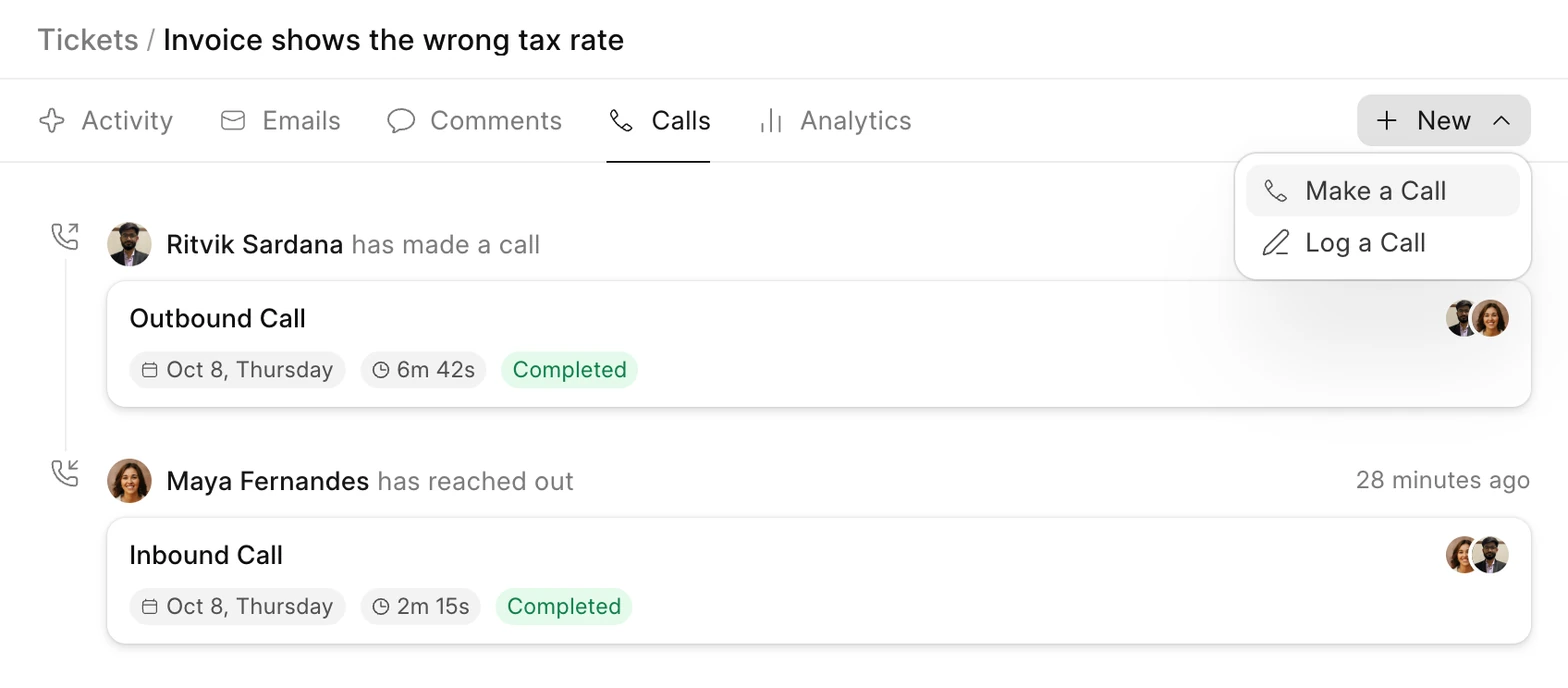
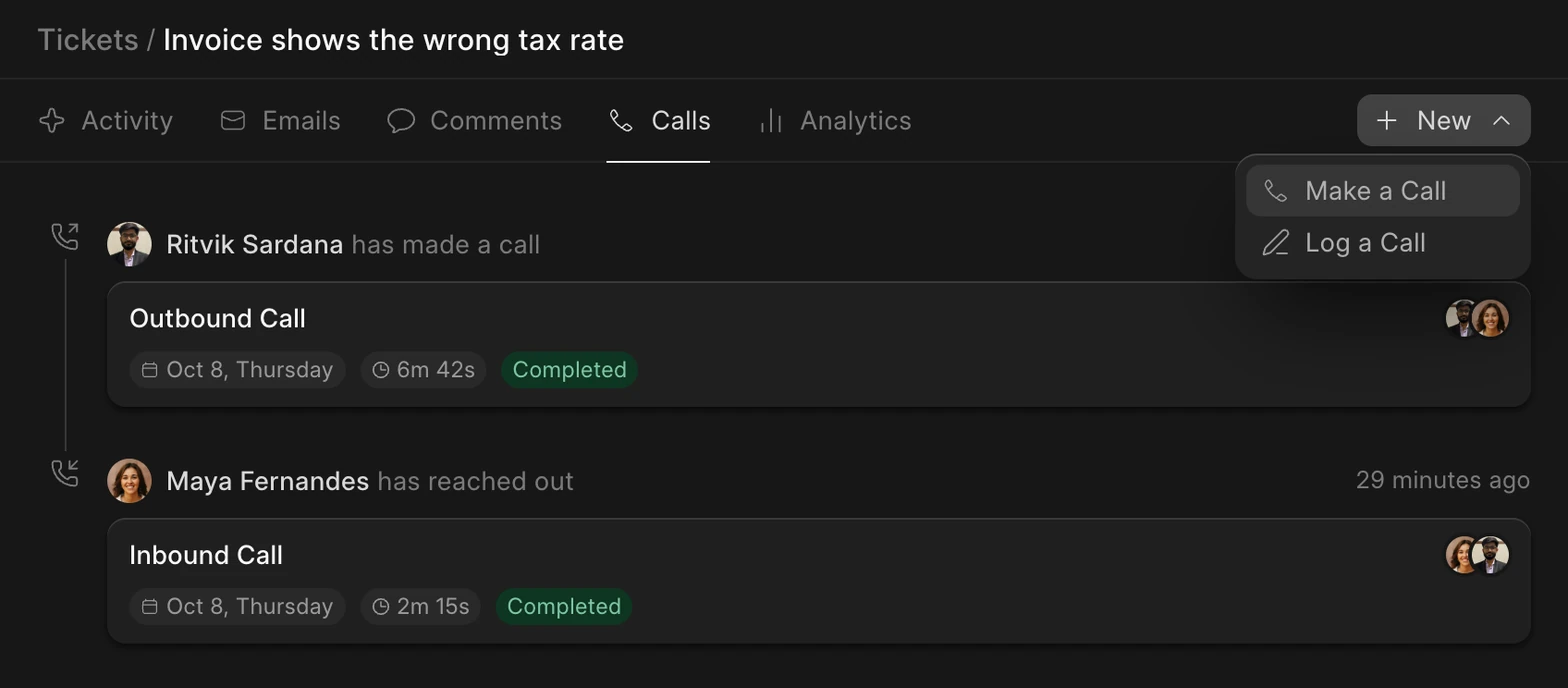
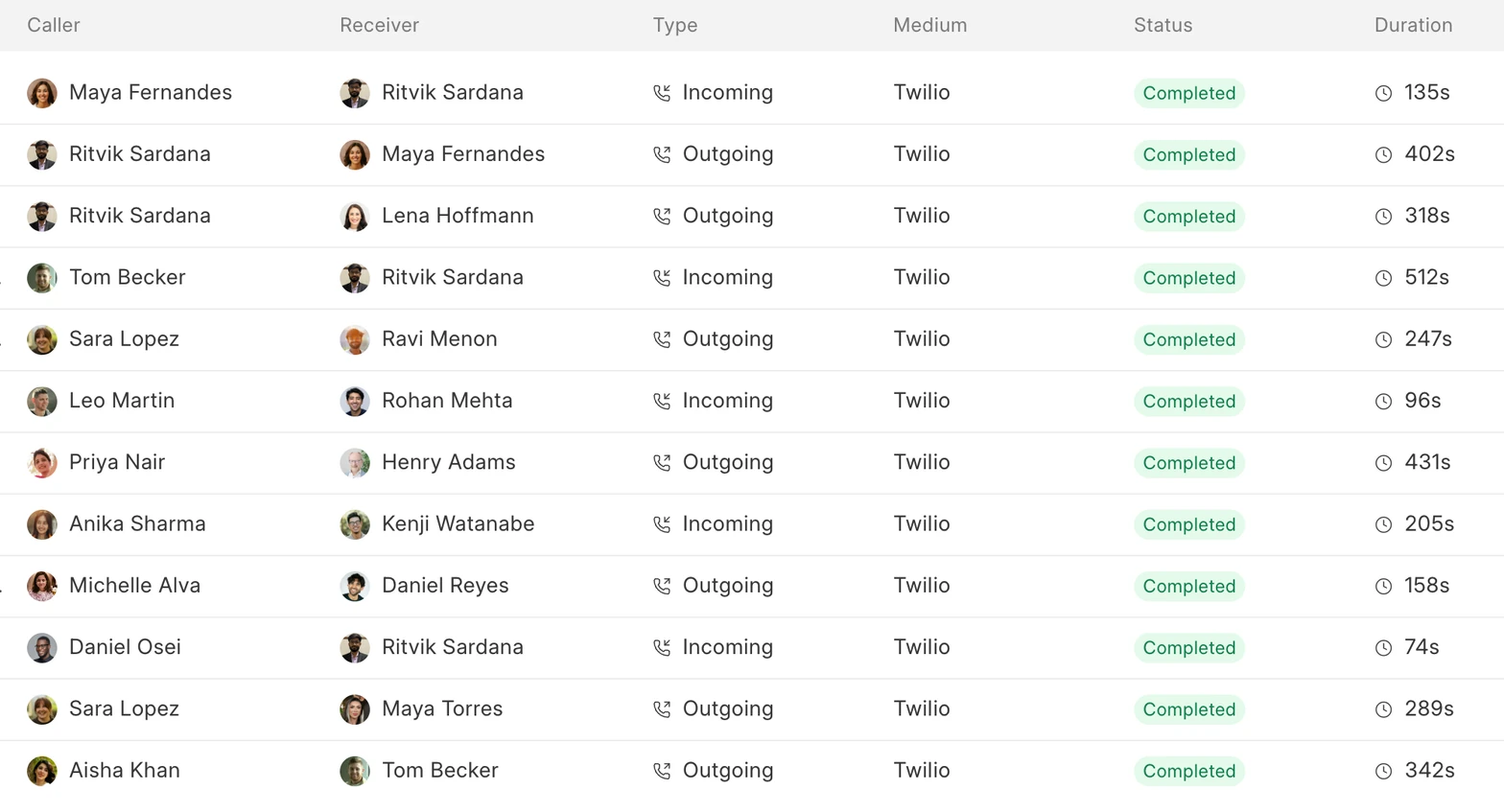
Call customers from a ticket through Twilio or Exotel, and keep customers in sync with ERPNext, so support and accounts see the same customer. Zendesk has its own calling on every Suite plan, with call charges billed by usage.
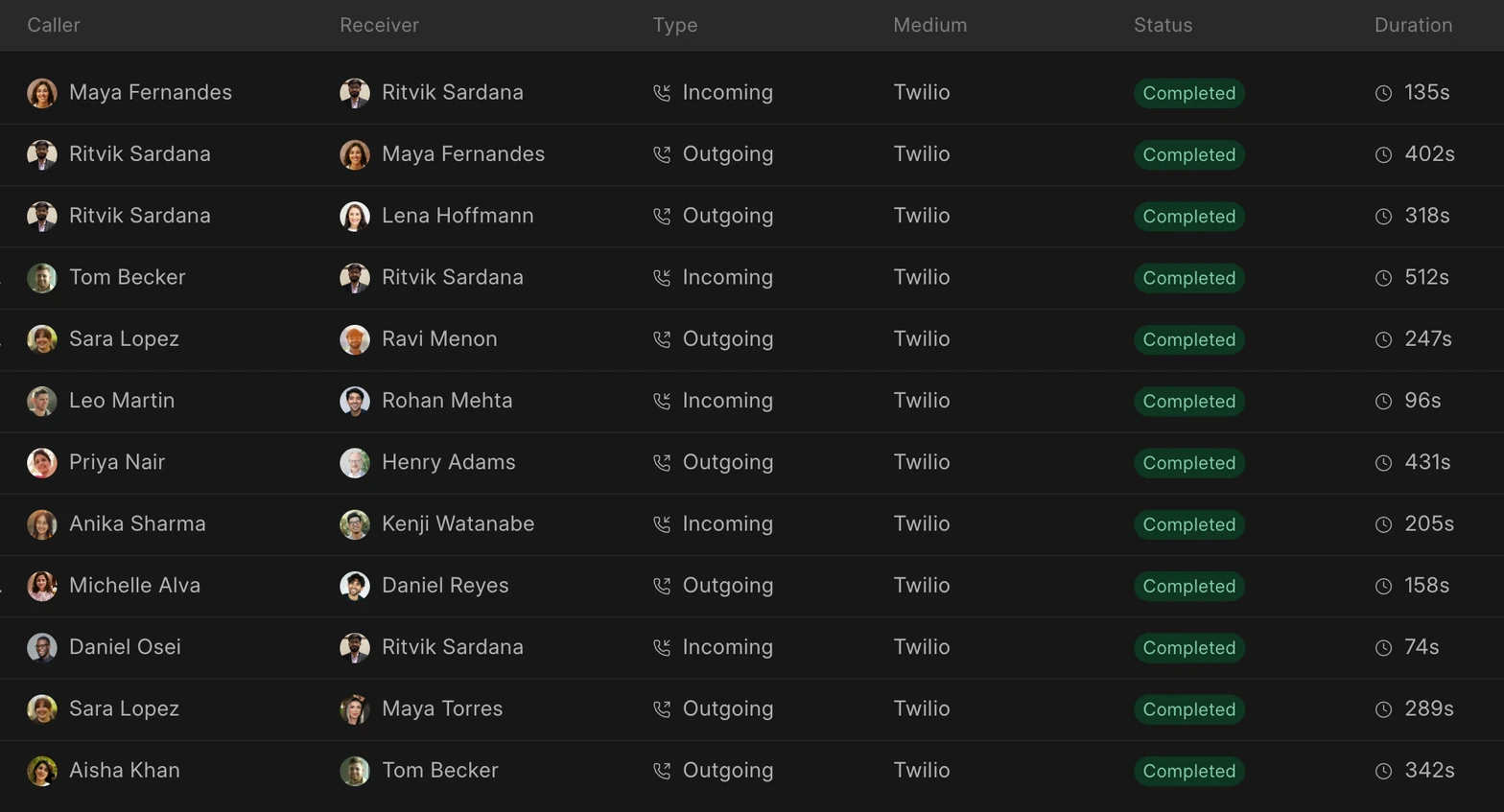
Calls tab on a Frappe Helpdesk ticket, with the options to make a call or log a callCalls tab on a Frappe Helpdesk ticket, with the options to make a call or log a callCall Logs in Frappe Helpdesk listing incoming and outgoing callsCall Logs in Frappe Helpdesk listing incoming and outgoing calls

See how support is doing

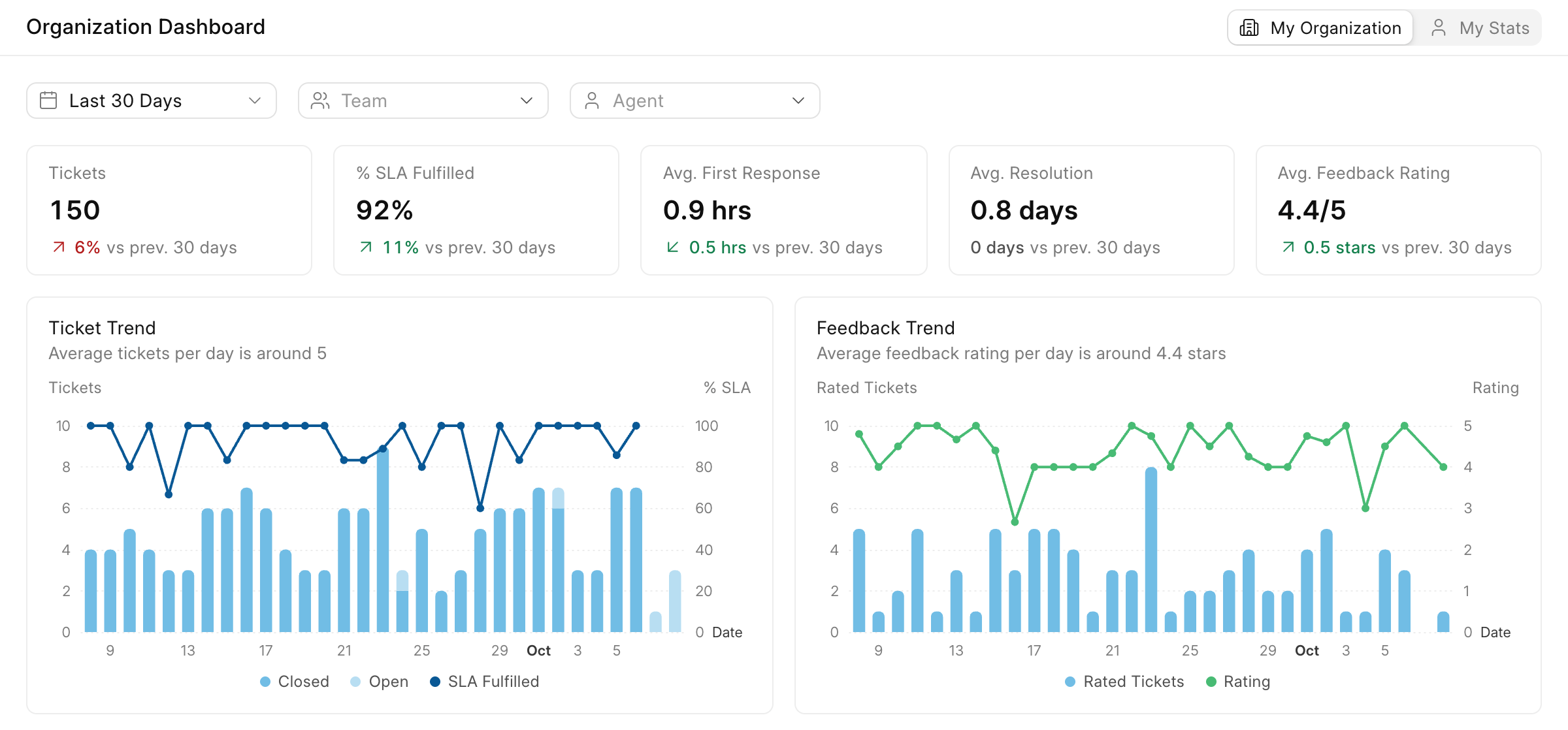
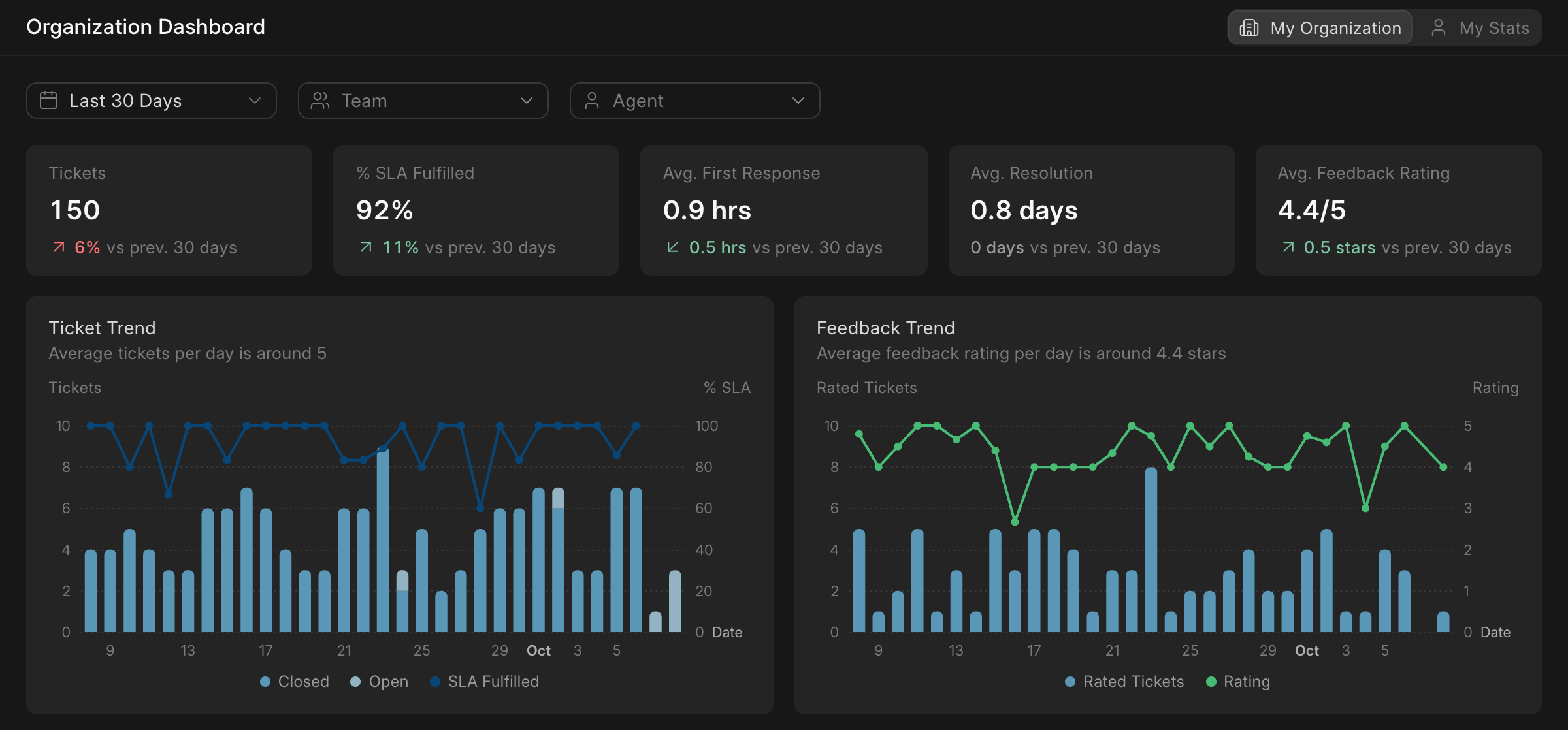
The dashboard shows ticket volume, response times and the issues that keep coming up, customers rate each ticket once it's resolved, and every agent gets a Home page with what needs them. Zendesk has ready-made dashboards on every plan, while customer satisfaction surveys start on Suite Growth.
Open any ticket's history to see how long it waited at each step and which agents worked on it.
Organization dashboard in Frappe Helpdesk with ticket count, SLA, response and resolution times, feedback rating, and ticket and feedback trendsOrganization dashboard in Frappe Helpdesk with ticket count, SLA, response and resolution times, feedback rating, and ticket and feedback trends

AI that comes with it

Zendesk's AI is built for support: its AI agents answer customers on their own, and Copilot suggests replies to agents. It's priced per automated resolution, about $2 each after 5 to 10 per agent a month, and Copilot costs another $50 per agent.
Frappe Flow is a general AI agent built into the Frappe Framework. Ask it to set things up, update tickets or find answers, or set it to act when a ticket changes. Through the built-in MCP server, Claude, ChatGPT or any MCP-compatible assistant can also work with your tickets, within each person's permissions. On Frappe Cloud, AI usage is included up to a limit, and you can connect your own AI provider and choose the model that suits you.

Used by more than 1,000 support teams

We run our own support on Frappe Helpdesk: more than 60,000 tickets across 7,000 customers.
“Our support resolution time improved. Client satisfaction and overall transparency also increased.”
Dany Robert, Wahni IT Solutions

When Zendesk is the better fit

Large support operations that rely on Zendesk's marketplace of apps, built-in messaging across many channels, workforce management, or AI agents trained to resolve support conversations on their own will get more from Zendesk.
For teams that want a complete helpdesk with SLAs, assignment, a knowledge base and a customer portal for every agent, Frappe Helpdesk gives you all of it without per-agent pricing, and it's open source.

Moving from Zendesk

Export your tickets, users and organizations from Zendesk, then set up Frappe Helpdesk and connect your support email address, so new emails become tickets straight away.
Moving old ticket conversations and attachments takes more work. A Frappe partner can bring your history across through the API if you need it.

Frequently asked questions

Can I keep my support email address?

Yes. Connect your existing support address, and emails become tickets automatically. Your customers don't need to change how they reach you.

Do I pay for every agent?

No. There's no per-agent pricing. You pay for your site's hosting, and a busy team may need a bigger plan for more computing power.

Is there a customer portal?

Yes, on every plan. Customers raise and track tickets and search your knowledge base in a portal with your branding.

Is there a mobile app?

Frappe Helpdesk is a PWA: install it from your phone's browser and it opens full screen like an app, so agents can reply and update tickets on the go. There's no separate app in the app stores.

Choose Frappe Helpdesk

Every agent, every feature, one price