Frappe
Products
Learning
Comparisons
Frappe Learning vs Google Classroom
Frappe
Products
Insights
Comparison
Frappe Learning vs Google Classroom
Start free trial
Google Classroom is where many teachers hand out work, collect it and grade it, especially in schools already on Google Workspace. It's free for qualifying schools and fits neatly with Docs, Drive and Meet.
Frappe Learning is built for running whole courses: lessons people work through at their own pace, certificates when they finish, and the option to sell a course to anyone. It works with Google Meet and Calendar too, and it's open source.


At a glance
Here's how Google Classroom and Frappe Learning compare on the things training teams ask about most.
| Frappe Learning | Google Classroom | |
|---|---|---|
| How you pay | Frappe Cloud from $20₹2,000 a month per site, unlimited learners | Free with Education Fundamentals for qualifying schools; paid editions per user |
| Who can join | Anyone you add, or open sign-up | Google accounts; personal accounts allow 250 members per class |
| Self-paced courses | Built in: chapters and lessons that open in order | Classwork organised by topic |
| Live classes | Built-in integration: Google Meet and Zoom, with attendance pulled in | Google Meet; attendance tracking and recording need Education Plus or the Teaching and Learning add-on |
| Quizzes | Built in, with a question bank, time limits and pass marks | Through Google Forms |
| Exam security | Built in: camera proctoring | Locked mode on school-managed Chromebooks |
| Certificates | Built in, with expiry and bulk issue | Not built in |
| Learning paths | Built in | Not built in |
| Selling courses | Built-in integration: Razorpay or Stripe, with coupons; provider charges apply | Not built in |
| SCORM | Built in | Not built in |
| Coding exercises | Built in: Python, JavaScript, Rust and Go | Not built in |
| Job board for learners | Built in | Not built in |
| Reports | Built in: course and batch dashboards | Classroom analytics on Education Standard and Plus |
| AI | Built in: Frappe Flow (AI usage included up to a limit on Frappe Cloud) | Gemini in Classroom, free in Education editions |
| Mobile app | PWA | iOS and Android apps |
| Open source | Yes, AGPL-3.0 | No |
Google Classroom details are from Google's edition comparison and help pages in November 2026. On Frappe Learning, storage and computing power depend on your plan.
What you get beyond Google Classroom
Google Classroom organises class work well, but a few things a training program needs aren't part of it. In Frappe Learning they are:
Certificates when someone finishes a course, with expiry dates for training that has to be renewed.
Courses that open in order, so the next lesson or course waits until the last one is done.
Selling a course or a cohort through Razorpay or Stripe, with coupon codes.
SCORM packages from training providers or your old LMS.
Camera proctoring on any device, and coding exercises that check themselves.
A job board and a public list of certified people, for bootcamps and skills programs.
Courses people can take on their own
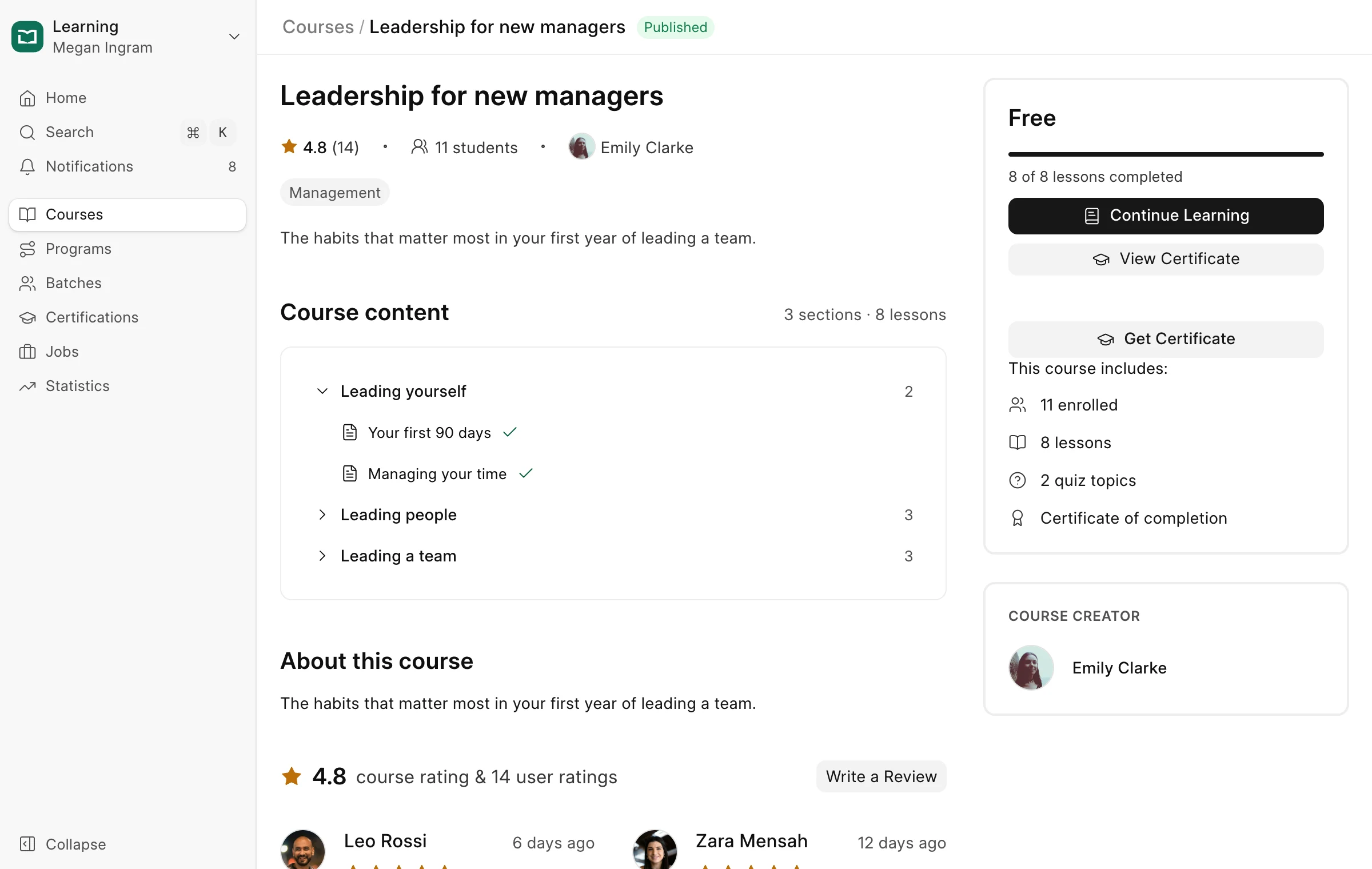
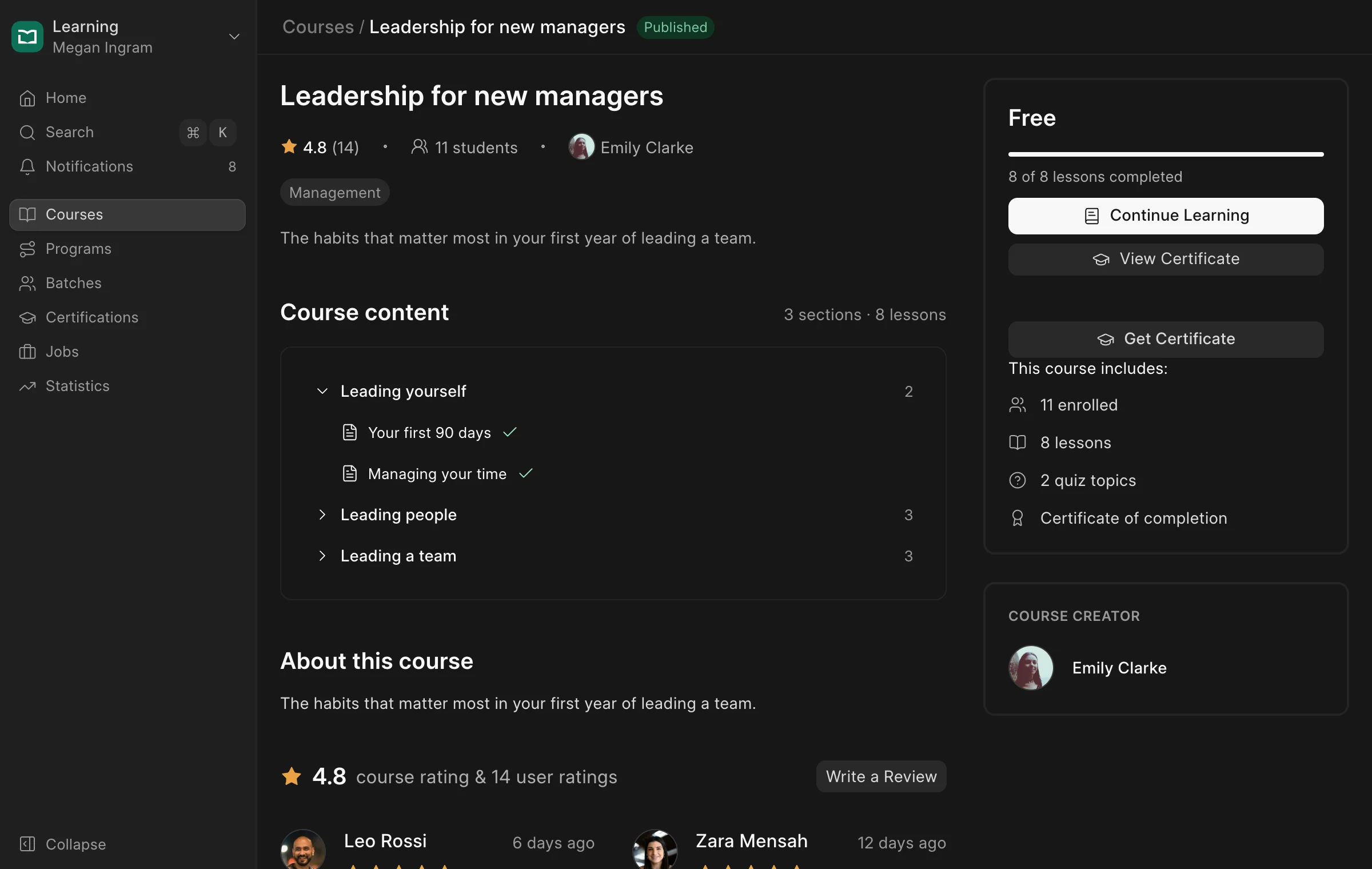
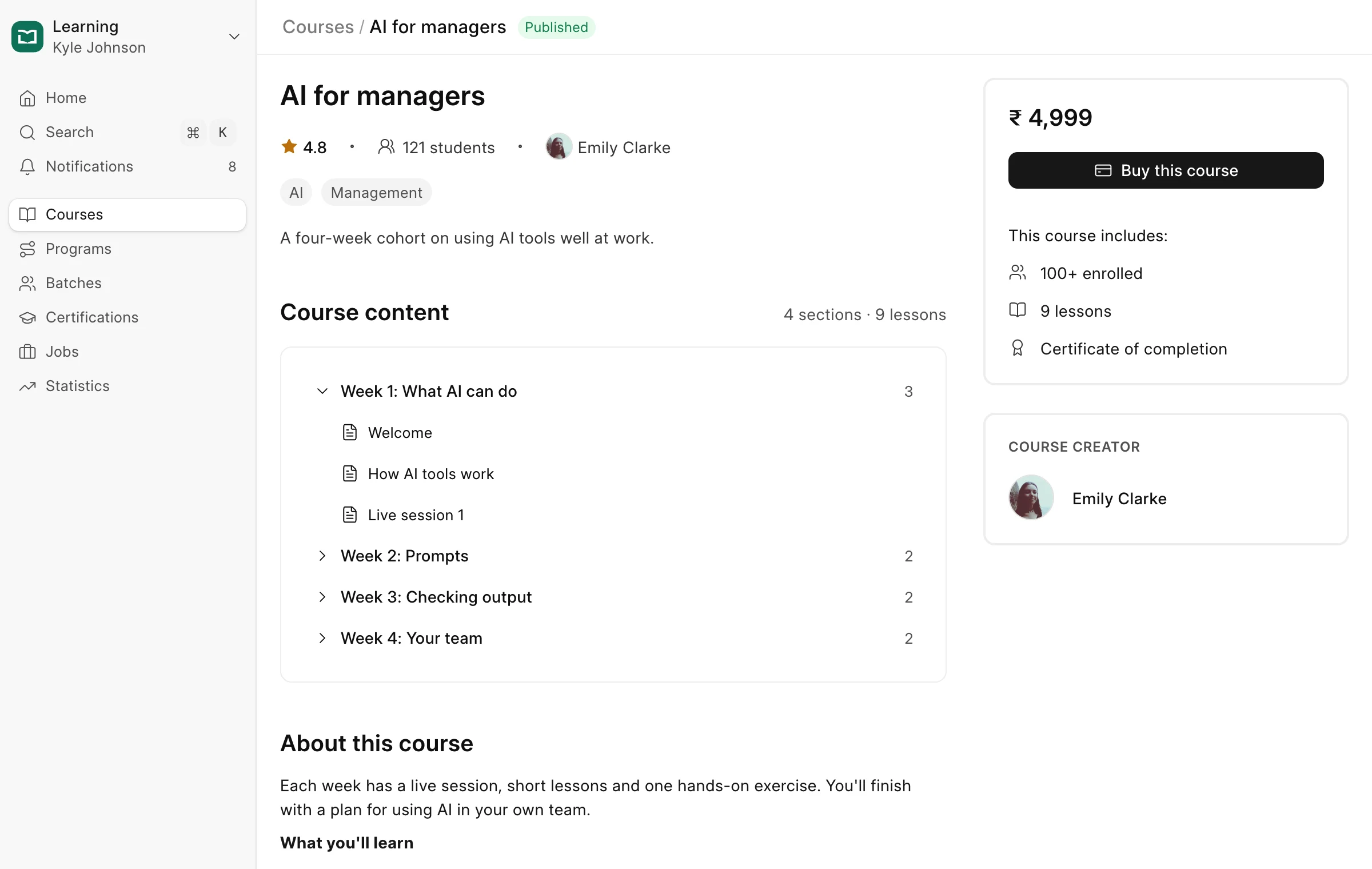
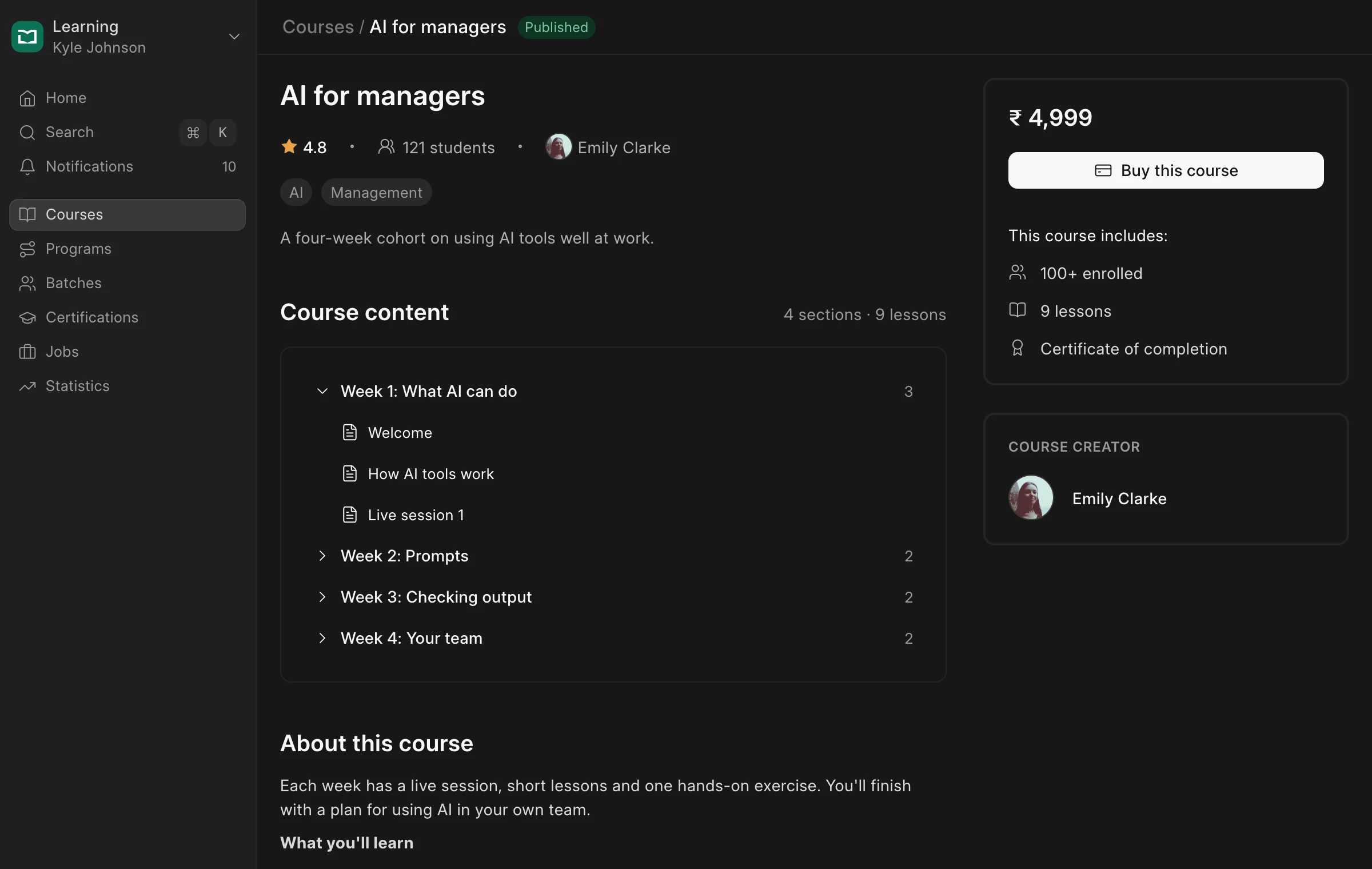
Split a course into chapters and short lessons, with video, PDFs or slides. Lessons open one after another, and you decide what counts as done, like watching the whole video or passing the quiz. In Google Classroom, you post work under topics and schedule when it appears, and there's no way to make one piece wait until the last is finished.
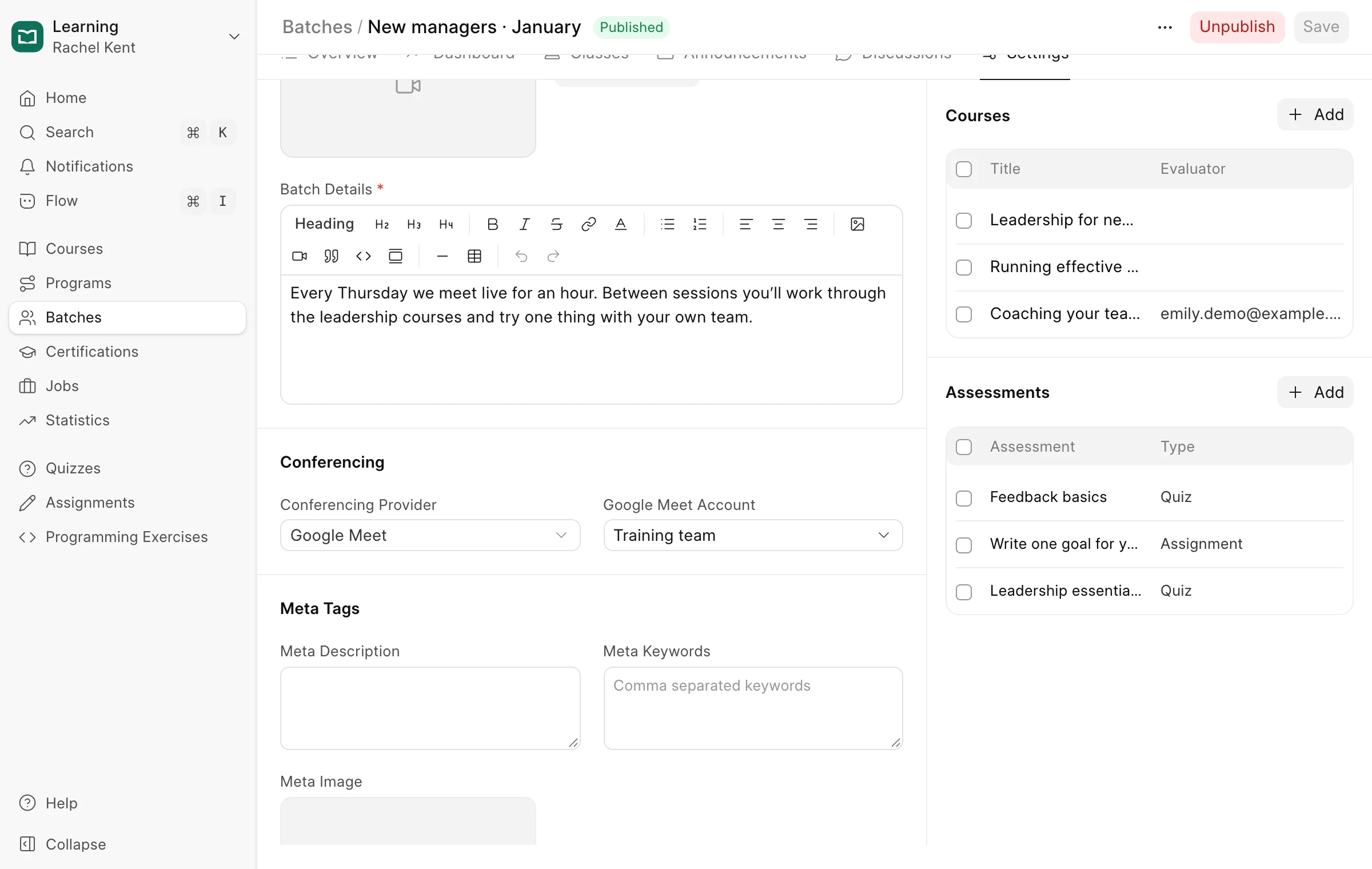
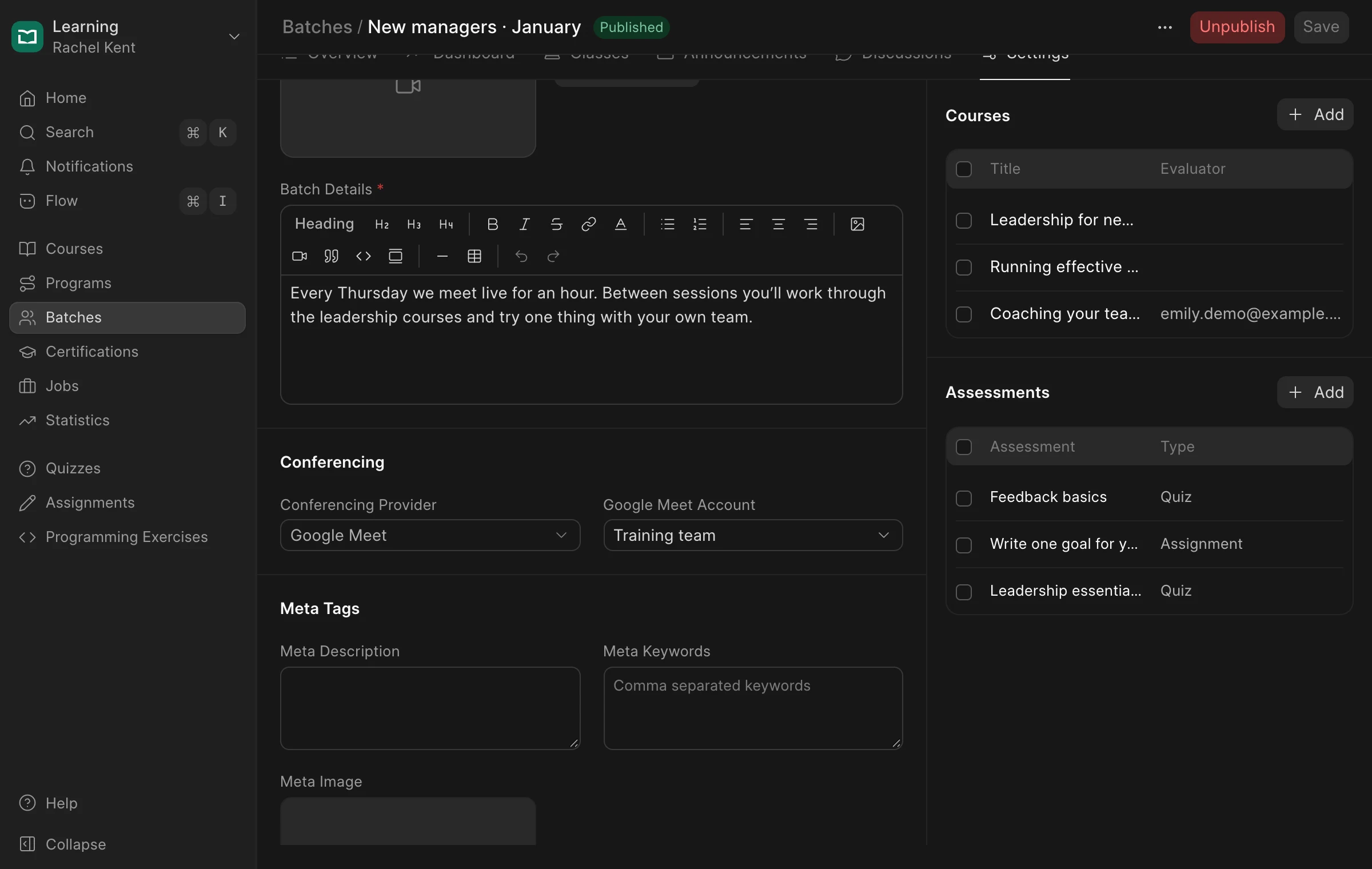
Live classes on Google Meet
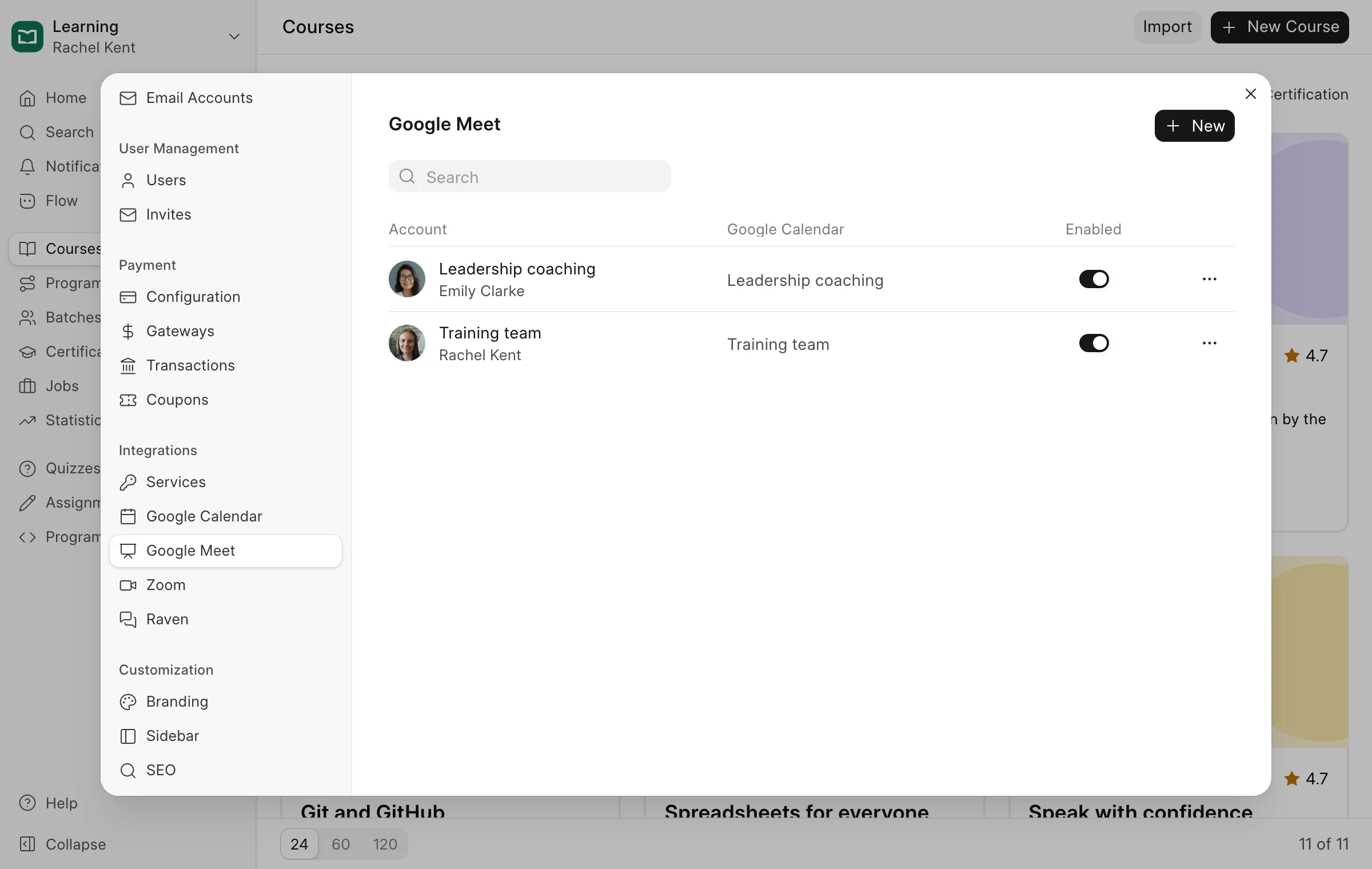
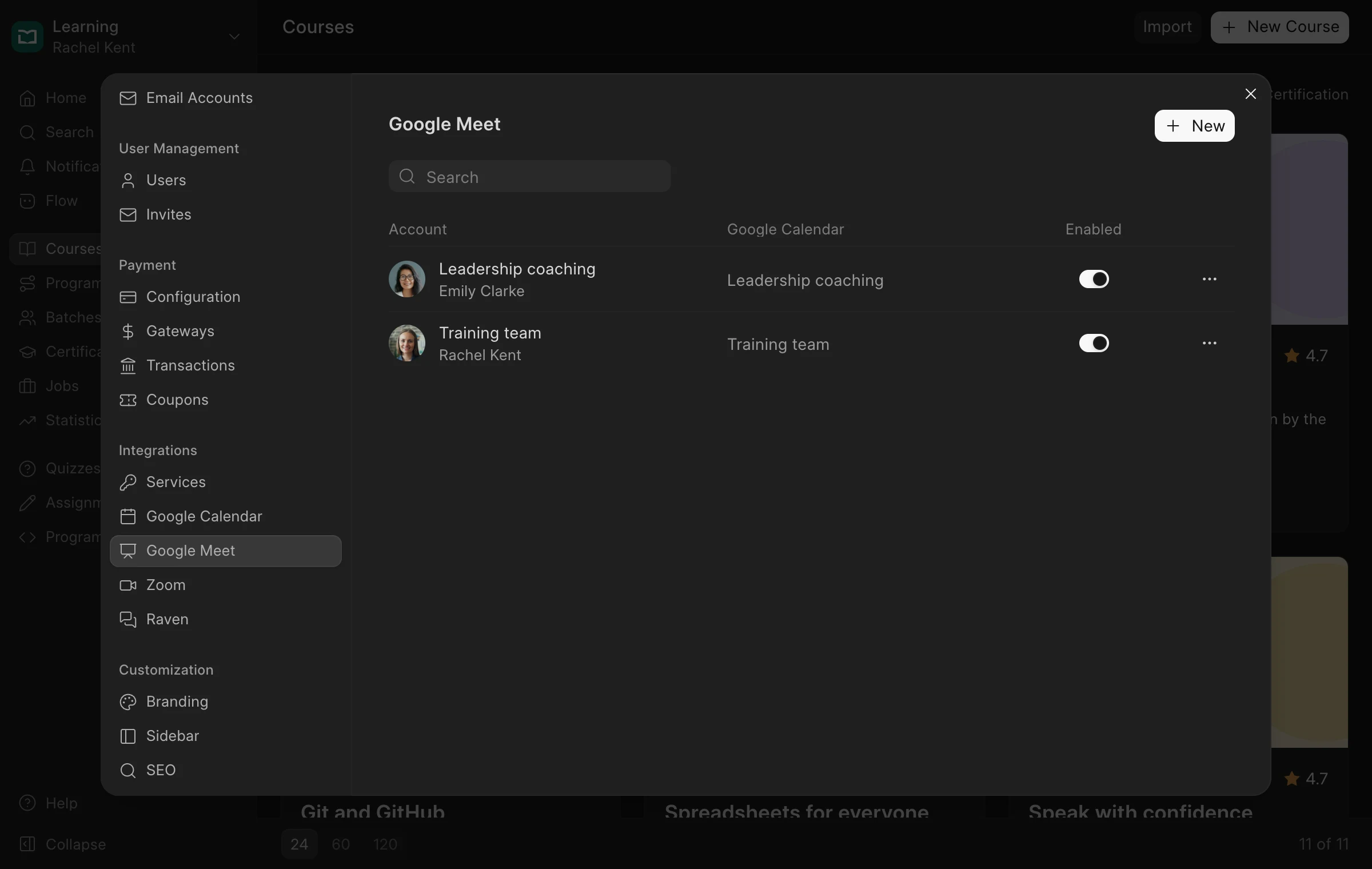
Connect Google Calendar for each trainer and choose Google Meet for a batch. Live classes are created on the trainer's calendar, learners get an invite with the link, and attendance comes back into Frappe Learning on every plan. Zoom works too. In Google Workspace for Education, Meet attendance tracking and recording need Education Plus or the Teaching and Learning add-on.
Quizzes and exams
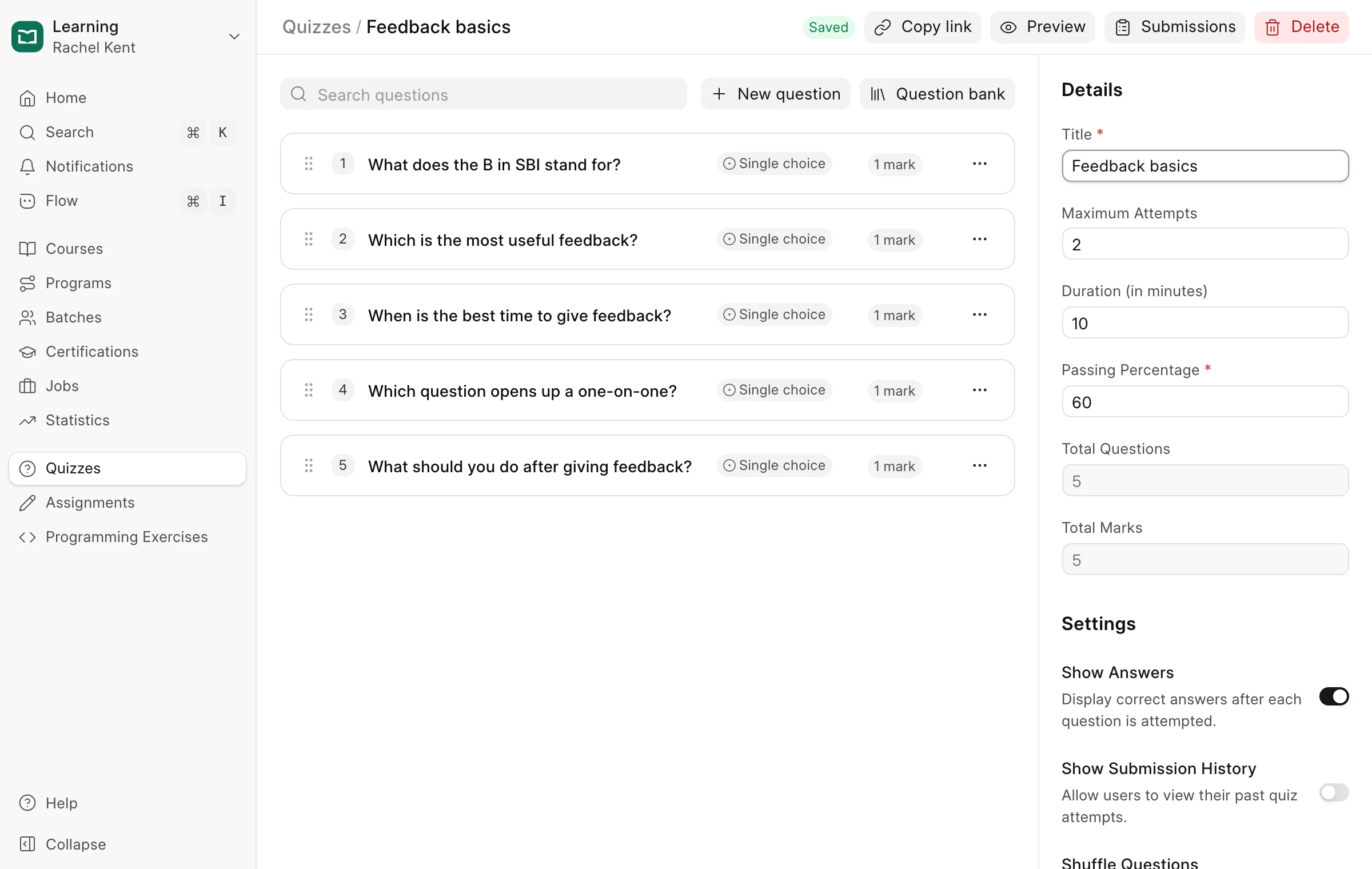
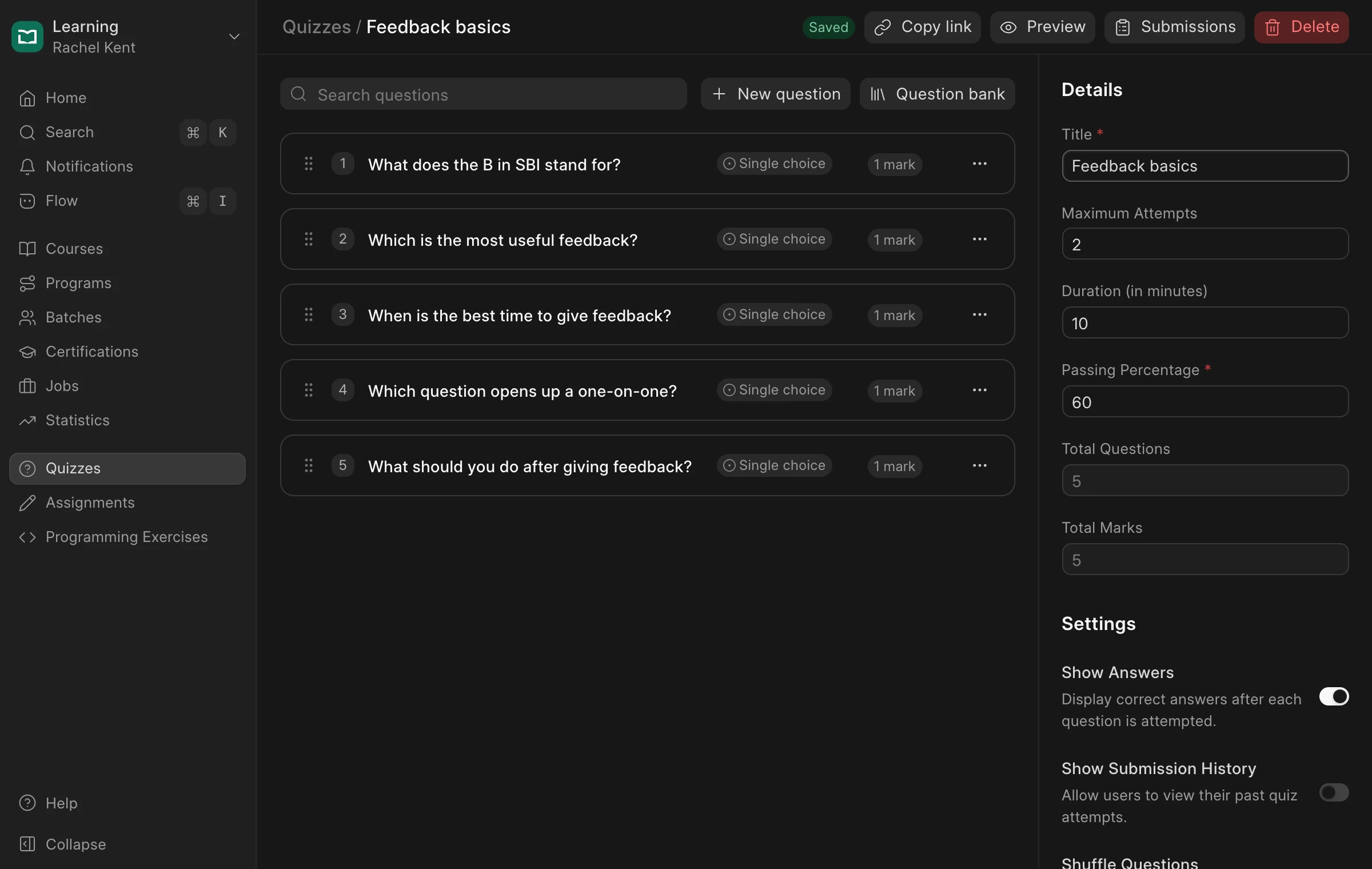
Add quizzes with a pass mark, a time limit and a set number of attempts, using questions from a shared question bank. For exams, turn on proctoring and the camera stays on, with tab switches logged against the attempt. Google Classroom uses Google Forms for quizzes, and locked mode works only on school-managed Chromebooks.
Teach people outside your school
Let anyone sign up, or only the people you add. Put a price on a course or a cohort, and learners pay online before they start. Google Classroom works within Google accounts, personal accounts are limited to 250 members per class, and it doesn't take payments.
See who's falling behind
Each batch has a dashboard that shows who's on track and who's at risk from low attendance or slow progress, and you can send them a reminder from the same screen. In Google Workspace for Education, Classroom analytics come with Education Standard and Plus.
What it costs
Google Classroom is free for qualifying schools on Education Fundamentals, and paid editions are priced per user.
Frappe Learning starts at $20₹2,000 a month on Frappe Cloud, with unlimited learners and every feature, or you can host it yourself for free.
An assistant built in
Gemini in Classroom is free in Google's Education editions.
Frappe Learning comes with Frappe Flow, an AI agent built into the Frappe Framework: ask it to set things up or find answers. On Frappe Cloud, AI usage is included up to a limit, and you can connect your own AI provider for more.
Trusted by teams that teach
We use Frappe Learning ourselves: 165,000+ enrollments across 24 courses on Frappe School.
“Frappe’s LMS has been pivotal in overcoming these challenges and helped create a clean, minimalist interface and experience for Litt learners.”
Akash SS, Citizen Digital Foundation
When Google Classroom is the better fit
Schools already on Google Workspace for Education will find Classroom hard to beat for day-to-day class work. It's free for qualifying schools, works closely with Docs, Drive and Forms, sends guardian summaries, syncs rosters from student information systems, and locks down quizzes on school Chromebooks.
For training programs, academies and bootcamps that need courses, certificates and payments in one place, Frappe Learning is the better fit.
Moving from Google Classroom
Export your classes with Google Takeout, which includes classwork, submissions and grades, and keep your files in Drive. Then set up Frappe Learning, connect Google Meet and Calendar, and import courses and learners from a spreadsheet.
Lessons and quizzes need setting up again. A Frappe partner can help if you have a lot to move.
Frequently asked questions
Can I keep using Google Meet?
Yes. Connect Google Calendar for each trainer, choose Google Meet for a batch, and live classes are created on their calendar with the link.
Do learners need a Google account?
No. They can sign up with email, or sign in with Google if you turn it on.
Is there India pricing?
Yes. Plans start at ₹2,000 a month, and you can sell courses through Razorpay with GST on the invoice.
Is there a mobile app?
Frappe Learning is a PWA: learners add it to their home screen and it opens full screen like an app, with lessons, quizzes and live classes. There's no separate app in the app stores.
Choose Frappe Learning
Courses, certificates and payments in one app, from $20₹2,000 a month