


Before we get into what's new, here's a quick recap of how we got here.
Frappe Lending didn't start as Frappe Lending. In late 2019, an early customer asked us to build a loan-against-securities (LAS) system inside ERPNext rather than buying one off the shelf. By late 2020, that module was live in production. As more users picked it up and a large Indian NBFC came asking for full-stack lending amortisation schedules, portfolios, and co-lending, we spun it off into a product of its own: Frappe Lending. Today, it runs NBFCs with 50,000+ active loans.
Fixing the ambiguity with versioning
We recently released the long-awaited ERPNext, HRMS and Frappe Framework version-16. Frappe Lending also follows a similar trajectory of release, but the newer version of Frappe Lending wasn't released with it, primarily for two specific reasons: Firstly, a lot of things were still under development, and secondly, ever since we restarted versioning from version-15 to version-1, there has been confusion around the community about which version is to be used with the latest Framework and ERPNext release. So, to reduce this confusion, we have decided to follow the same version numbering as our other flagship applications and release Frappe Lending's next version as v16 only. You can visit the Frappe Lending website and start a free trial instantly. But before you do that, let's take you through what's there in this latest release.

The very initial version of Frappe Lending only had an LAS module, which was later evolved into a full-fledged Loan Management System (LMS). The moment we stepped into the lending software domain, we knew that it was just the beginning, and a lot more had to be done. While talking to customers and other prospects, one question had always been there, which is "What about LOS?" And we heard them, so Frappe Lending version-16 comes with a basic Loan Origination module out of the box and many more exciting updates.
These updates are broadly divided into two categories, Loan Origination and Loan Management, starting with Loan Origination.
Loan Origination
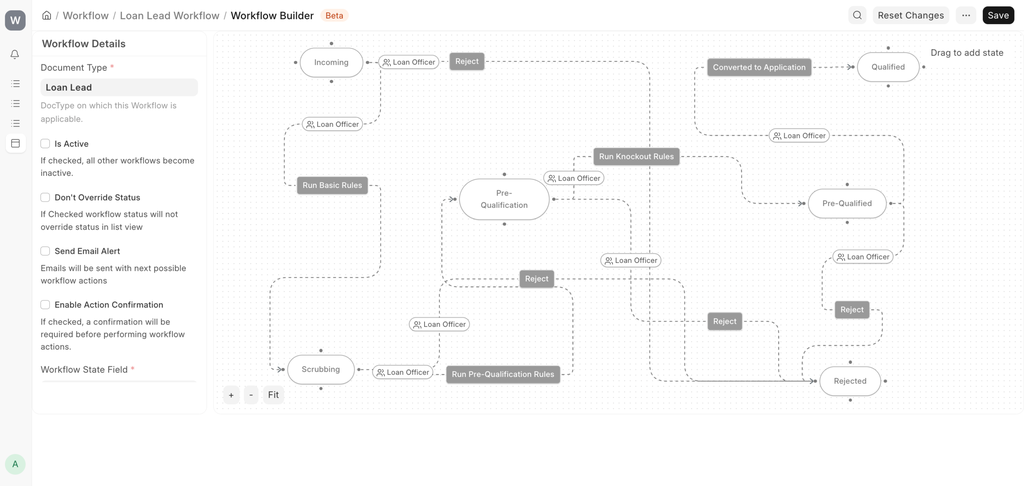
With Frappe Lending, lenders can now manage and build their own custom loan origination journeys right from capturing a lead to loan disbursement. Below are the features that the Loan Origination Module Offers.
1. Lead Management
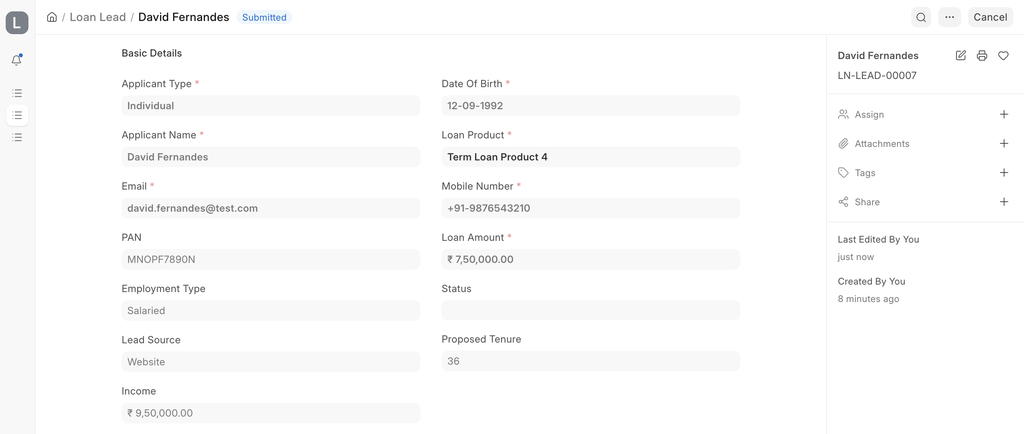
Onboarding a borrower and the underwriting process for them is complex. Earlier, the leads for such borrowers had to be kept outside the system and only at the loan application did they use to come into the system. Now, such leads can be captured in the Loan Lead doctype inside Frappe Lending. This is the stage where NBFCs can run basic eligibility checks before spending any major time and resources, before moving it to the loan application or the underwriting stage.
2. eKYC for Indian NBFC's
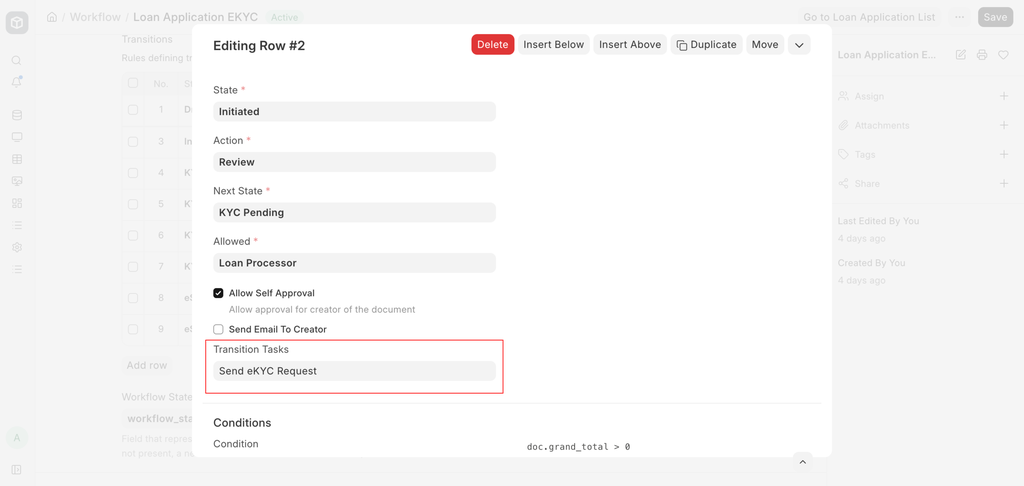
Along with the Lending v16, we are also releasing our official eKYC application. This app comes out of the box with certain workflow tasks like eKYC based on Aadhar and Aadhar based e-Signing which users can add to their own custom workflows. These actions are powered by Digio Integration. You'll also find links to steps on how to configure webhooks and do the entire setup for these actions in our documentation.
3. Workflow Tasks and Actions (Business Rule Engine)
Users can now leverage the capabilities of Framework in their workflows and link various workflow tasks and add server scripts to better implement a business rule engine and their own rules.
Loan Management
The new enhancements in Loan Management are listed below.
1. Loan Importer Tool
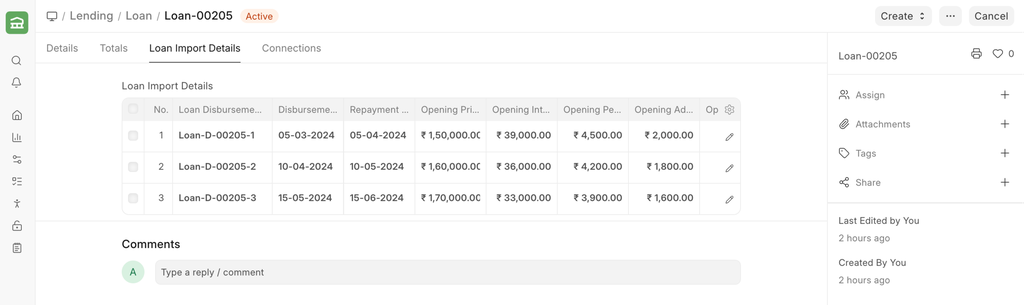
Using the importer tool, ongoing loans or old closed can be easily imported now into Frappe Lending.
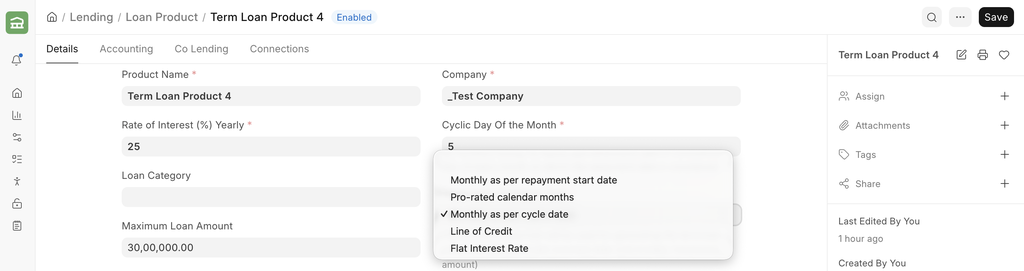
2. More flexibility for Term Loans
There are new type of settings and repayment schedule available for term loans.
- Flat Interest Rate Term Loan
- Ability to add credit card based term loans
3. Optional Loan Accounting
Many users want to quickly get started with Loan Management and maybe later look at accounting. The earlier version of Lending required users to do whole COA and account mapping process to get started. From v16 onwards, users can decide to do this later and just get started with loan management.
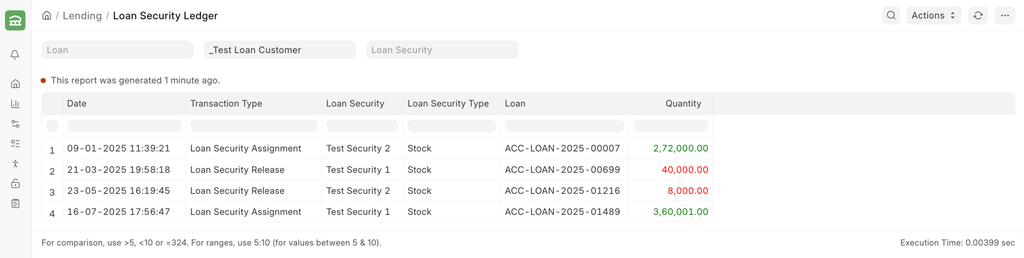
4. Loan Security Ledger
Users can now get all the pledging and unpledging activity in a consolidated view, and can also get a running balance of the security value.
5. More reports
- Loan Outstanding Report
- Past Cashflow Report
- Future Cashflow Report
- Loan Statement of Account
- Loan Security Ledger
- ALM Audit Report
To know more about all this in detail, checkout our documentation

