


TL;DR; No v17 yet. Version 16.50 is a polished version of version 16. It’s awesome, looks really good, and yes you should try it today.
Today, we’re announcing the release of version 16.50 for our three main products (“the golden trio”) - Frappe Framework, ERPNext, and Frappe HR. This update is substantial because it introduces new features, improves user experience of these three apps, and helps us set up a cadence of more frequent "big" releases
Why not version 17? Well, we released v16 back in January - and ever since then we’ve received a lot of feedback about navigation and user experience issues in the product. We fixed a lot of it, and it’s been sitting on the develop branch for months now. We wanted our users to get their hands on these improvements as soon as possible, and waiting for version 17 didn't seem like the right choice. First off, we don’t want this release to have breaking changes - and releasing version 17 would have a lot of breaking changes. Second, keeping v16 the way it was just did not feel right. We had to fix it.
So what’s in this new version? Well, quite a lot, but we’ll cover the hits here.
New navigation pattern
The biggest complaint on v16 was the navigation.
- Navigating between modules took a lot of clicks.
- The information hierarchy was confusing.
- You could literally play a game called “Guess which sidebar will appear?” whenever you opened a DocType.
This release fixes that. The “desktop” page is now clean and only shows the app icons. You click on an app and you see a “dock” on the left which lists all the modules. This module list was also trimmed to a few, to reduce cognitive load. Every module is tied to one sidebar - and the sidebar houses all the frequently used links for that module. We’ve also curated these sidebars for every module so the defaults you get out of the box are not cluttered.
The dock can be configured by every user to be persistent, or to only be shown on hover. And yes, don’t worry, these sidebars can be modified - at the site level, as well as at the user level. So every user can curate their own sidebars, based on their preference.
The hierarchy is pretty clear now: App > Module > DocTypes, Reports, Pages, Workspaces, Dashboards and everything else.
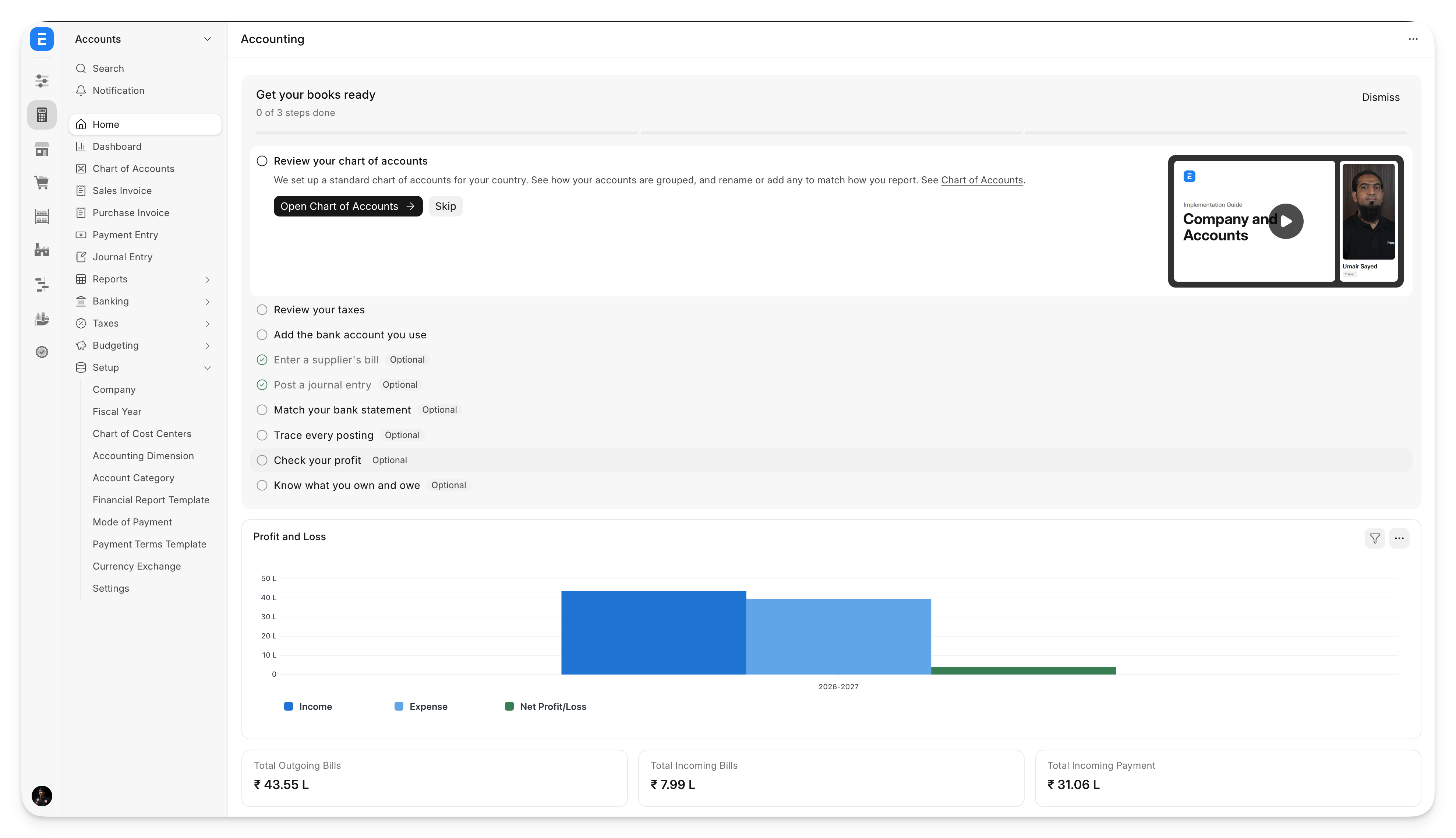
To know more about the trials and tribulations of Soham - our official in-house sidebar expert - do read his blog post.
A new print format designer
At this point, we don’t even know which version of the print designer this is (v3/v4?). What we do know* is that this is it. The new print format designer (yes, designer, not to be confused with Builder) is much more capable than anything we have built before and comes by default since it’s a part of Framework.
The problem with our “print_designer” app was that it allowed for too much flexibility and precision - which is not something that you need when you’re designing printing templates. But you do need some flexibility, especially for things like tables, and more placement options than just “left or right” which is what the existing designer in Framework offered. This fine balance is where this new designer shines.
It gives you a complete canvas-like editing experience, with a live preview of the document. You can drag and drop elements, control their properties, and even group fields/columns in child tables all from the UI. All our new print formats that come out of the box with ERPNext and Frappe HR have been designed using this.
* as of writing this post
Consolidated settings
What makes these three products so powerful is the number of configuration options you get. For every DocType you can configure its naming, workflow, email templates, print formats, roles, permissions and other settings that might be available in other forms like Selling/Accounts Settings.
The problem, though, is that it’s hard to find these options. Some of these settings are app-based, some are in different modules of Framework, but they all apply to the same DocType. So to solve this problem, we’re now introducing DocType Settings - a consolidated view of all configurations available for a given document. This is accessible right from the menu on a document’s list or form view.
It brings together everything in one place:
General Settings - these are settings that apply to the current DocType but are present in other documents. For instance, a lot of configurations for Sales Invoice live in Selling Settings, Accounts Settings and Stock Settings. This tab brings all of these together in one view.
Naming - some DocTypes have naming series. Earlier, you had to go to Document Naming Settings to configure these options. You could also configure “Naming Rules” with conditions - again a separate form in Framework. This tab brings all these options in one place, and you can edit them straight from the dialog.
Workflow, Print Formats, Email Templates, Notifications - again, these always existed in Framework, but this gives you a consolidated view of all configurations linked to this DocType.
Roles and Permissions - same principle as before, but with a much better UI than our current role permission manager.
Global Search - you can configure all the fields you want to search against from here. We’ve also revamped the global search feature (Ctrl/Command + G) to show a tabular structure and added the ability to filter by DocType in it.
We used the same pattern and applied it to all the user preferences. Instead of going to the User form and searching for your name, you can simply click on the user avatar in the bottom left corner and click “Settings”. This shows you every configuration (language, time zone, password, form/list view settings) that you can make for your account in one place.
Better data import
The data import form has been converted to a step-based wizard to guide the user through the import process. After uploading the sheet, you can map columns as you would earlier. But now you can also map values to specific values in the system.
Let’s say you were importing Customers and the territory values in your sheet did not match the ones in your system. You can now either map them to the correct value, or create a new territory right from the interface.
If your sheet has invalid rows (maybe it has blank columns), you can choose to skip them. If you import a document like Item Group, or Account which are trees - earlier you had to ensure that all your parent groups are at the top of the sheet followed by your child nodes. Now, that’s not required - in fact the data import wizard allows you to preview your entire tree structure and change its hierarchy directly from the interface without having to fix and upload the sheet again.
And to add to this - for certain DocTypes, like Customers and Suppliers - you can import them along with their addresses and contacts in the same file. Earlier, this required separate imports - and then some complicated linking logic to set addresses/contacts as primary. This is all handled by the new importer. If you’re an app developer, you can also extend the data import tool for your own DocTypes.
Beautiful Kanban boards
I’ll spare your eyes by not adding a screenshot of the previous Kanban board here. We’re sorry about that, and to make up for it - here’s what the new Kanban offers:
- It’s really fast - only loads the data it needs, cards are virtualized
- Completely configurable - set up the card to contain fields you want, with or without an icon. Optionally configure the preview so that you can peek at the details of the document by just hovering over its title
- Actions with a right click context menu
- Bulk drag and drop
- Group the board into “swim lanes” - so you can view a task board by assignee
List view layouts
Earlier, Framework offered only saved filters on lists. Now, you can create entire layouts - with columns (resizable by dragging), column order, filters, and the sort order. You can create these layouts just for yourself, or for all users on your site.
ERPNext also ships with default list layouts for most documents. For example, in Payment Entry, you can now quickly view all Internal Transfers - which applies a filter and also shows the accounts the transfer was made from and to.
Child tables
Child tables now support bulk editing - so on a Sales Order, you can select multiple rows, and then edit a field like warehouse in bulk. You can also resize columns in a child table by dragging the column handles.
Inline previews
Earlier, if you had to view attachments in a document, it would open it in a new tab - or worse, download the file in your browser. Now, we show inline previews of the most common types of documents (images, sheets, PDFs).
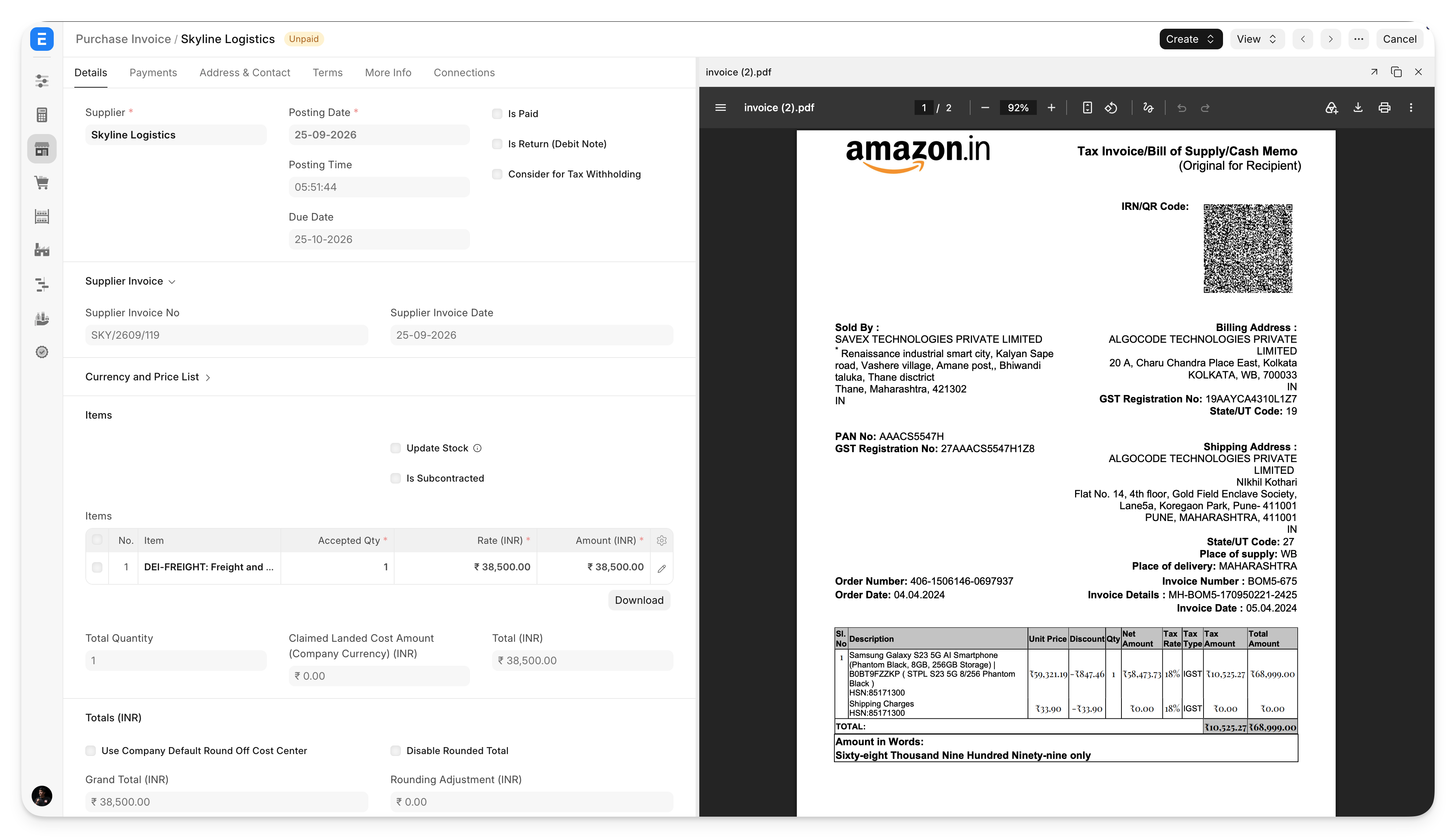
Similarly, in reports, I've always wanted a "quick peek" feature for documents linked in the report without navigating away from it to the form. So now, when you click on a link in a report, it opens the document in an inline preview.
The little things
Among all this, you’ll also notice that we’ve put a lot of effort into “polishing” existing functions.
For instance, the email composer - this is how it looked earlier.
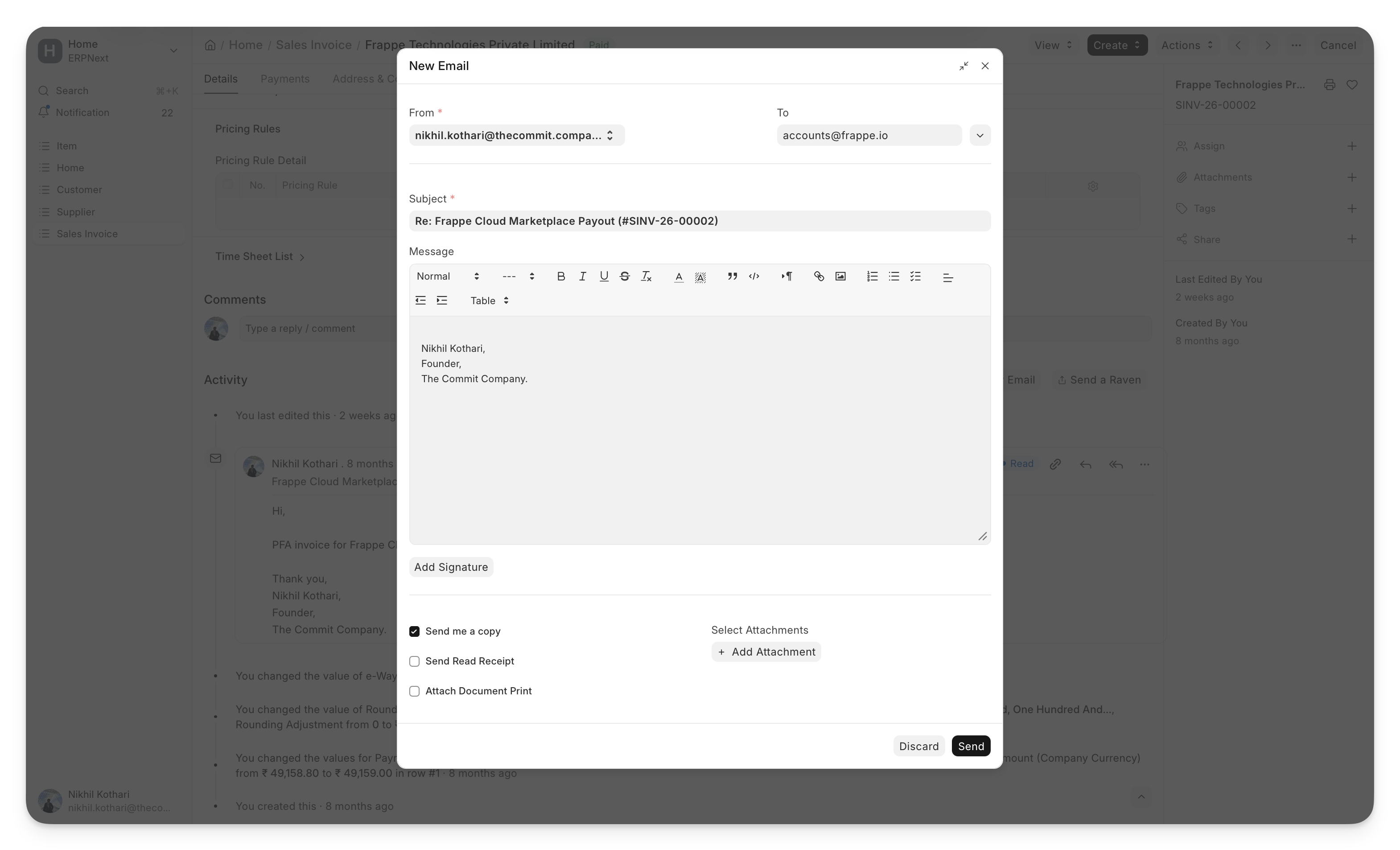
Now it looks so good that you might just hold off on writing scathing emails to your suppliers.
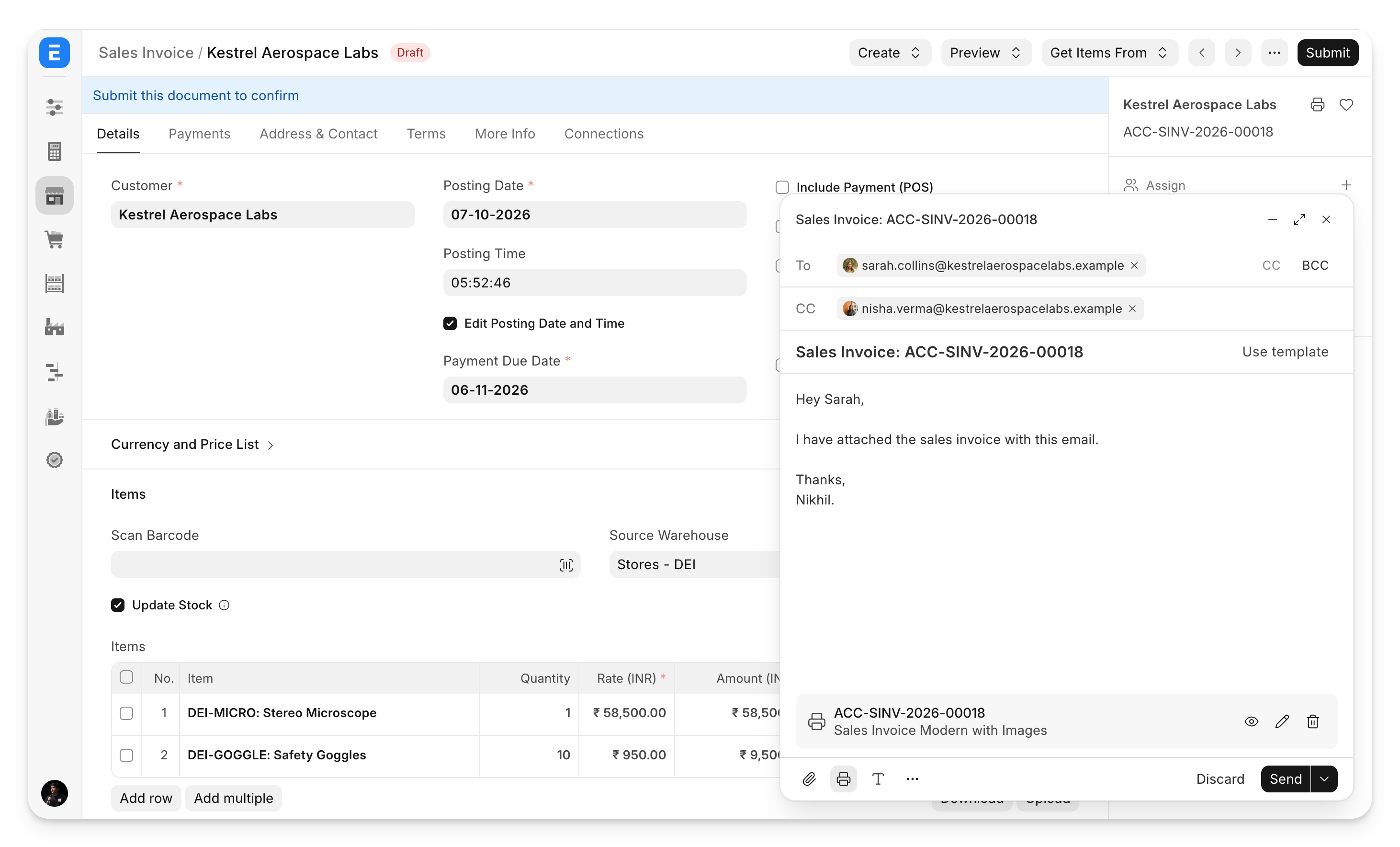
All DocTypes and Reports in these apps now have links to relevant documentation, and DocTypes have icons and a helpful description that is shown on empty list views.
The setup wizard has finally been updated with a cleaner user interface. The new onboarding experience is also more inviting and helpful.
As I said - a lot of tiny details.
New components
All the changes mentioned above were built on top of a central component library we developed for the Desk interface. These components are designed as per the Espresso design system and hence look exactly like their frappe-ui counterparts. You can view these components and their code samples right in the Desk interface by going to the “Component Explorer” page. We recommend using these components to build your custom apps going forward.
How do I migrate? Will things break?
Migration is simple: just update your apps to 16.50 or higher. You would need to update all three apps. If you have other apps like Builder installed on your site, we recommend updating those too.
Things should not break. This release has no “breaking changes” except some form cleanups that we did which might have moved your custom fields around. The desktop interface and the sidebar do change - but only if you opt in to the new behaviour. This can also be configured in Desktop Settings to use the old layout or use the new “Apps” layout.
I hope this release solves a lot of the issues that you faced earlier in v16. And there’s more to come. We have more releases planned in November and December - with improvements to our standard forms (Customer, Supplier, Work Order, Projects and more), Insights dashboards embedded in the Desk interface, and more.


·
A addon to my previous comment . I put a line after each para for the read it in blocks. The paragraphs are there,but not the extra line between them.
·
I wouldn’t skip this one for being too long. I timed my full read at 5 minutes 8 seconds.
Really glad to see, and I appreciate, all the effort to go the extra mile to make the interface more intuitive and enhance the end-user experience. Cutting clutter is something everyone associates with Frappe, whether in the colors used or the themes applied. Minimalist design is the default for Frappe and its products.
But while many people wear white shirts (I too prefer white because I don’t want to bother choosing among the colors in my cupboard), We realize there are millions who prefer flashy, vibrant colors.
Consider a doyenne of business using ERPNext who likes everything to match from head to toe - a yellow hair band, earrings, watch strap, outfit and footwear. Wouldn’t this user like a theme to match her attire? And wouldn’t there be many more like her? wouldn't they like to match the theme to their color of the day. what options do they have in frappe - out of the box.
After enjoying the posts on frappe.io/blog, moving on to the comment section sometimes feels disorganized. Another thing I would like is the option to edit or delete a comment if we have a change of mind, or even click Comment without a second thought. Not sure if our paragraphing are proper as intended unless we post it.
What are your thoughts on this, Nikhil bhai?
·
On top, it sais "8 min read". But a copy-paste of everything before the final "Published by Nikhil Kothari in Product Updates on 7 Oktober 2026" into Word reveals a word count of 2004 words. This can hardly be read in 8 minutes. Check it yourself and also with some other real-live ("analog") people, with a stop-watch. Such numbers are unrealistic for most people and might encourage superficiality, half-reading, not-really-reading, misunderstandings, even false hopes, even imposter syndrome, and thus burnout. "data-driven" gone wrong. Try to be more realistic, and compare your metrics not with machines, AI, photography, otherwise you will end up in unrealistic la-la-land and not understand why your metrics and thus your appreciation of real life people and efforts needed suck. People are different. Some read faster, some slower. Don't take the fastest for the standard, nor infer "quality" as "fastest". I guess the number is derived by an "algorighm". Well, that's a bad one which needs to be corrected. Also, it's not necessarily good (or even "best") to produce "more" text. The relation of humans to numbers should not mechanize people and pit everyone agains everyone else, but encourage quality of life and loving relations.
·
How we can subscribe to these blogs or update so we get notified when new updates comes.
·
These are great developments.
·
This is a game changer.
·
still sidebar is not that mush user friendly,
·
Great work. Thanks a lot.
·
This attention to the little details is what Frappe is all about. I was gonna wait until V17 was released, but the polished V16 looks amazing. Can't wait to try it out.
·
ignore, my comments. i changed to desktop icons and rebuild the desktop
·
Thanks. Two things i found 1. The Frappe Framework list has the wrong nav menu after upgrade 2. How do you add custom desk appw as this is depreciated - didn't migrate.
·
Great design fixes/features. Changes related to Child table related changes look good and makes life easier. Thanks Frappe team
·
In the reports view can you give functionality like select and delete multiple report rows without affecting the original entry just temp deletion from the report window same most of the users are doing in tally simply hitting ctrl+space
·
Would love to see improvement to Frappe Gantt and the Tree View as well to make it more customizable. Will help increase navigation in certain modules.
·
Happy to see import tool fixed. Makes life easy!
·
Amazing , so good to see the simplicity back in the UI. more power to the team. Best wishes
·
There is one more issue, actually not related to the v16 itself, it is from last versions, still not fixed, it comes when you add one doctype to more than one workspace or workspace sidebar, when you visit this doctype and than if you refresh the page, automatically the first workspace containing that doctype opens up, the system doesn't remember the last opened workspace on the refresh
·
@Dany Robert - yes, the dock and the sidebar are completely customisable - you can add custom DocTypes, Reports, links to external URLs. And you can configure the sidebar just for yourself, or for the entire site.
·
Can I add my custom doctypes related to a module on the sidebar of that module?
·
Proforma Invoice will be released in a future v16 release. Wasn't tested enough.
·
This is Awesome , we appreciate you guys.
·
Why Proforma is not introduced with this?