


We are just a few days away from Frappeverse Mumbai 2026, and the team has been heads down working on some exciting features and improvements all of which will be showcased during the two days of the event. Do register if you haven't already!
Now, let's take a look at what's new this month.
Table of Contents

Restrict Item, Customer or Supplier to Specific Companies
Users can now restrict certain Items, Customers or Suppliers to a certain selected list of companies. For example: if you restrict an Item to Company A, users who do not have access to Company A would not be able to see or transact with this item.

Note: This feature is currently available only on the develop branch.


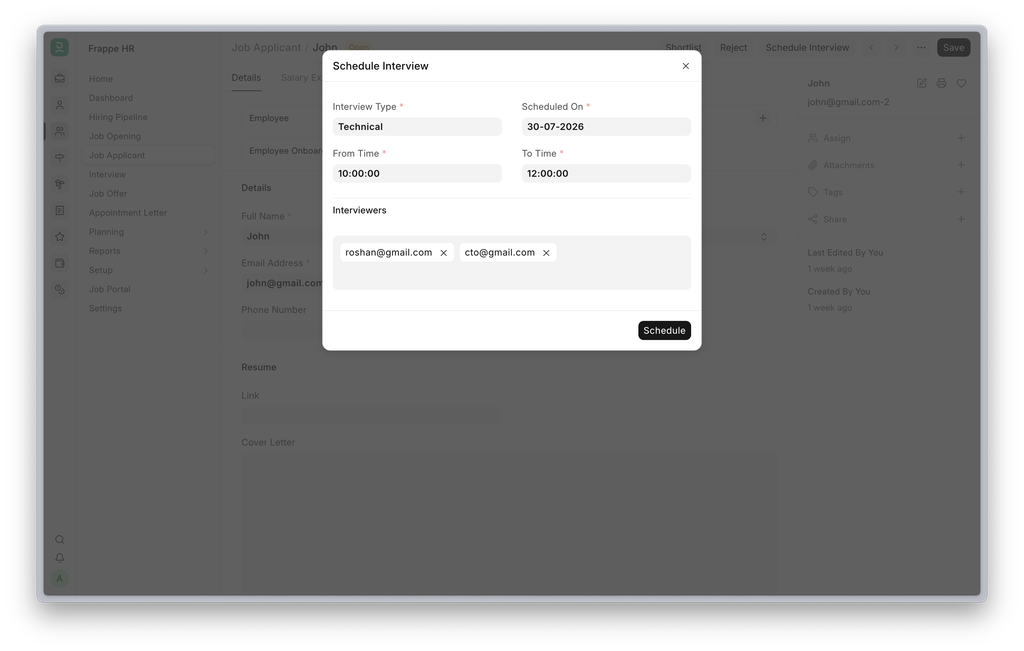
Schedule Interview from Job Applicant #4857
Clicking Create Interview on a Job Applicant previously navigated away to a blank Interview form, breaking the recruitment workflow. This has been replaced with a Schedule Interview dialog that collects the interview type, date, time, and interviewers in one place without leaving the form. Interviewers are now auto-populated from the selected Interview Type.
Recruitment Email Notifications #4919
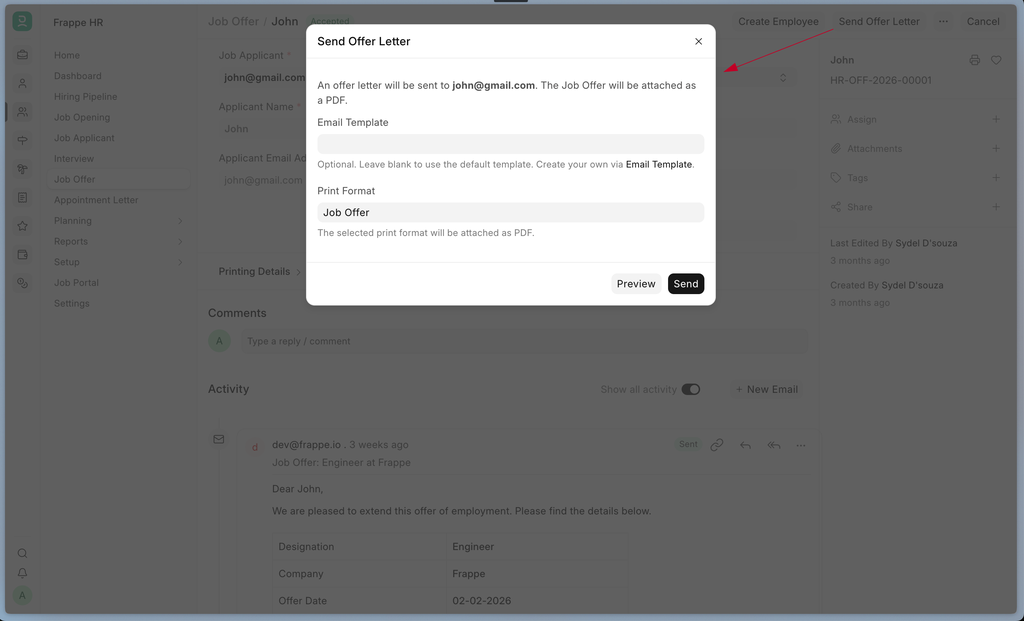
A Send Offer Letter action has been added to Job Offer, sending a personalized offer letter email to the candidate from the Hiring Sender Email configured in HR Settings, keeping hiring communication separate from the default service email. The button relabels to Resend Offer Letter after the first send, and a default offer letter email template is included and can be customized before sending.
A Send Confirmation action has similarly been added to the Interview form, sending a confirmation email to the candidate and all interviewers and relabeling to Resend Confirmation after the first send. A Schedule & Notify option on the Schedule Interview dialog allows the confirmation email to be sent immediately upon scheduling. This can be toggled on or off from HR Settings, where the template is also customizable. Interview and feedback reminder emails have been improved as well, with feedback reminders now sending an in-app notification to pending interviewers.
Job Application Web Form #4964
The job application web form now displays the job opening's title instead of its raw ID when a candidate navigates from a job listing. A new Prevent Duplicate Applicant option has also been added on Job Opening, blocking the same email address from applying to the same position more than once.
Other Fixes - Half-Yearly Earned Leave Allocation: Fixed incorrect allocation dates and leave amounts for half-yearly earned leave schedules based on an employee's joining date.#4847
Salary Slip Default Amount: Fixed Default Amount for formula-based salary components getting incorrectly prorated whenever payment days differed from total working days (e.g. LWP, absences)#4888
PWA: Fixed link fields clearing when the selected value fell outside the default options page; fixed blank Employee Number and Reports To fields on the Profile page; fixed the checkin button defaulting to "IN" when tapped before the app finished loading the employee's last checkin.
Leave Overlap Validation: Fixed a gap where a full-day leave plus a half-day leave on the same date could both be approved for today's date, allowing 1.5 days to be booked for a single day. #4789. Contributed by Girish Raghav
Salary Slip Naming: Fixed incorrect Salary Slip naming when slips are created via Data Import #4980
Roster API: Fixed cancelled Shift Assignments silently blocking new shift creation for adjacent date ranges via the Roster API #4980. Contributed by Pratheep S


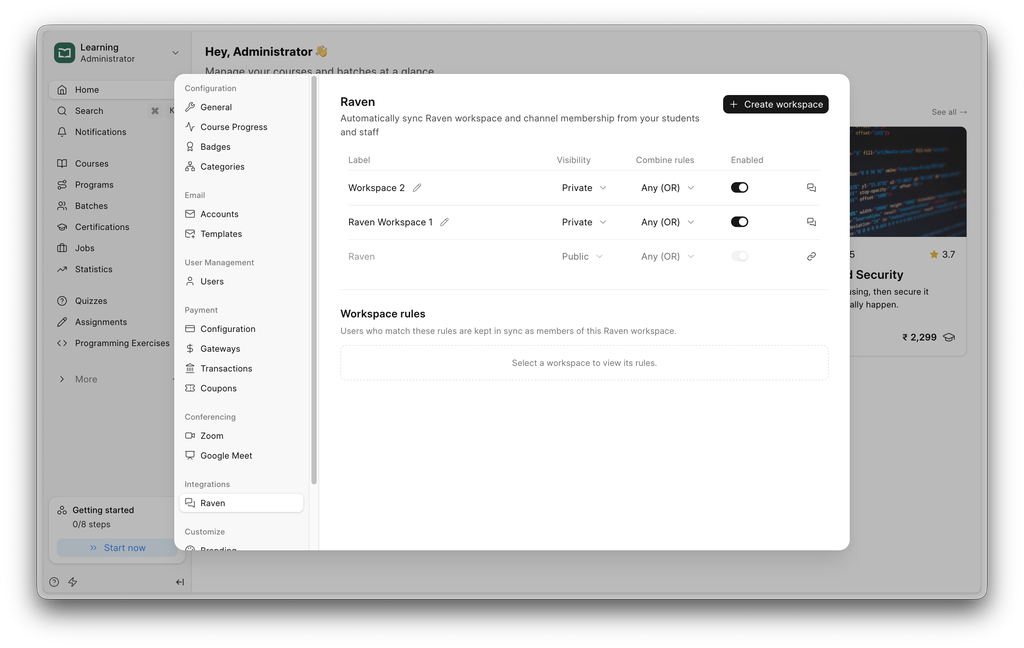
Raven Integration is Now Available in Learning
Use Frappe Learning with Raven with ease with the new integration; it automatically adds people from various batches or courses depending on your rules.


v3.12 Adds Workbook Templates
Pre-built dashboards you import into a workbook in a couple of clicks. It ships four for ERPNext, and the mechanism underneath is a hook, so any app can ship its own dashboards the same way.
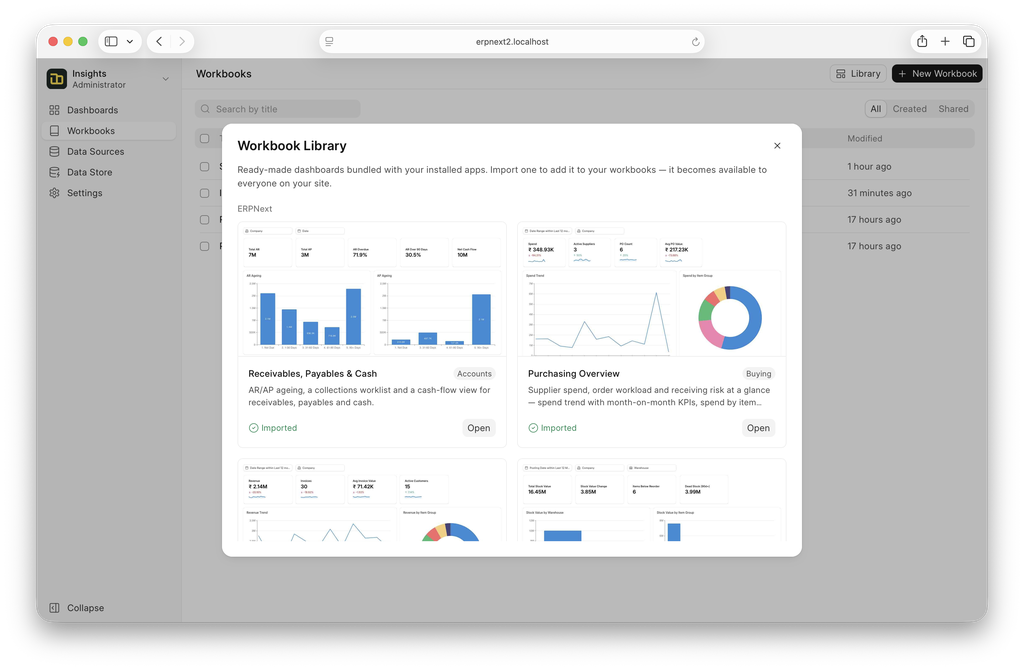
The four that ship:
- Receivables, Payables & Cash: AR/AP ageing, collections worklist, cash-flow view
- Sales Performance: revenue trend with MoM KPIs, top customers/items, quotation→order funnel
- Purchasing Overview: spend trend, spend by item group, top suppliers, PO status mix
- Inventory Health: stock value by warehouse/item group, movement, reorder alerts
Importing gives you your own copy to edit. Imported dashboards are shared org-wide for viewing.
Check out this post to know how to ship a template along with your app.


Rethinking the Ticket Side Panel #3372
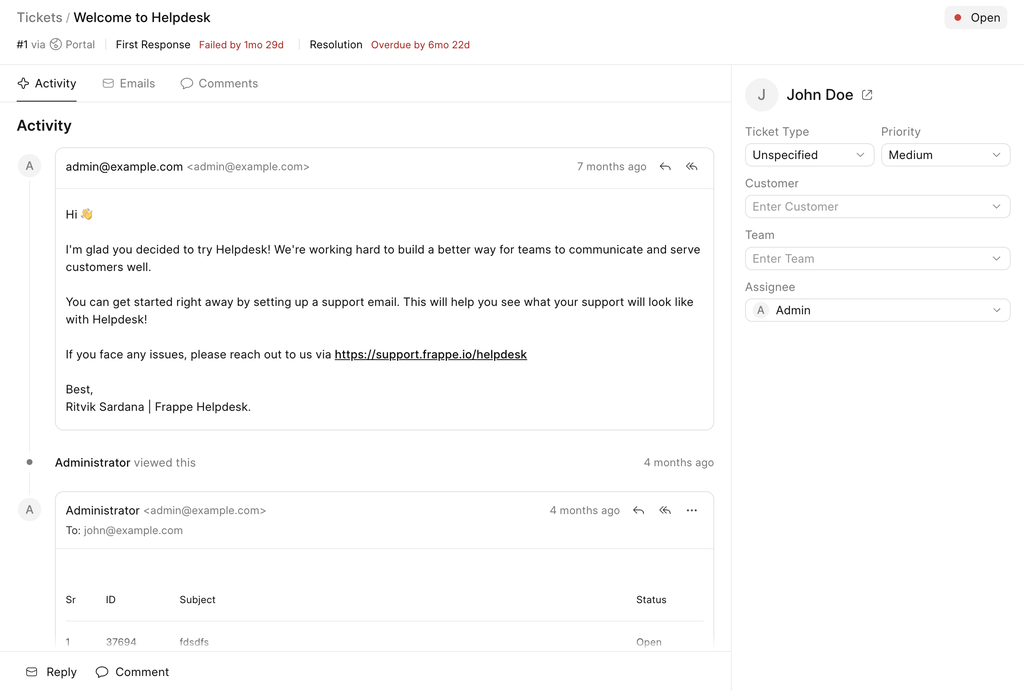
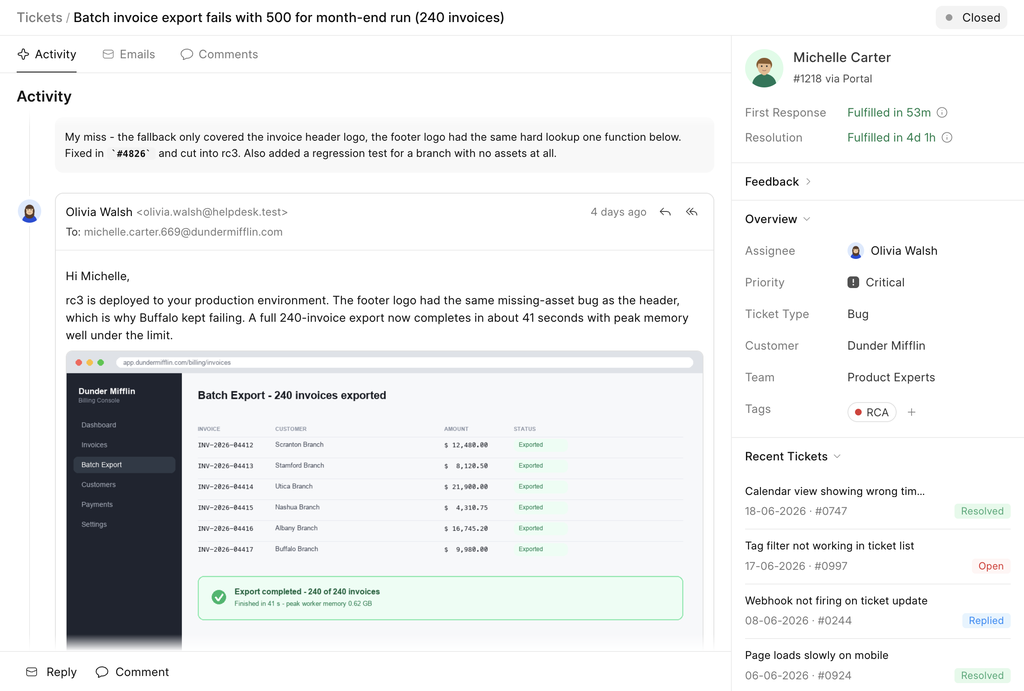
If you've spent a full day in Helpdesk, you know the feeling: you open a ticket and your eyes have to go on a small journey. SLA at the top. Ticket information on the right. Feedback all the way at the bottom. All of the information feels scattered.
Before
After
Quick Context:
The information was scattered — Everything you needed was there, just never in the same place. Feedback lived at the bottom, SLA at the top, ticket details on the right. You learned the layout by muscle memory rather than by reading it.
Space was going to waste — The old right panel was boxy. Every section carried its own borders and padding, and those pixels added up to a panel that showed less than it could.
SLA had no context — A due date on its own doesn't tell you much. Was it met? Missed? Did the agent reply in time, or did the clock quietly run out?
The new side panel fixes all three.
Contextual SLA fields
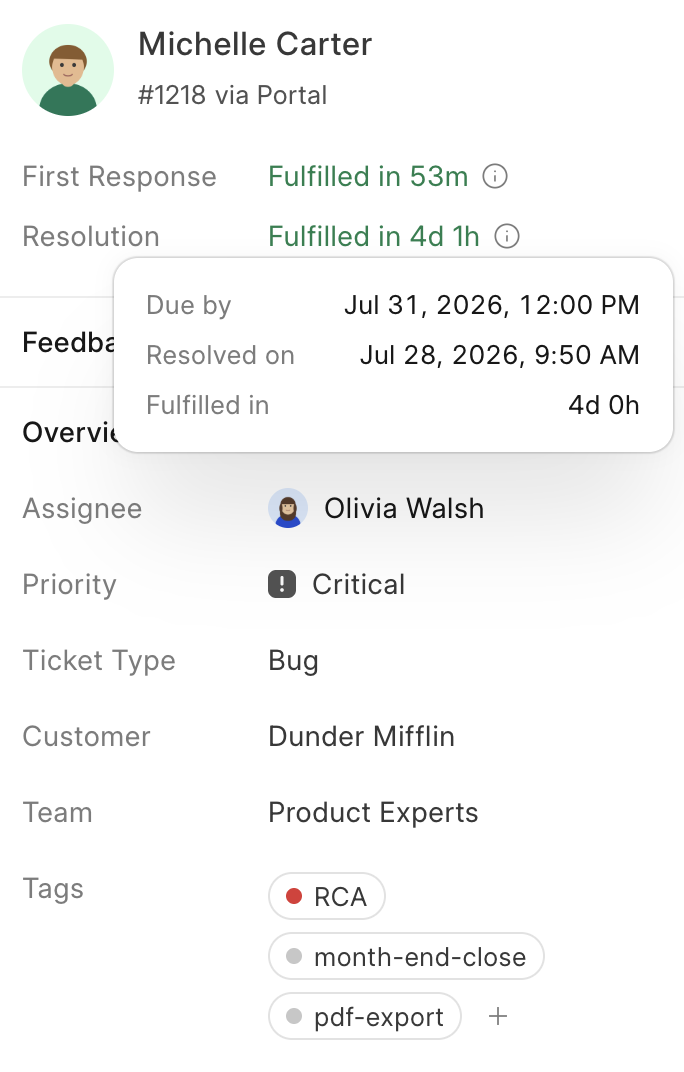
Instead of a bare timestamp, you now see the story of the SLA: whether it succeeded or failed, and more importantly, when the agent actually replied. That's usually the detail you were digging for anyway.
Priority with “levels”
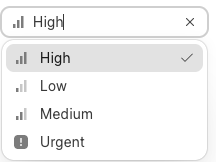
We've added levels to priority, so you can tell tickets apart without stopping to read each label.
Tags
Analysis used to mean guessing at patterns. Tags let you name them. Group tickets by whatever matters to you: a recurring bug, a product area, a customer segment.
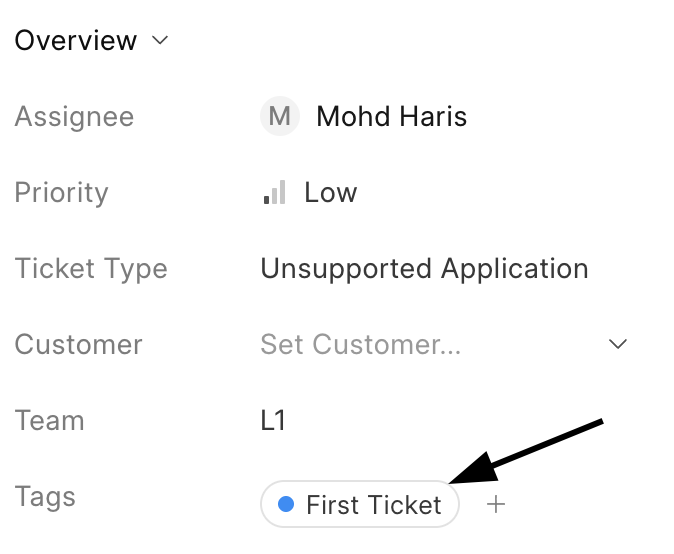
When a customer creates a ticket for the first time, it gets a First Ticket tag automatically.
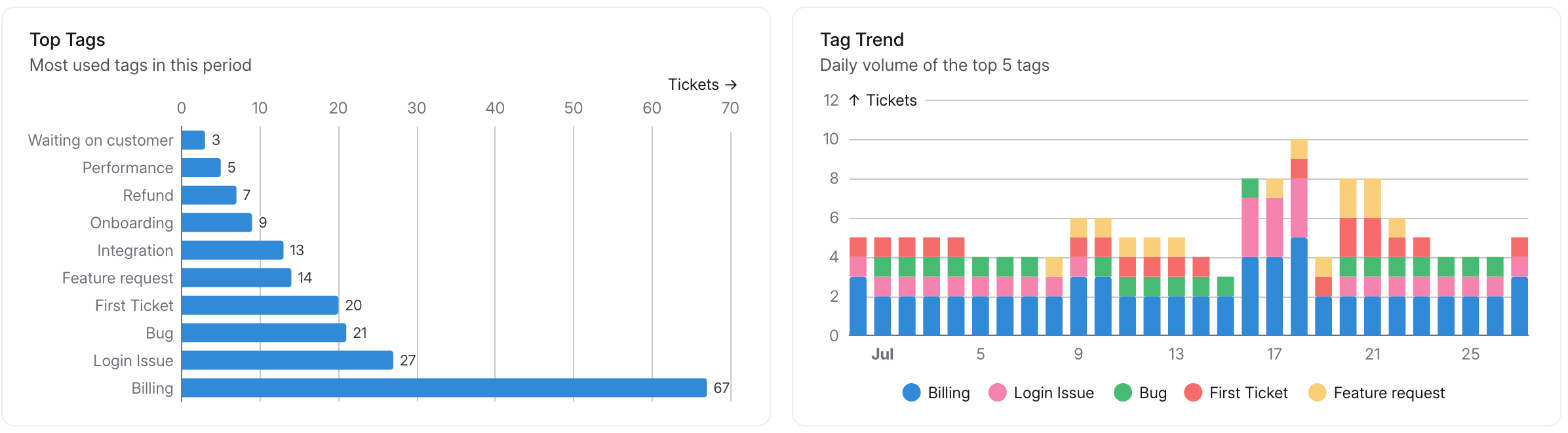
And because tags are only useful if you can see the bigger picture, the dashboard now has two new charts showing how tags break down and what they're costing you.
Contextual Cmd K
Cmd K used to do one thing: get you somewhere. The Knowledge Base, the tickets list, or a specific ticket if you knew its subject. The context of your current page was not considered; there were no smart suggestions, and there were no actions. It moved you around, and that was it.
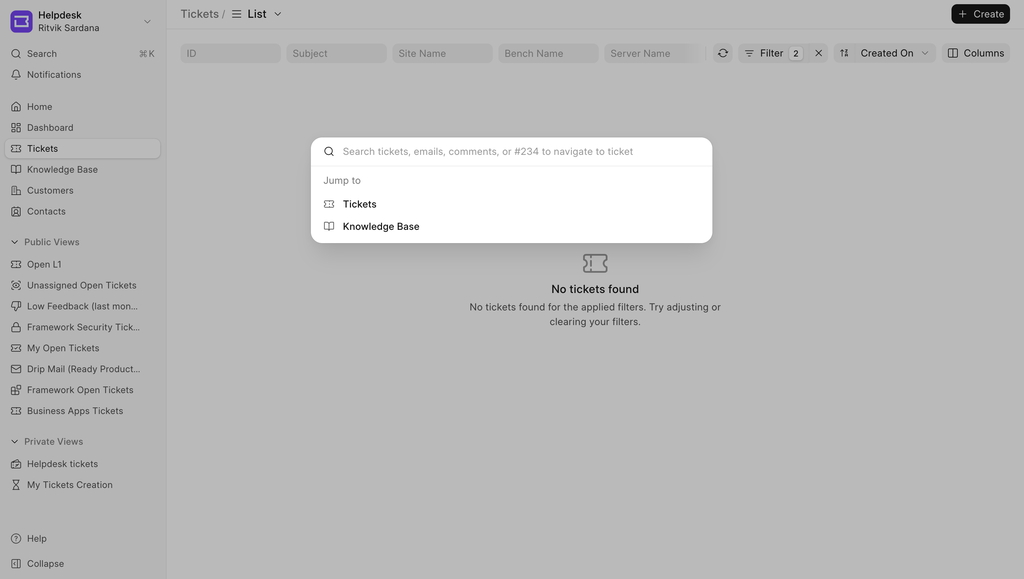
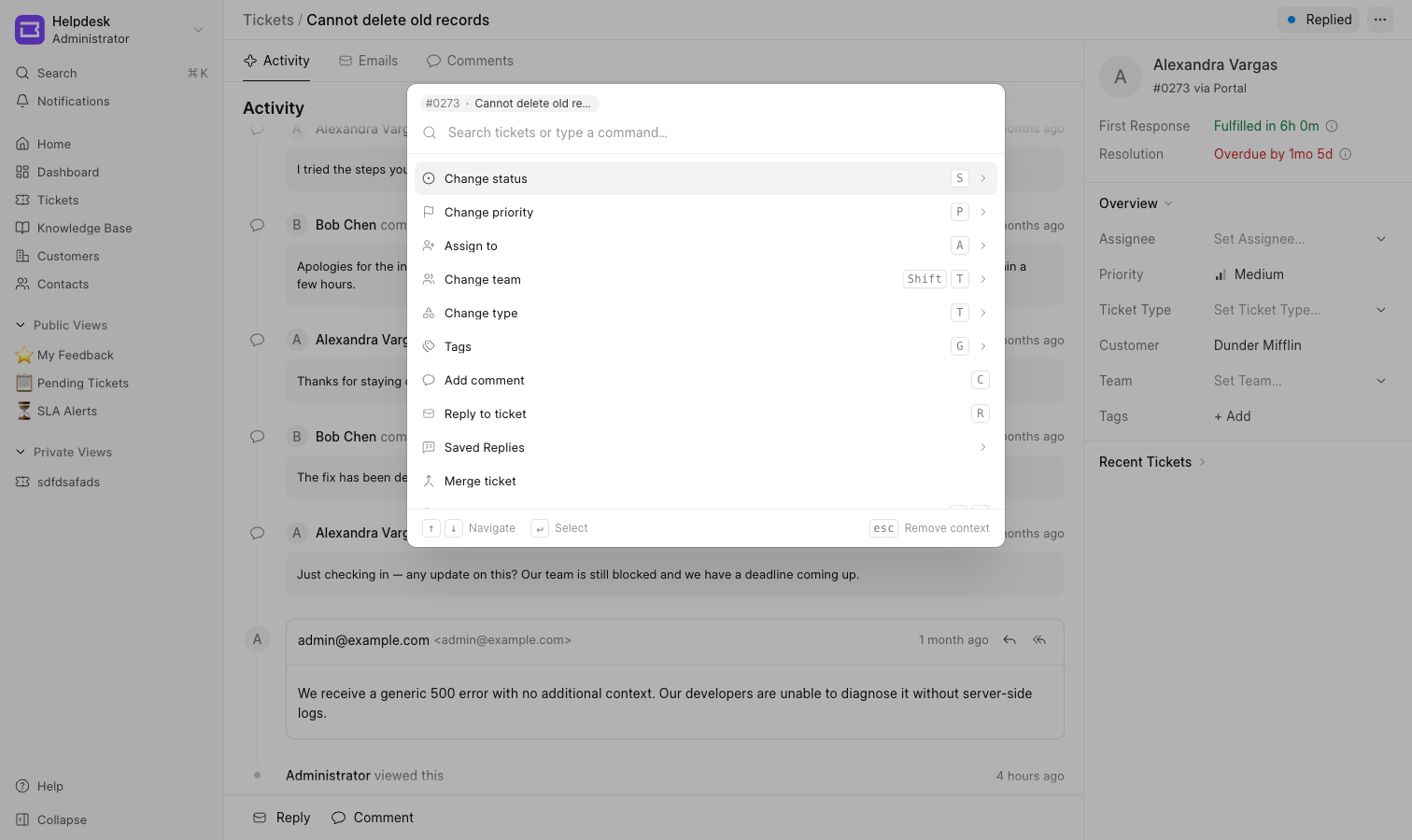
Now it opens with whatever is on your screen.
On a ticket, the ticket's own actions come first. Change the status, set a priority, assign an agent, add a tag, merge a ticket, without touching the mouse or hunting for the right control.
Saved replies work directly from here, which is the part that changed our own habits the most. Type sr, the palette finds Saved Replies, pick one, and it opens the Email Editor with the reply already rendered into it, customer name and ticket fields filled in. The replies you use most float to the top on their own, so after using them a few times, the common ones are shown as “Frequently Used” when searching for Saved Replies.
On the ticket list, you can apply filters, or navigate to views directly from here.
Recent Activity
This one came out of my own experience using Helpdesk.
I spend part of my day answering tickets, and the same thing kept happening. I reply to a ticket, move on, and twenty minutes later I think: wait, which one did I just reply to? I tag a colleague on something, get pulled into a call, and by the time I am back I have lost the thread. I escalate a ticket to someone and want to check whether it actually moved. Or I just want to see what I have been working on today.
Every one of those ended the same way. Go to the ticket list, apply a filter or two, sort by modified, scroll until something looks familiar. It works, but it is a lot of steps for a question as small as "where was I?", and I was doing it several times a day.
Once I noticed I was doing it that often. So the Home page now has My Recent Activity.
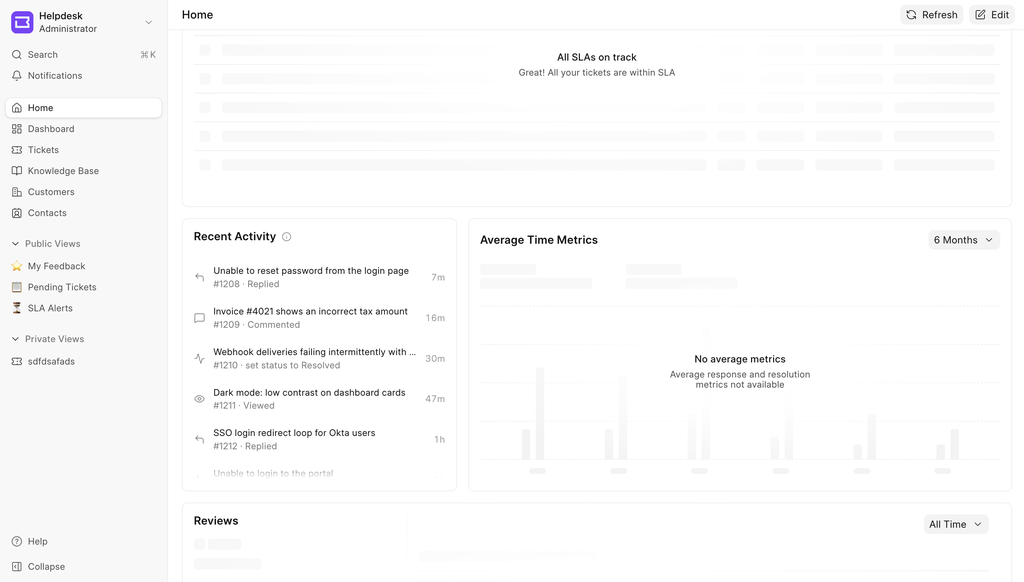
It is a list of the tickets you have touched, most recent first, and it tells you what you did to each one: replied, commented, assigned, or just viewed.


ERPNext Integration Refactor #2487
ERPNext integration now supports turning off bi-directional sync where when turned off, CRM Product is not synced back to ERPNext master but ERPNext master is synced back to CRM Product.
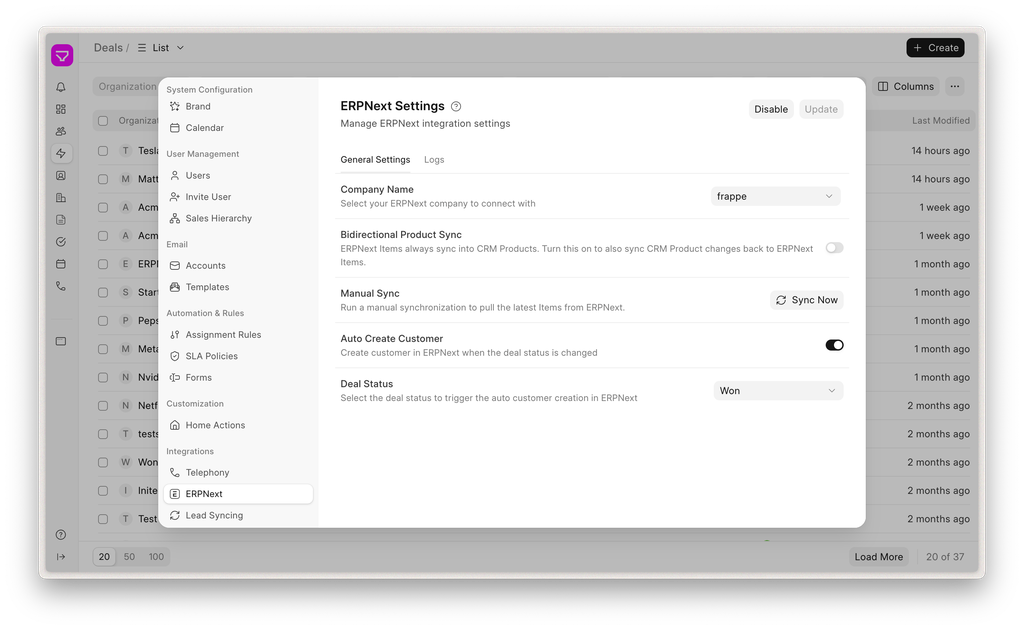
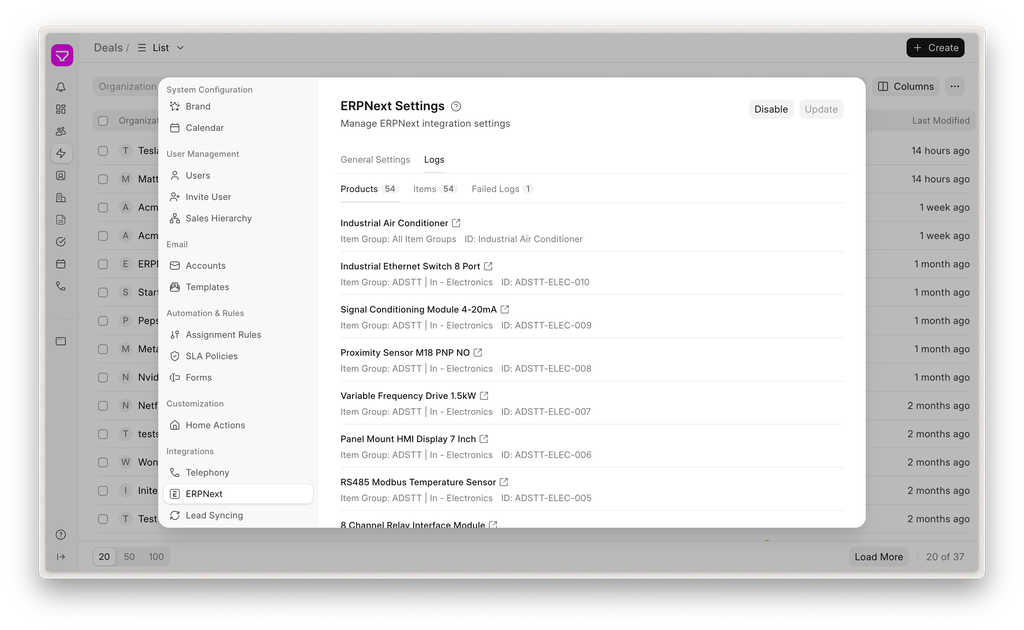
We have also added logs where users can see synced Products and Items. It’s also easier to manage them as clicking on a Item or Product opens them in desk view
Autofill Fields in Lead-to-Deal Conversion Form #2497
Previously, the salesperson had to manually fill the data which was in the lead while converting it into a deal. This increased chances of mistakes and created unnecessary friction in conversion. Now, in the lead-to-deal conversion form, fields from the lead are autofilled with the already available lead data.


Meet saw quite a few features and improvements this time around.
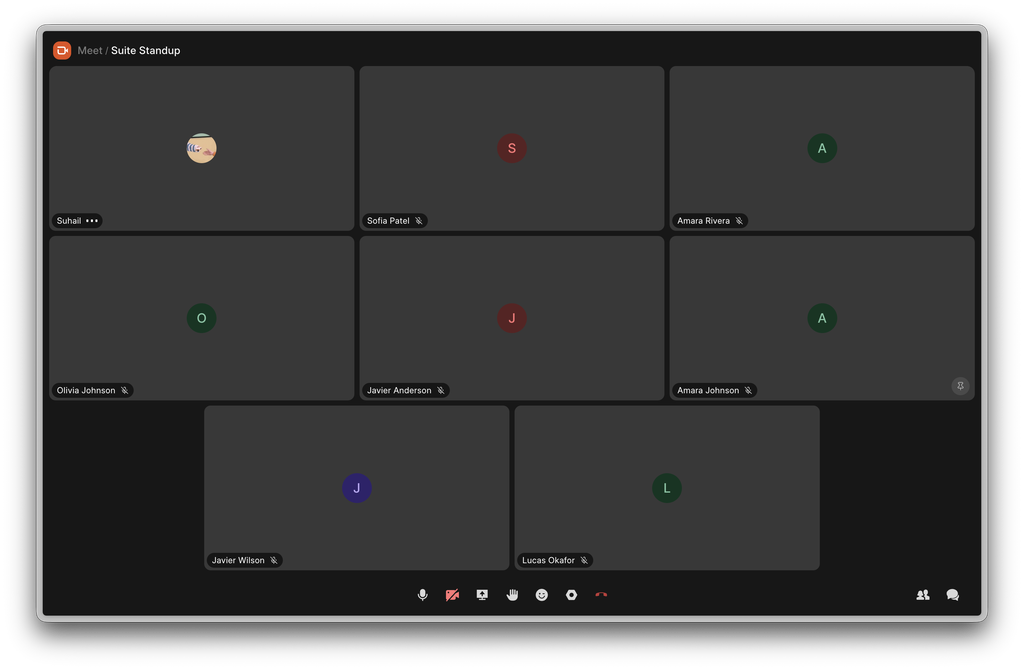
Meet now is more espresso than ever
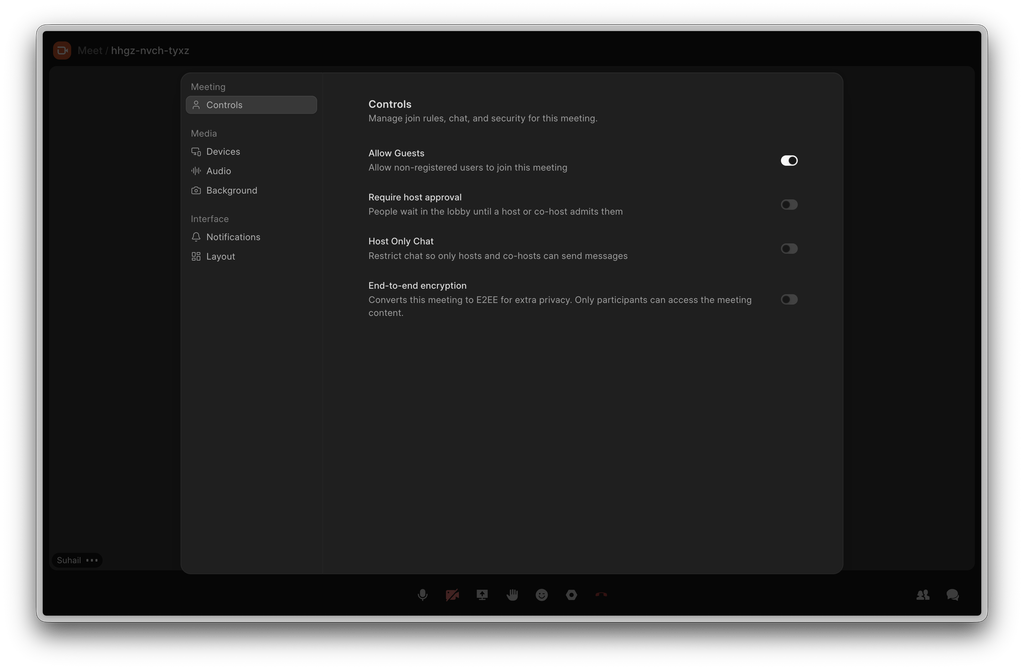
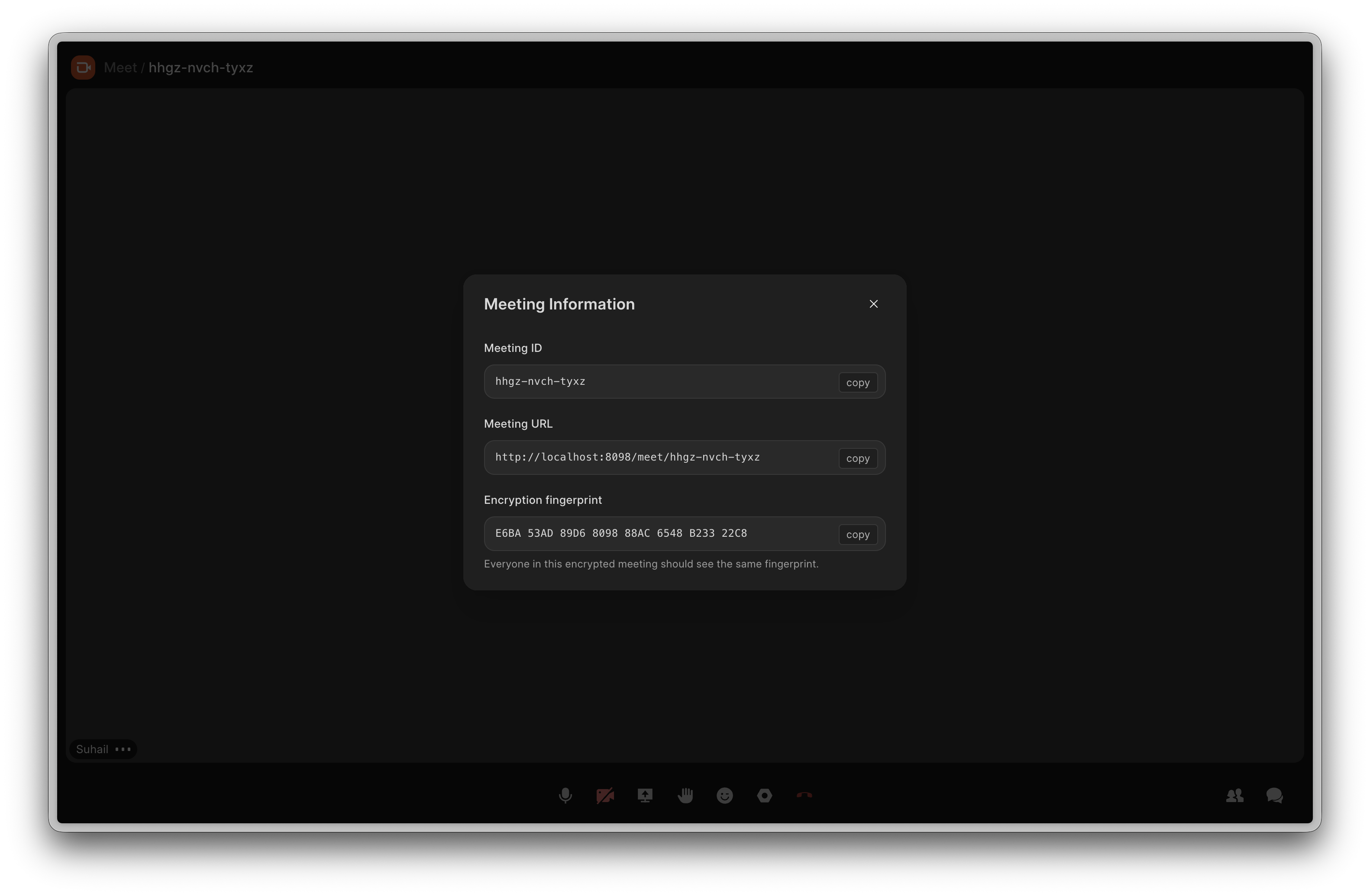
We gave Meet a fresh coat of paint and made it more aligned with our espresso design system. We also tweaked quite a bit of things to ensure that the calls will be snappier than ever. A few screenshots are shown below
End-to-end Encrypted Calls
If you think you need even more secure calls, you can toggle End-to-end encrypted calls on and every frame of video or audio, chats and polls will only be accessible to the participants of the call.
Schedule Calls
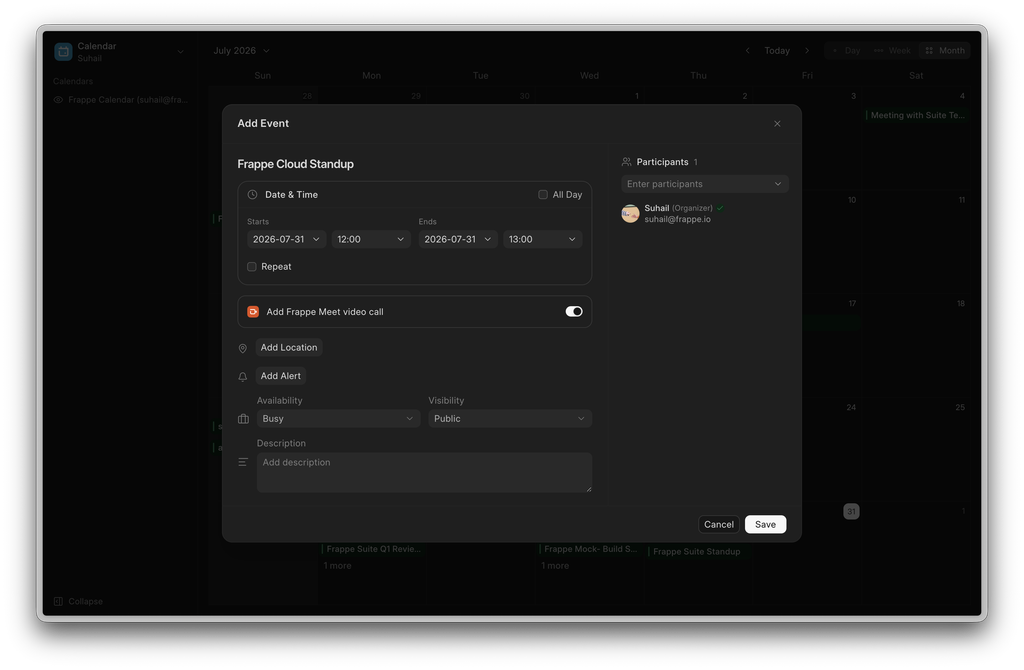
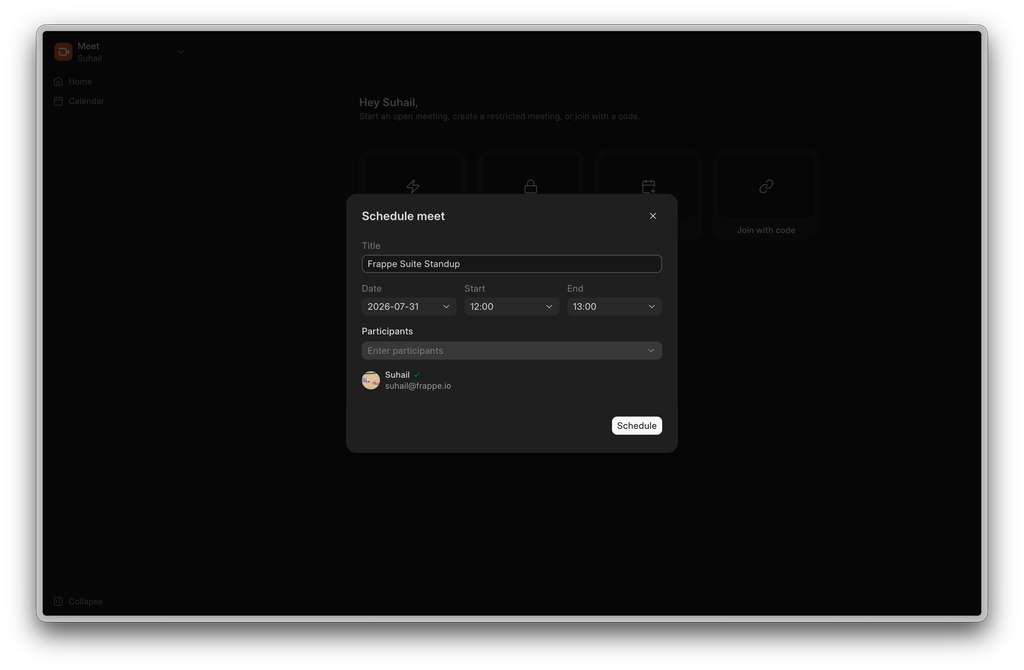
Now you can schedule calls either from Calendar or from Meet’s homepage with your team. The upcoming meetings will show up in home page for you to join.
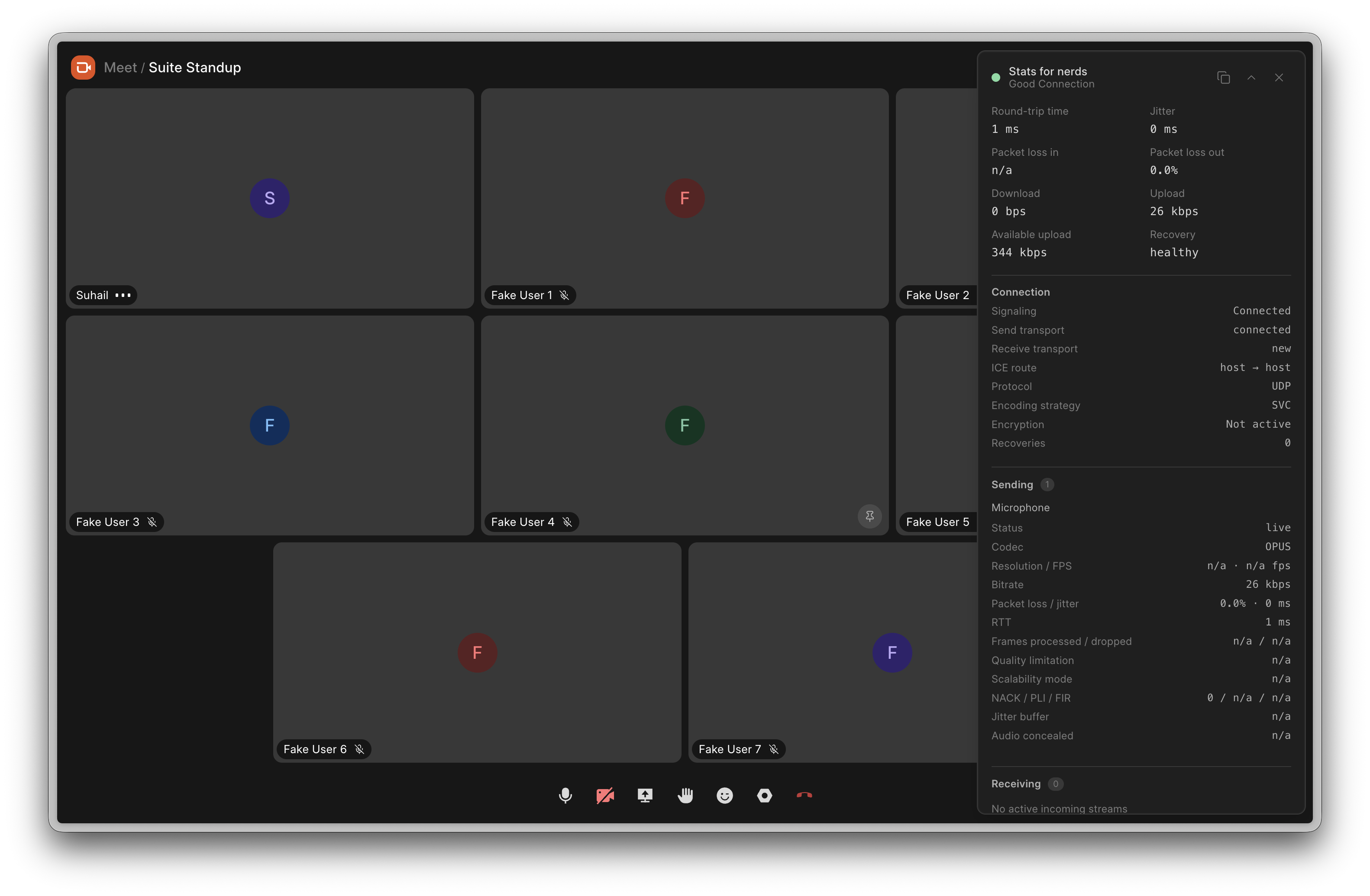
Stats for Nerds
If you want to know how Meet is performing and to do a deep dive into what’s happening underneath, toggle this on.


Builder is now MIT licensed v1.31.0
Starting with v1.31.0, Frappe Builder is distributed under the MIT License, moving away from AGPL-3.0. AGPL's network-copyleft terms made some legal teams wary of embedding or self-hosting Builder. MIT removes that friction, so you can use, embed, and build on Builder with fewer strings attached. Thanks to every contributor who signed off on the relicensing.
Drag to Reorder Blocks on the Canvas
Rearranging a layout previously meant dragging items in the layers tree. You can now grab any block directly on the canvas and drop it where you want it. The engine understands flex and grid containers, shows exactly where a block will land, and handles nesting into and out of containers without jitter or layout shift.
A Cleaner Way to Edit Styles
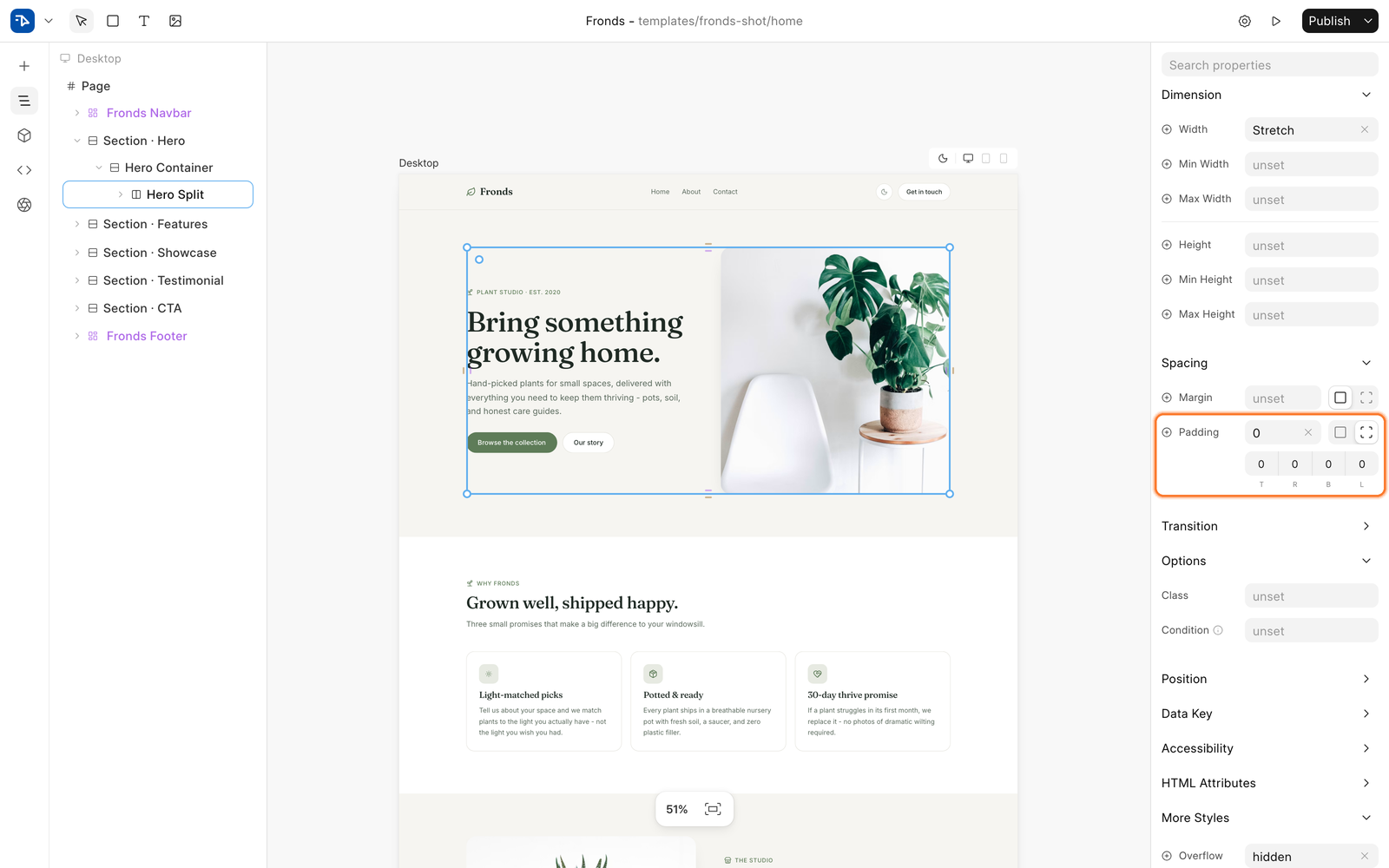
The raw styles panel has been replaced with a curated styles editor. Common properties live in organized sections, and a new More Styles section lets you add any CSS property through fuzzy search.
Spacing, border, and radius now use split controls: drag the label to change values, or switch to per-side mode and edit each side individually. Border radius also gets a visual per-corner control and a canvas handle.
Rotate Blocks on the Canvas
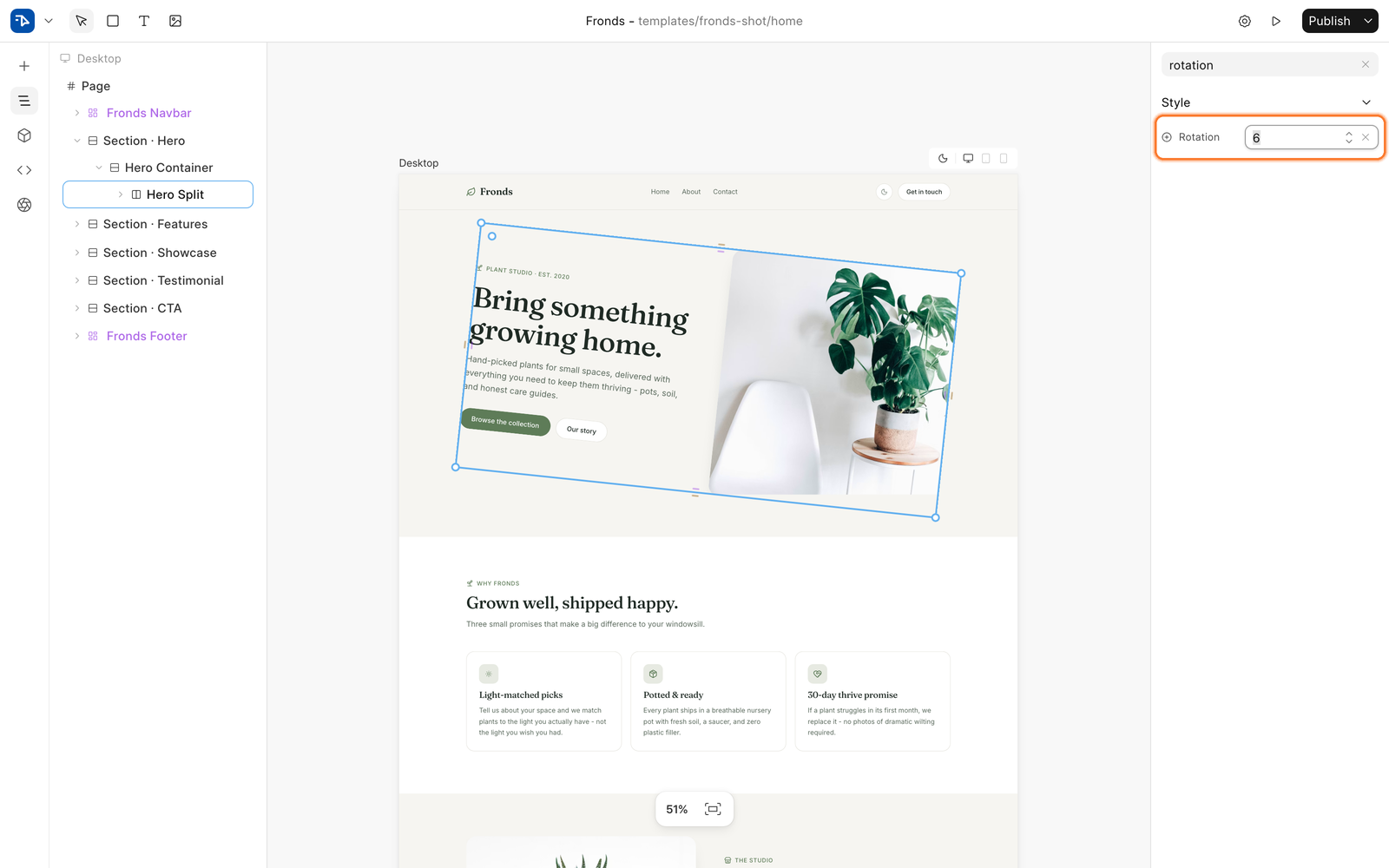
Blocks can now be rotated right on the canvas using corner grips, with Shift snapping to 15 degree steps. Selection boxes, resize handles, and spacing handlers all stay aligned to the rotated block, and a Rotation control is available in the style panel.
Categorised Templates
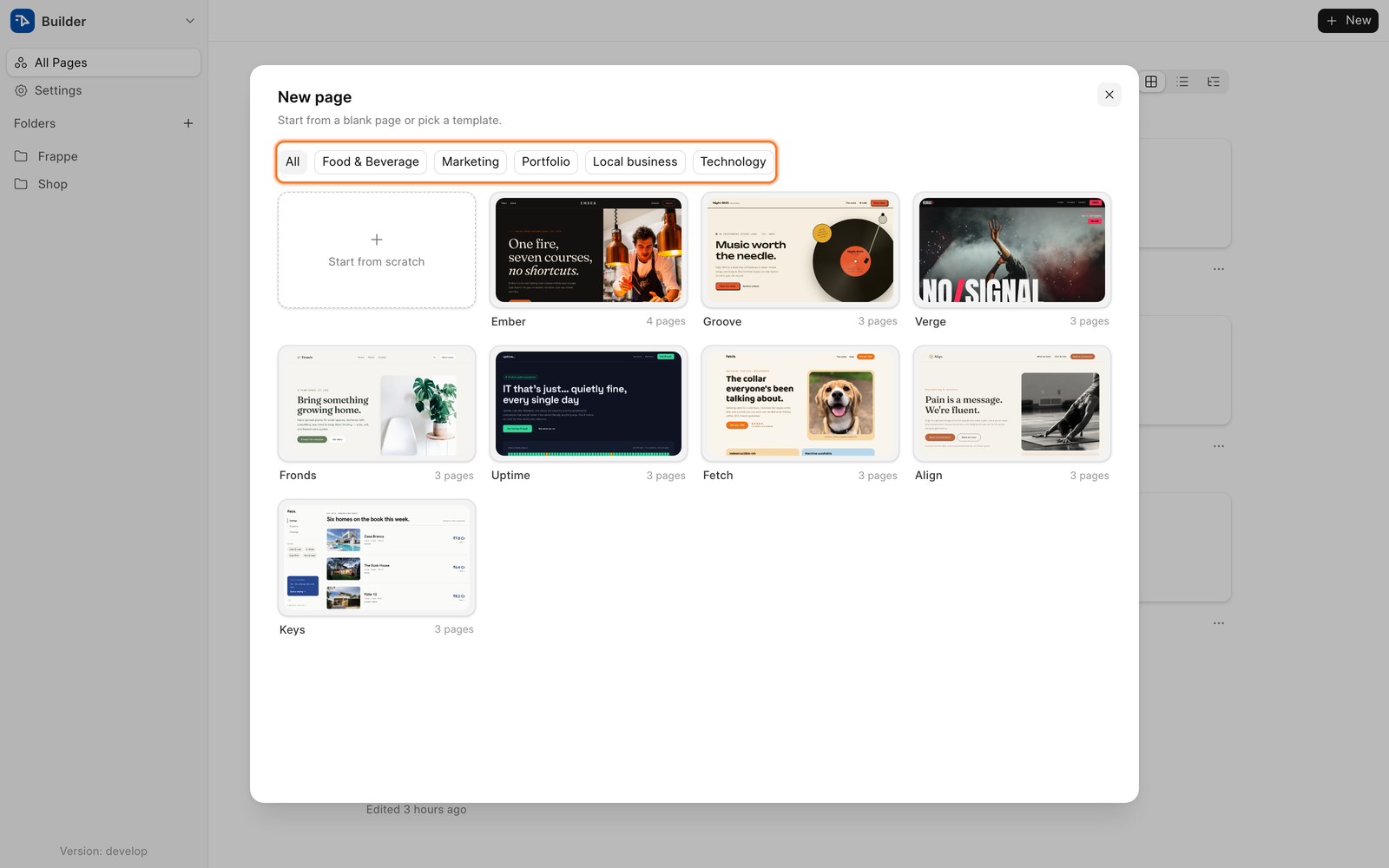
Previewing a template used to open a new tab. Templates now render as a live preview inside the picker, with desktop, tablet, and mobile toggles so you can check how a template responds before using it. Category filters help you narrow templates down to what you are building.
Canvas Dark Mode toggle
Press Cmd+Shift+D to flip the canvas between light and dark while editing. Published pages now declare their color scheme in the head, so dark pages no longer flash light on load.
Users Invitation
You can now invite your collaborators right from Builder
Other Improvements
True italic font faces instead of faux-slanting, a leaner editor bundle through lazy-loading, a read-only mode notice, Esc to cancel a drag, and a batch of copy-paste and autocomplete fixes.

That's a wrap for July! 👋
We're just one month away from Frappeverse 2026. If you haven't already, register now.
Make the most of your Frappeverse experience by joining one of our hands-on bootcamps before the event:
Frappe Framework + Apps for Non-Devs Bootcamp (19 and 20 August 2026). Know more and Register here.
ERPNext Accounting & India Compliance Bootcamp (19 August 2026). Know more and Register here.
August is going to be all about learning, community, and Frappeverse. See you in Mumbai!

