


Frappeverse Mumbai 2026 is done, and it was everything we hoped for. Two days of talks, demos and meeting the people who build with Frappe every day. Thank you to everyone who showed up.
Between getting ready for it and recovering from it, the team still shipped a lot this month.
Table of Contents

Percentage Based BOM
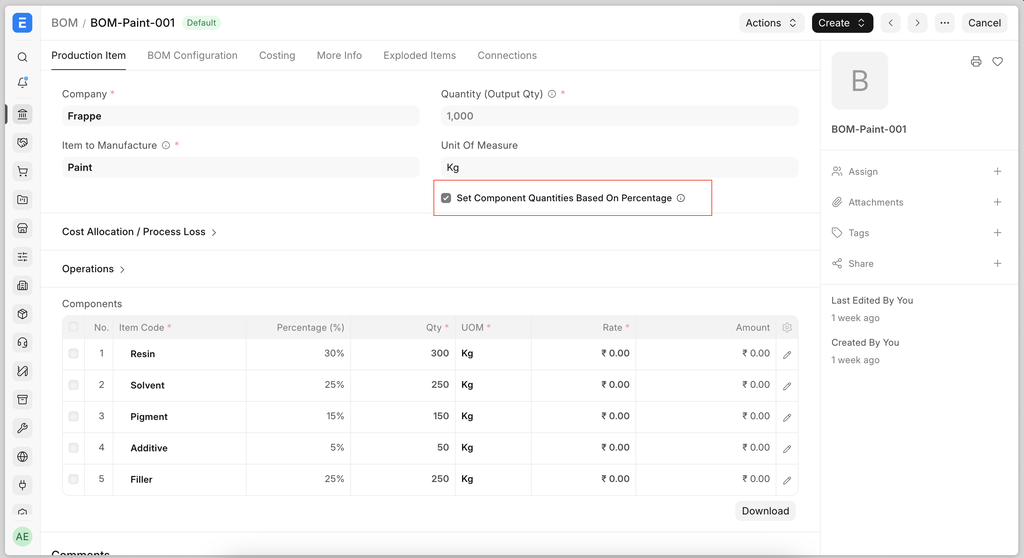
A BOM is the recipe for a product, and until now it needed the exact quantity of every item. In paint, chemicals and food, people think in percentages instead. Enable Set Component Quantities Based on Percentage on the BOM, enter the percentage against each item, and the system works out the quantities for you. The percentages have to add up to 100.
For a 100 kg batch of paint made of 60% resin, 30% solvent and 10% pigment, you now enter 60, 30 and 10 instead of computing the kilos yourself.
Alternative Finished Goods Conversion
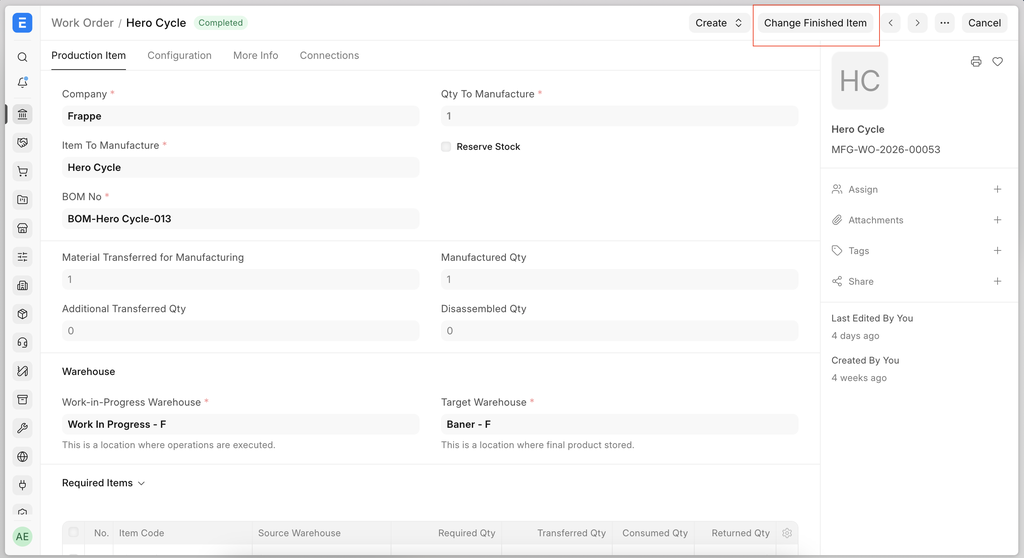
In process industries the output is not always the grade you planned for. The material is still good and still sellable, but changing the item earlier meant a manual Repack entry that was never linked back to the Work Order, so production reports showed the wrong item as produced.
Submitted Work Orders now have a Change Finished Item button. Pick the replacement from the item's existing Item Alternative setup, enter the quantity, and ERPNext creates a Repack Stock Entry linked to the Work Order, carrying batch and serial numbers across. The Work Order Summary report then shows what was actually produced.
Batch Split into Child Batches
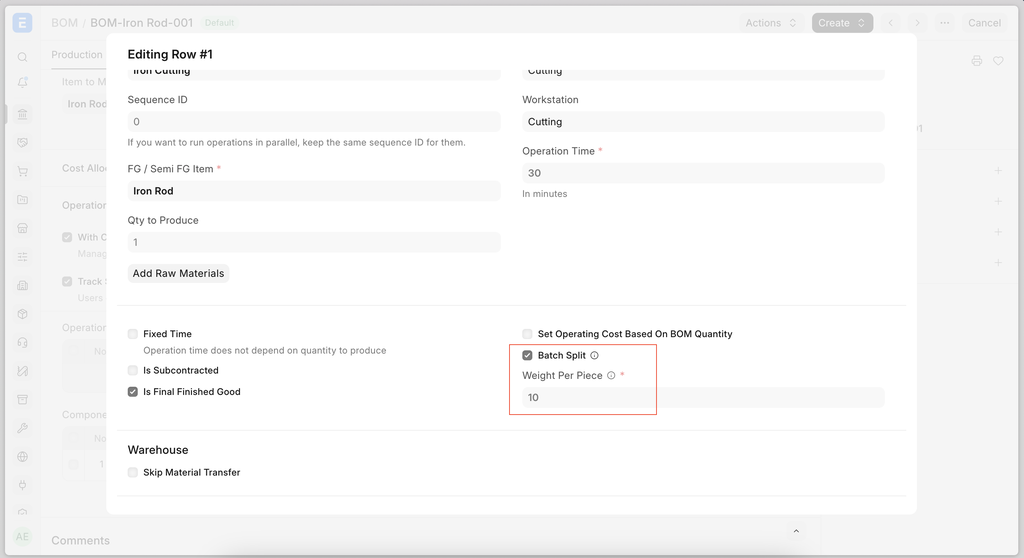
A steel rod bought in KG under one batch, then cut into pieces counted in Nos, needs a batch number per piece — and a way back to the batch it came from. This used to need a manual Repack entry and custom code at every site.
BOM Operation now has a Batch Split checkbox and a Weight Per Piece field, both carried through to the Work Order and Job Card. On completing the Job Card, ERPNext creates one batch per piece from the item's batch series, stores the original batch in each child's Parent Batch field, and splits the cost by weight. Where the material came from several input batches, each piece is linked to the batch it was actually cut from. A batch split tree report shows the full lineage.
Supplier-wise Item Lead Time
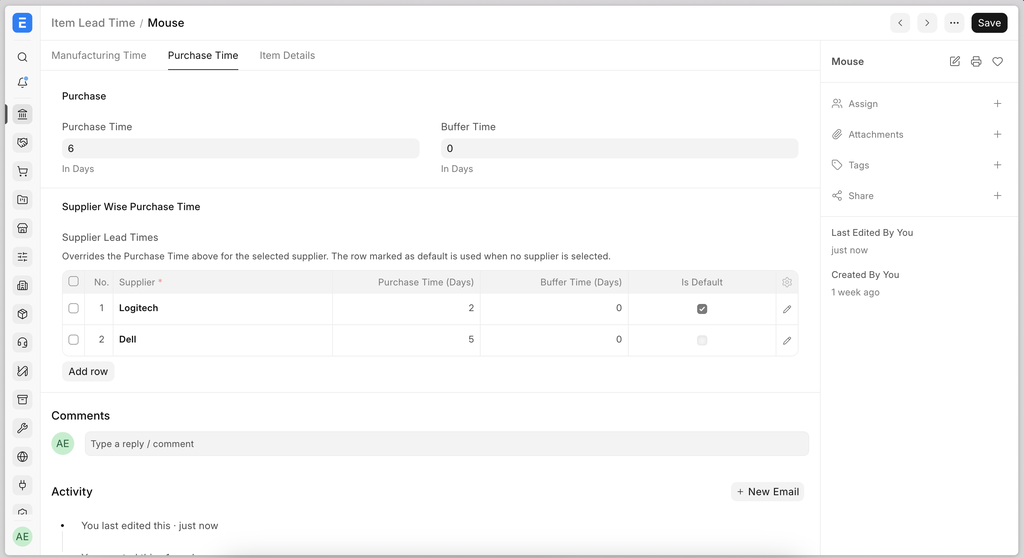
The same raw material can take 3 days from one supplier and 10 from another, but the Production Plan only ever used a single lead time for the item, which threw off the schedule. A new Item Lead Time Supplier table lets you set the purchase lead time per supplier.
Skip Delivery Note for Service Items
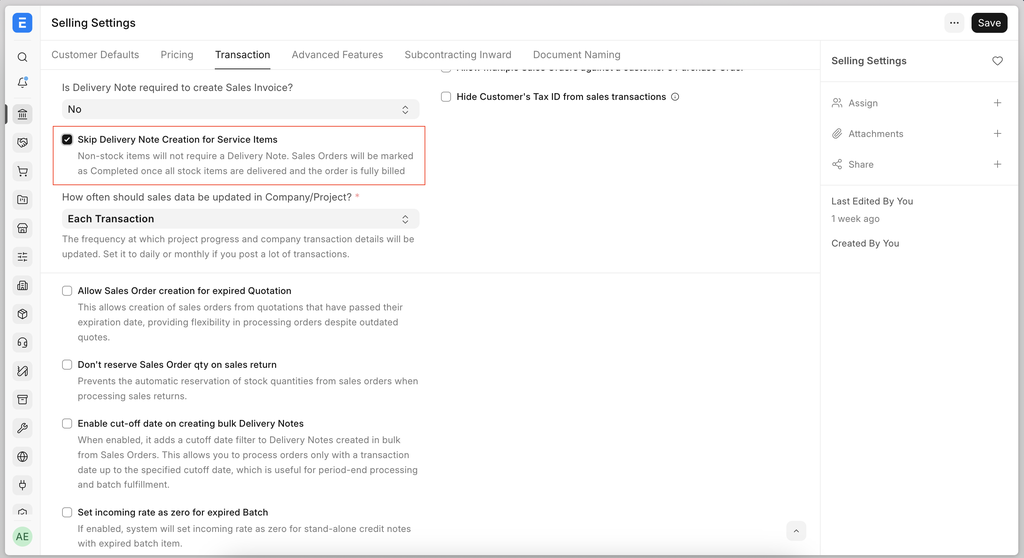
Service lines on a Sales Order, like Installation Charges or Annual Maintenance, do not need a Delivery Note, but the order would sit in To Deliver long after the work was done and paid for. Selling Settings now has a Skip Delivery Note Creation for Service Items option, so teams that do want a Delivery Note for services can carry on as before.
Note: The five features above are on the develop branch and have not been backported to v16 or v15.

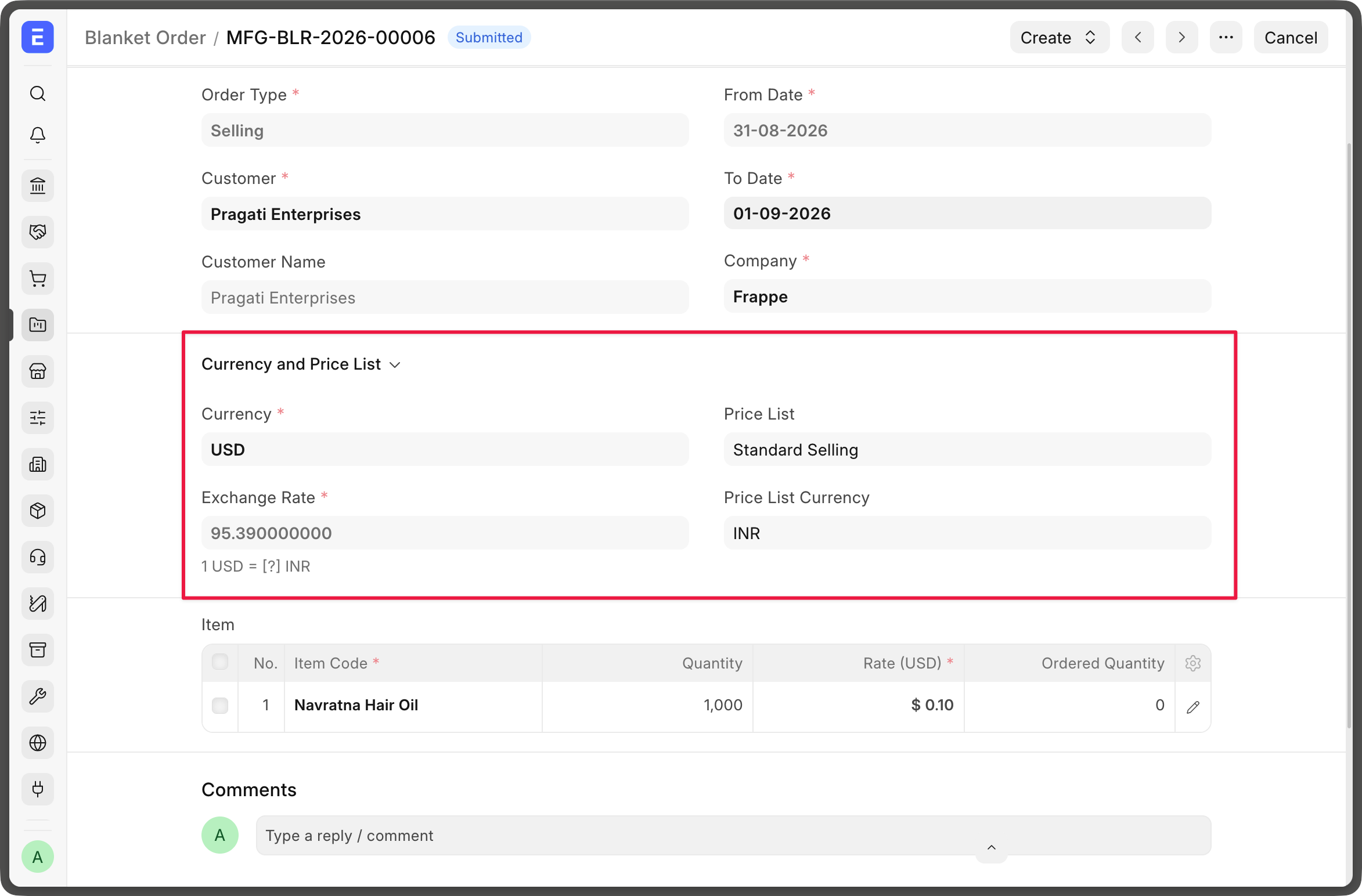
Multiple Currency Support for Blanket Order
Blanket Orders can now be created in the party's own currency, or overridden manually where you need something else.
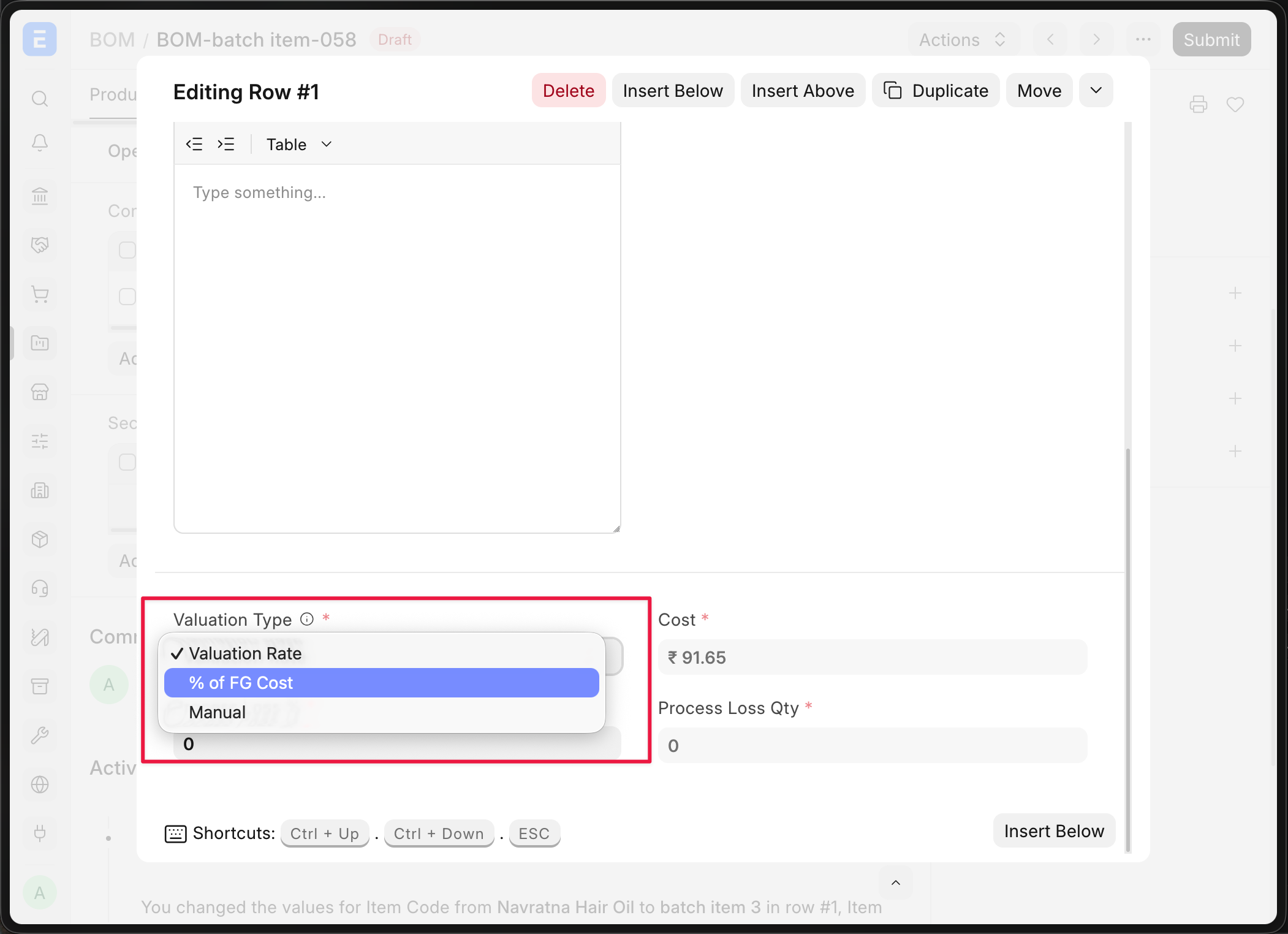
Valuation Type Support for Secondary Items
v16 let you allocate a set percentage of the outgoing raw material cost to a secondary item. That now has two more options: Valuation Rate picks up the secondary item's valuation rate as on the posting date of the transaction, and Manual lets you set the basic rate directly in the transaction.


Quick Checkins
The single-button checkin from the PWA is now on desk too, and you can keep adding checkins for other employees straight from the form.
Quick Assignments
Newly onboarded employees need a pile of masters assigned to them, some of them are mandatory. The Employee master now has a quick action menu for exactly that, so HR managers no longer have to leave the employee document to do it.
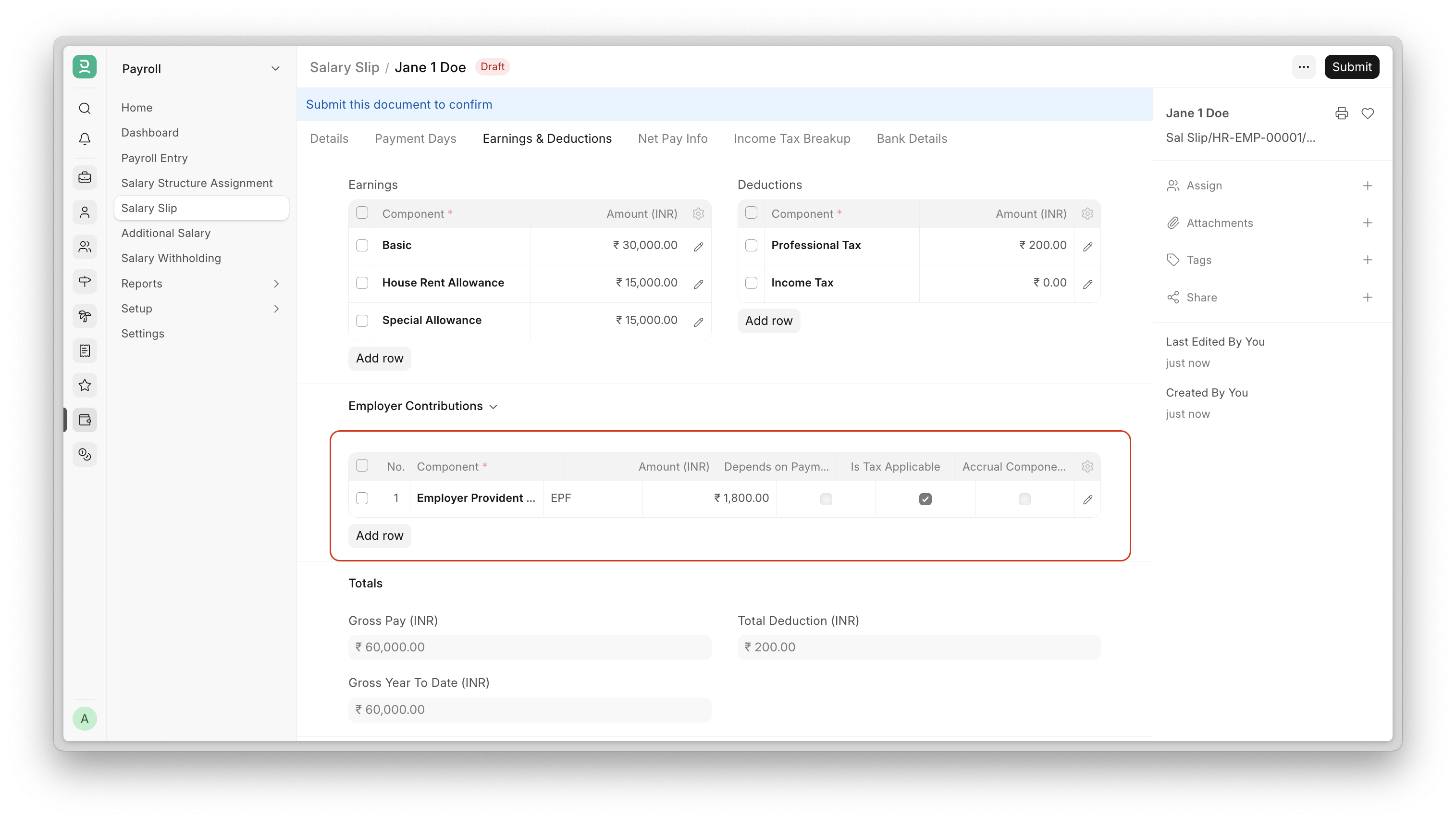
Employer Contribution Components in Salary Slip
Employer contribution components now appear on the salary slip, below earnings and deductions, so statutory amounts like the employer's share of ESI and EPF are visible rather than implied.

Monthly Attendance Sheet Fixes #5043 #5074
Holiday counts came out too low whenever a date range crossed a month boundary and the same day-of-month appeared in both months — the 15th of January and the 15th of February counted once between them — so real holidays were being skipped.
In the summarised view, the second half of a Half Day was always counted as Present regardless of what it actually was, so employees marked absent for that half never showed up under Total Absent. Every Half Day was also counted as 0.5 leave even when no leave was taken, so half-days coming from checkins were shown as leave instead of present. All three are fixed.
Expense Claim Advance Selection #5126
Picking a perfectly valid Employee Advance on an Expense Claim could throw "advance does not belong to this employee". The real cause was either a currency mismatch between the advance and the claim, or an advance linked to a non-Receivable account — but the message never said so. It now names the actual reason, and the same checks run on save rather than only at selection.


Mobile View
Every page in Learning now has a mobile screen of its own, so course creators and students get the same experience on a phone as they do on a laptop.
Complete Lessons in Sequential Order
You can now require students to work through a course in the order you set it. Toggle it on in the course settings.
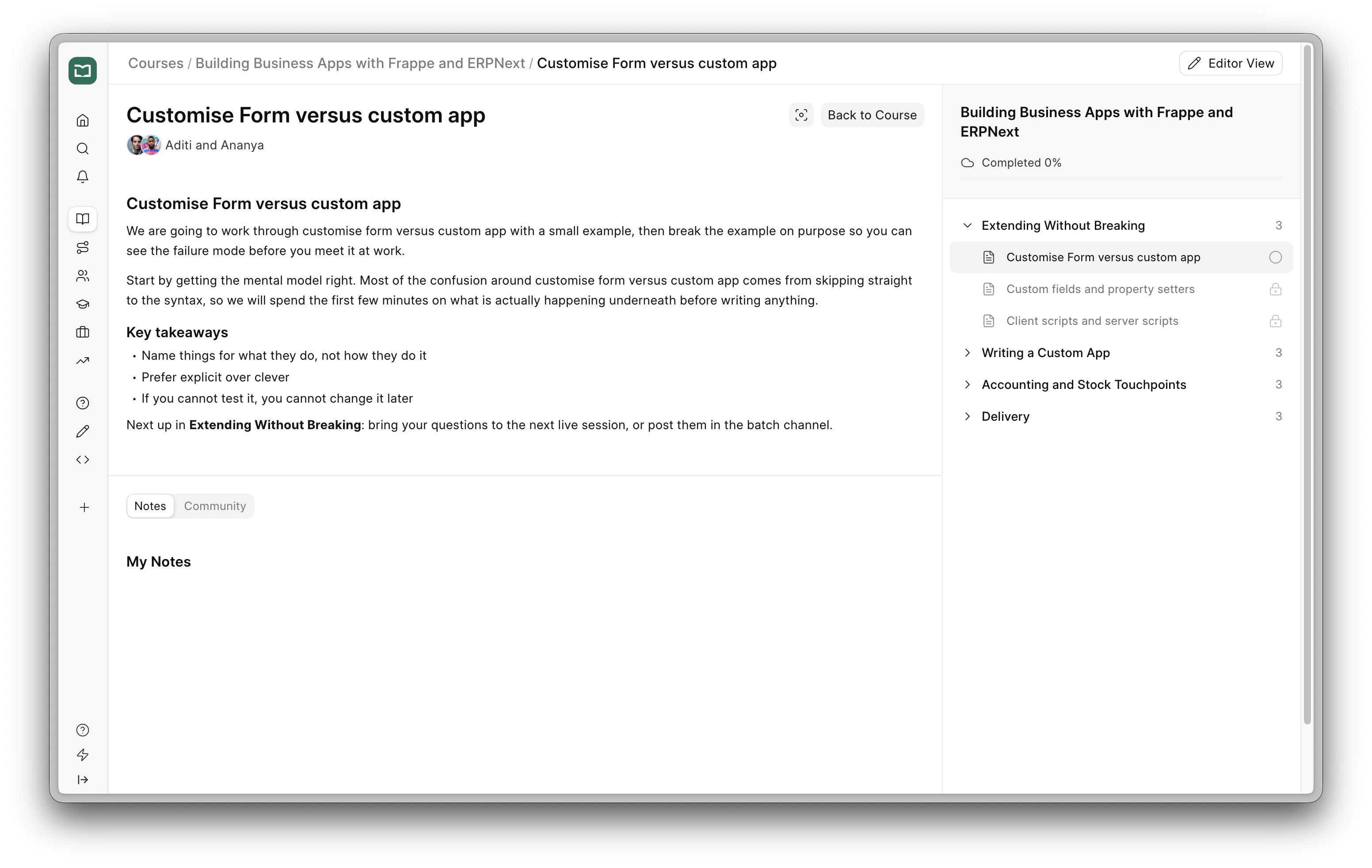


v3.13 Adds a Migrator for Insights v2
v3.13 can copy a v2 dashboard into a new v3 workbook — queries, charts, filters, layout. Open Settings → Migrate from v2, scan, pick the dashboards you want, and migrate.
v2 is left untouched. It is a copy, not a move, so both apps keep working and you can put them side by side and compare.
Every query gets verified, not just converted. After migrating, Insights runs the query v2's own way and the v3 way, diffs the results, and gives you a verdict per dashboard, saying what it had to change. We ran it on Frappe's own v2 database: 115 of 118 dashboards came over with nothing dropped, and the three that did not were already broken in v2.
Also in This Release
Reference lines can follow the data. A reference line used to sit at a number you typed in, and went stale the moment you changed a filter. It can now be the average, median, min or max of what is plotted, so it moves with the data.
Percent measures. Mark a measure as Percent on a number card or a table, and a ratio like sum(x) / sum(y) shows as 42% instead of 0.42.
If You Are Still on v2
v2 will be removed in a future release, and a site with unmigrated dashboards will not upgrade past that point. There is no date yet, but migrating the dashboards you actually use keeps your upgrade path open.


Powerful Saved Replies #3693
Working alongside our own support engineers, we noticed how much of a ticket is the same few moves every time: reply, escalate to the right team, add a comment for context, change the status.
Saved Replies can now carry Actions. Attach a set of actions to a saved reply and they run when the agent sends it, so the repetitive part happens on its own and agents spend their time on the customer instead.
Ticket Analytics #3689
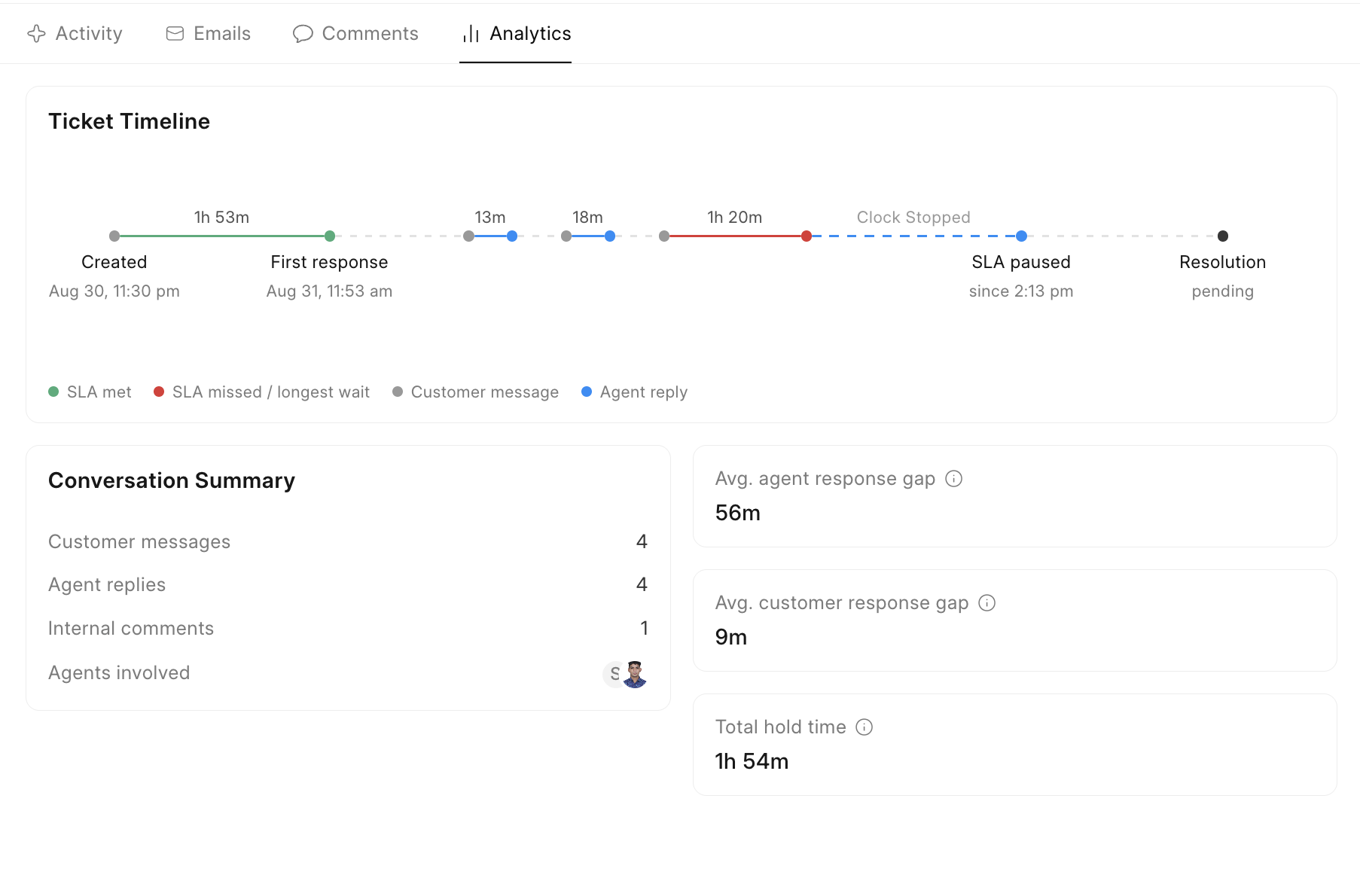
A new Ticket Analytics tab gives agents the whole lifecycle of a ticket in one view: the timeline, response and wait times, the agents involved, SLA details and key metrics. Working out where the time went no longer means reading the entire conversation from the top.


Web Form Builder #2474
Building a web form for CRM used to mean switching to the Desk and using the framework's generic Web Form builder. Not any more.
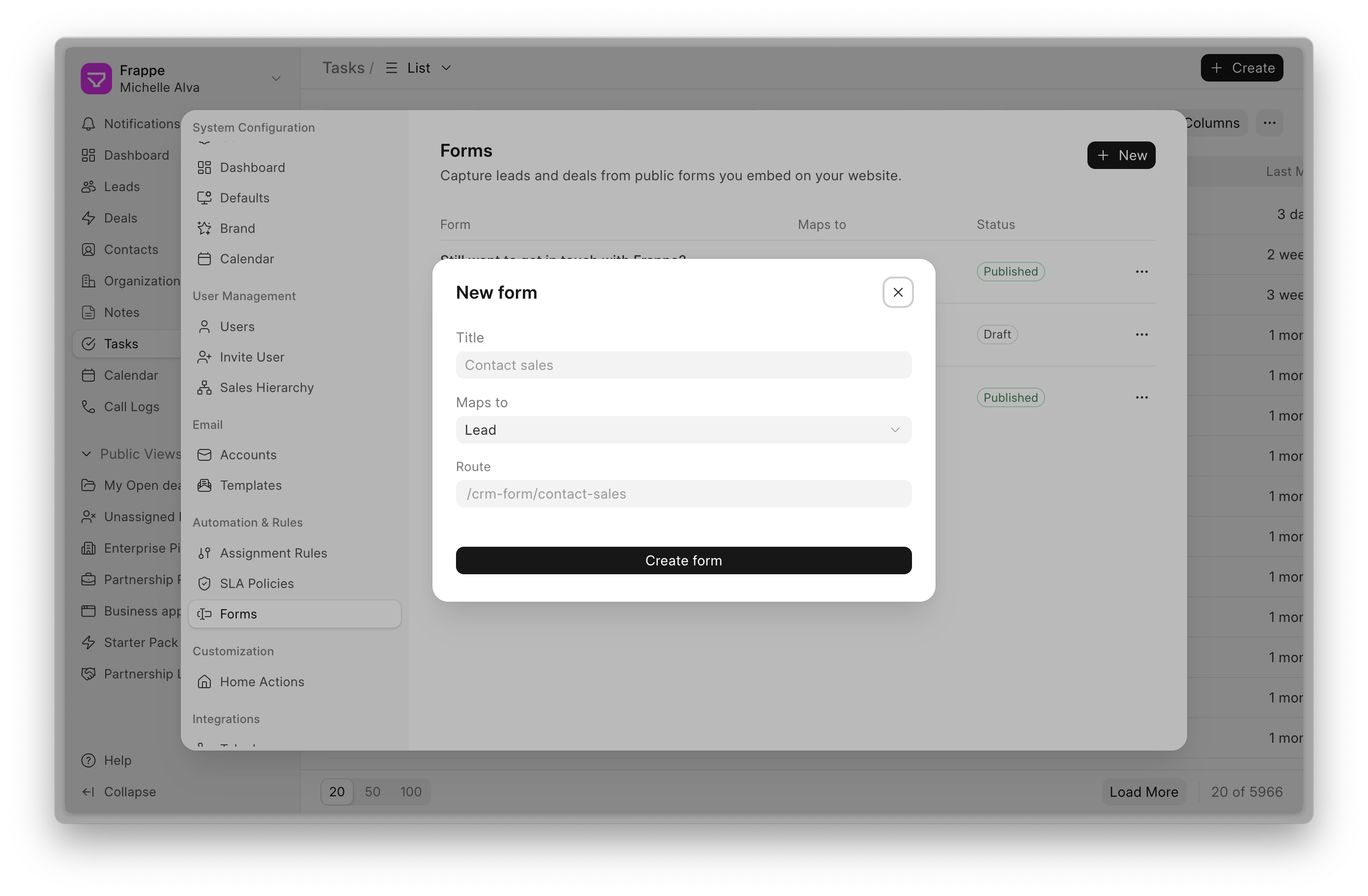
If you capture leads or deals from your website, you can now build the form inside Frappe CRM itself. Go to Settings → Forms → New, map the form to a Lead or Deal, and the fields come in automatically.
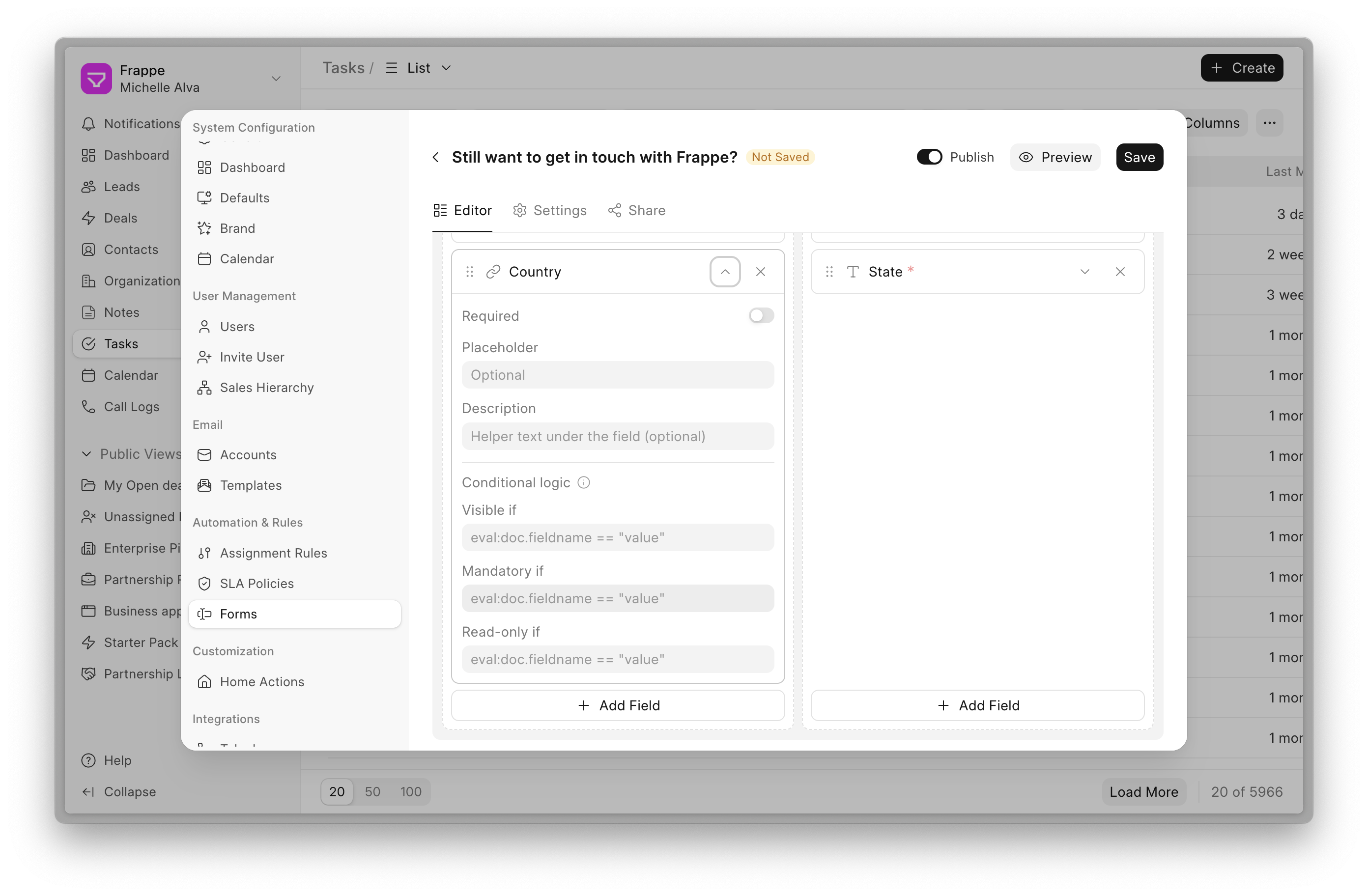
Select, delete, drag and reorder the fields, and preview the form exactly as your visitors will see it.
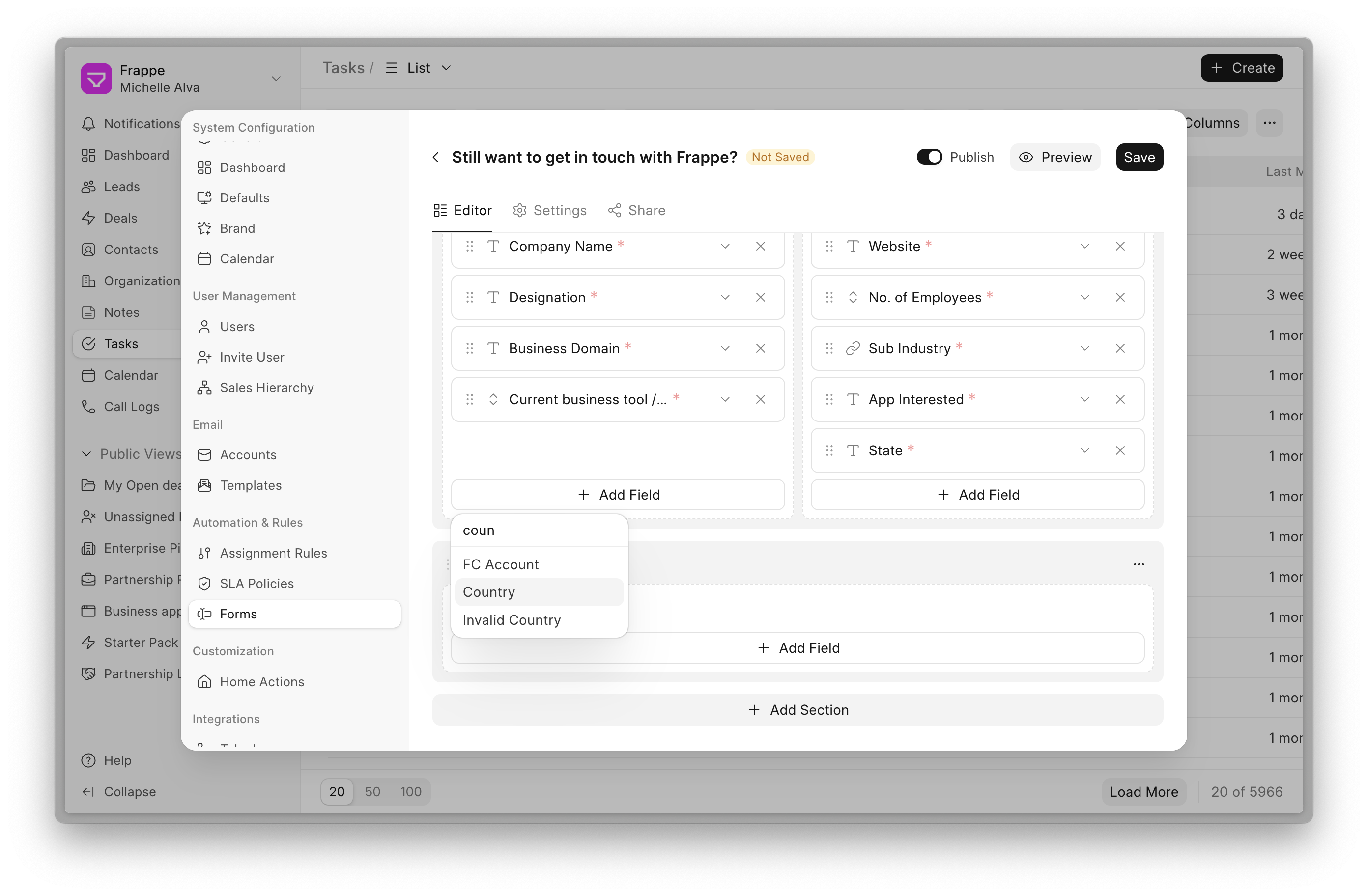
Individual fields can be made mandatory or read-only, and more.
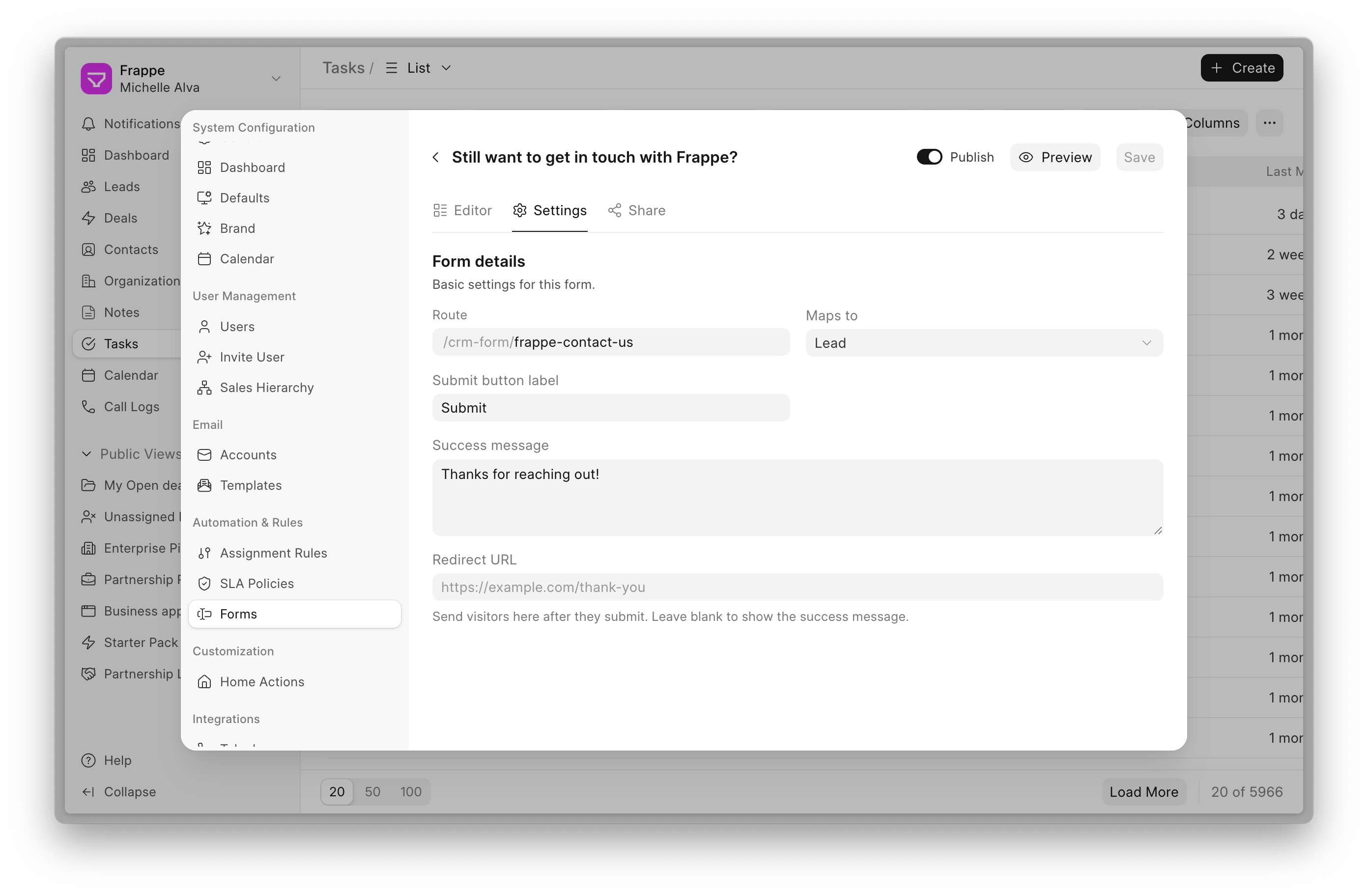
The Settings tab covers the success message, the submit button label and the rest of the form's behaviour.
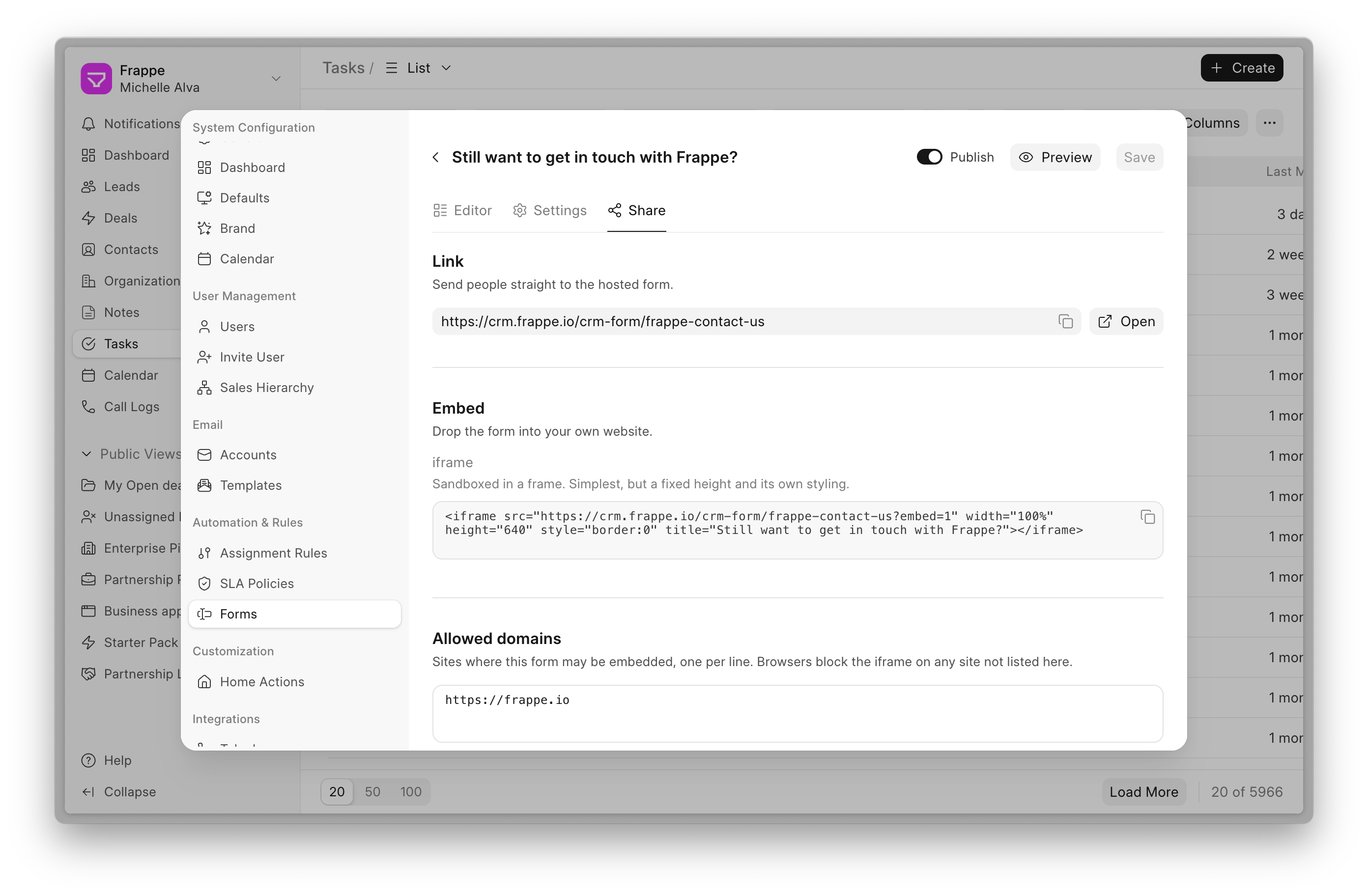
The Share tab gives you a link to send out or an iframe to embed. Once published, anything a visitor submits lands in CRM as a Lead or a Deal.


Bob: AI Assistant
Meet Bob, your AI assistant in Builder. Describe the page you want and Bob builds it, design tokens, scripts and page properties included. It can also create DocTypes and wire them up to the matching forms.
The conversation carries on as you work, so you can ask for changes as you go. To change one section, select it and tell Bob what you want.
Anything sensitive — a new DocType, sample data, edits to the home page or global code, form wiring — waits for your approval first. Every turn leaves a trail you can review, and you can revert the changes from a single turn without touching the rest.
Settings → AI walks you through connecting a provider. There are presets for OpenRouter, Anthropic, OpenAI, ChatGPT through a Codex subscription instead of an API key, and Google Gemini, plus a custom option for any OpenAI-compatible gateway.
Improved Design Tokens
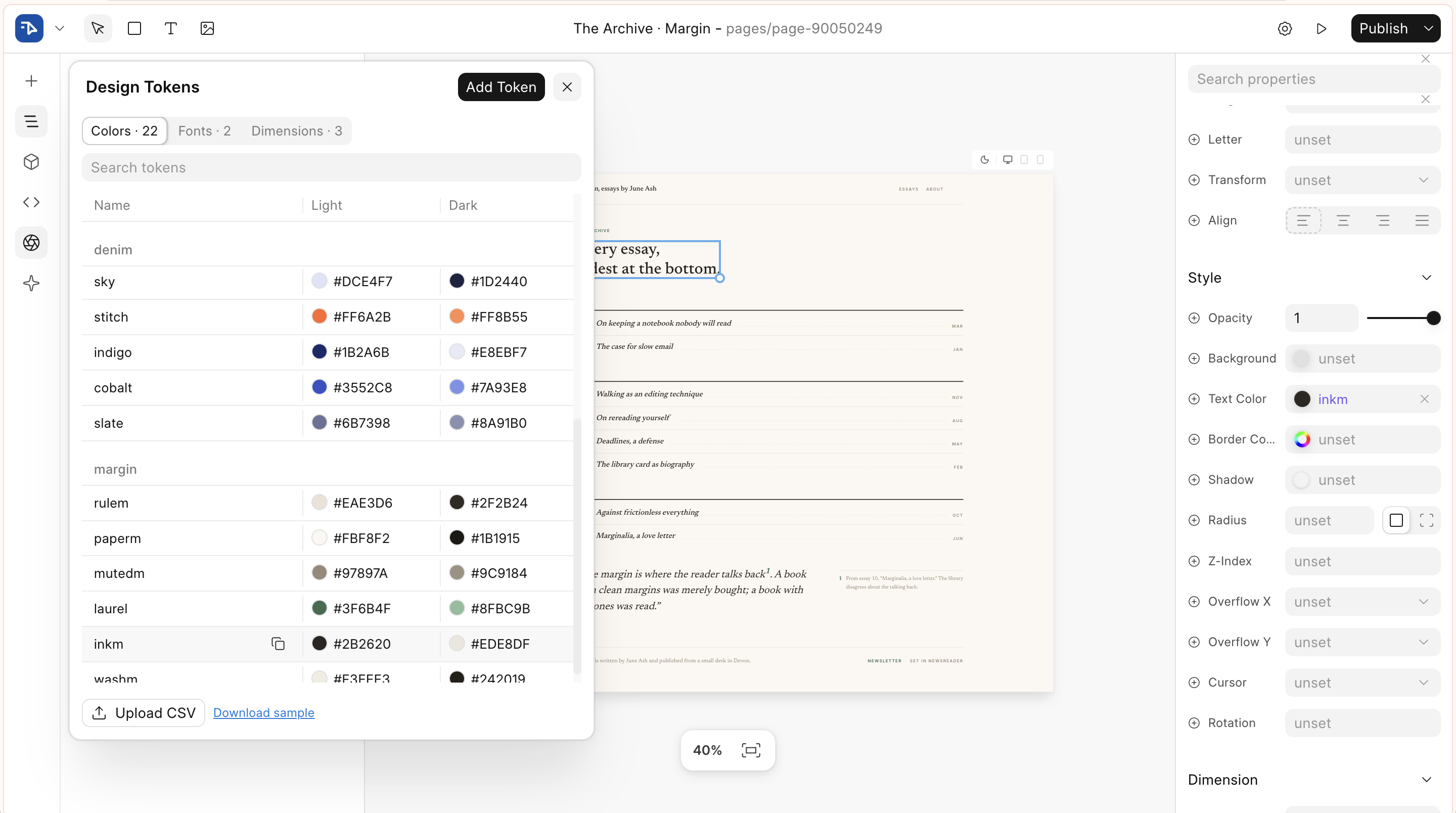
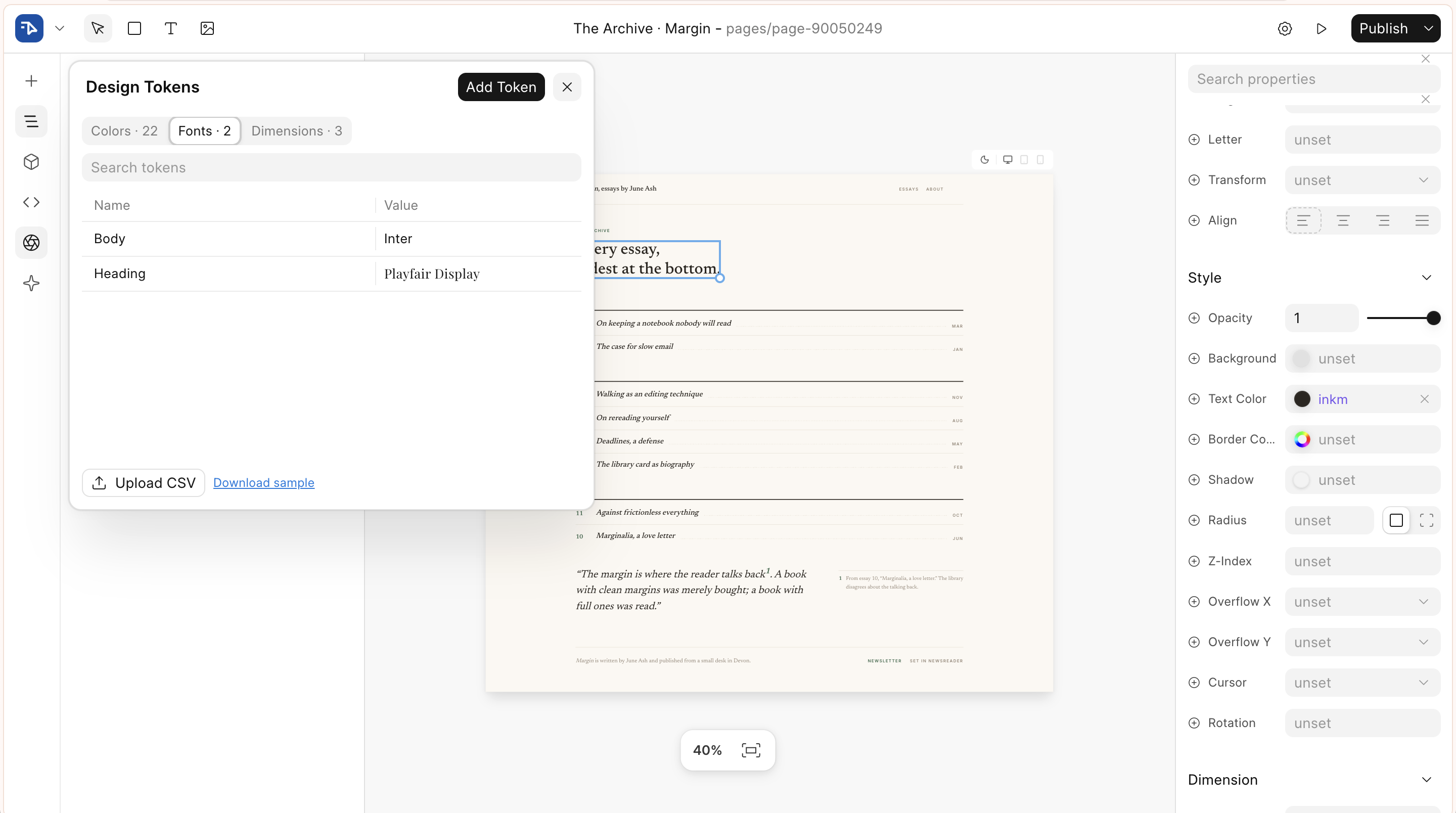
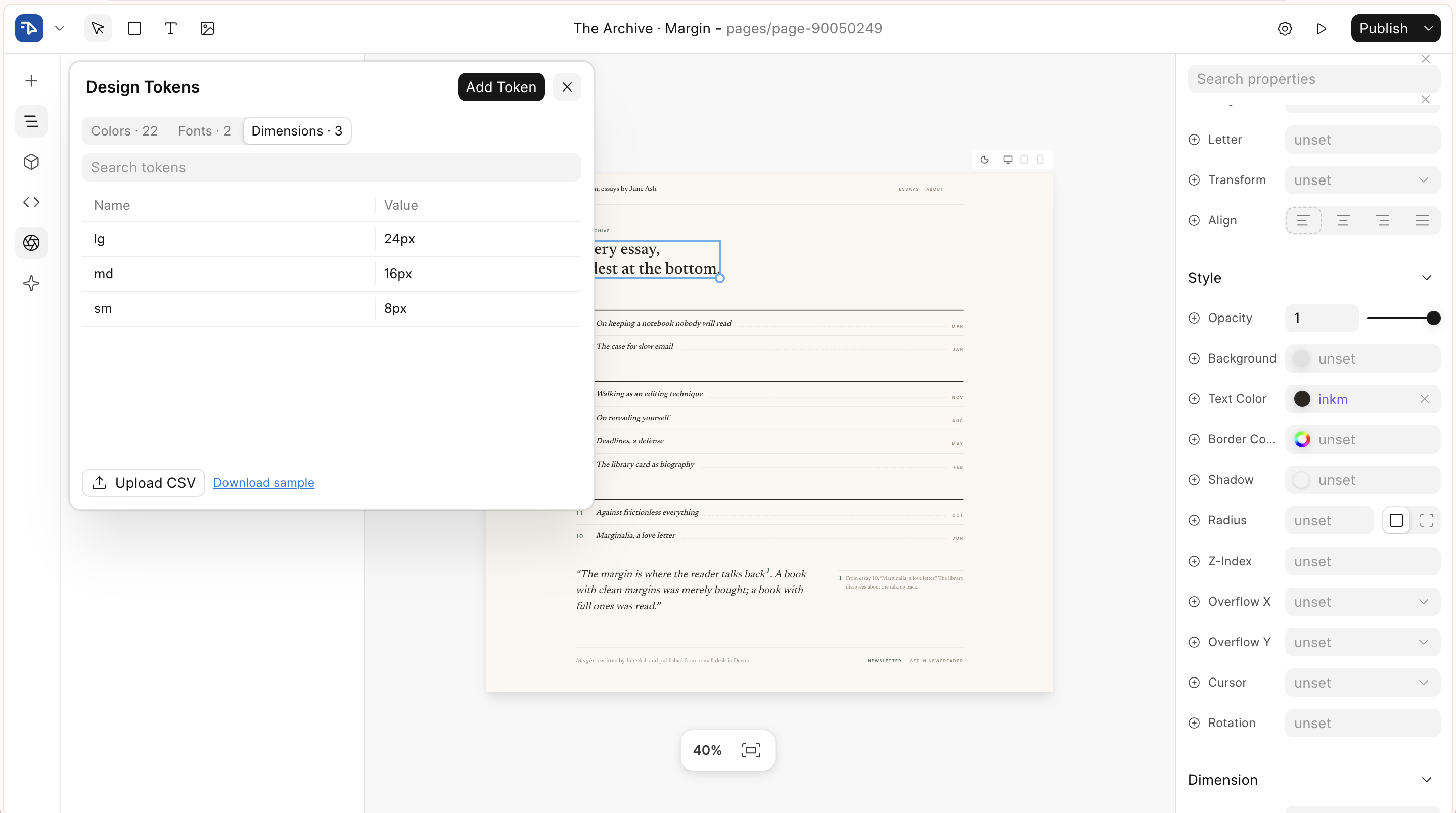
Builder Variables is now Builder Tokens, and it holds Font and Dimension tokens alongside colours.
Focus Point for Images
Cropping an image used to mean typing object-position by hand. The image popover is now a compact card with three fit options — Fill & Crop, Fit and Stretch — and for cover fits the preview doubles as a focal-point picker. Drag the dot and the crop updates live on the canvas; a zoom slider crops further around the point you picked. Blocks with a cover background image get the same picker in the Background popover.
Editor Enhancements
The font picker now previews each font in its own typeface, in the dropdown rows, the field itself and the design token rows.
Published status is glanceable, on the dashboard grid cards and next to the page title in the editor toolbar.
Gap can be split per axis, row and column, in both the Flex and Grid panels.
Other Improvements
Client scripts now show how many pages use them, and clicking through opens the full list. The colour picker surfaces recently used colours, with the last eight shared across every picker in the tab and the static palette filling the unused slots. The editor is translatable end to end — user-facing strings are wrapped, translations are served through boot data, and 35 language catalogs are synced from Crowdin. We also fixed two memory leaks in the editor and added a way to move large SVGs out of the page.


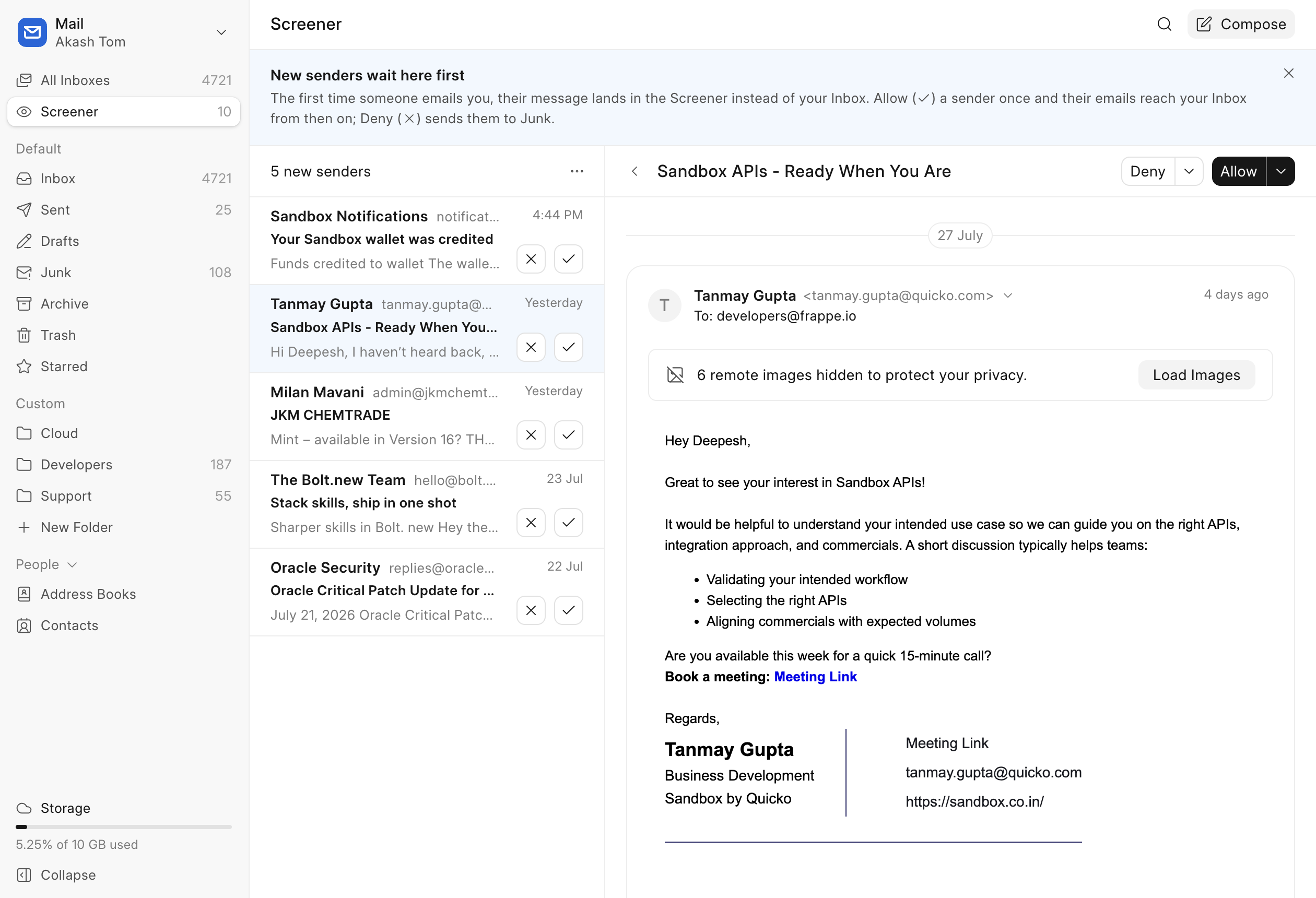
Meet the Screener
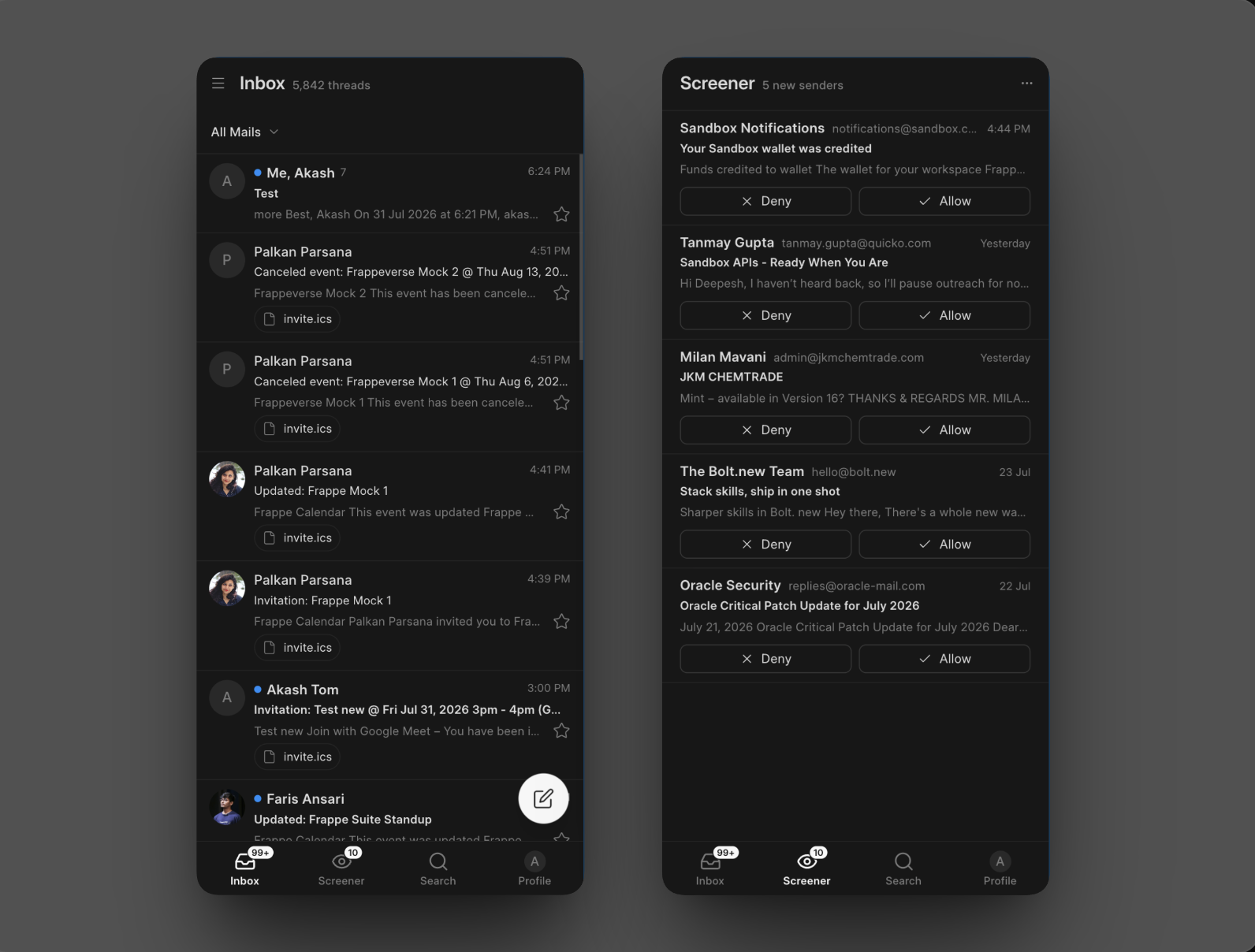
Your inbox now has a bouncer. First-time senders wait at the door until you let them in or turn them away, one click each, with no filters to write. You can screen whole domains, admins can set org-wide rules, and it is on by default for personal accounts. (mail#600, #147, #278, #421, #310, #154)
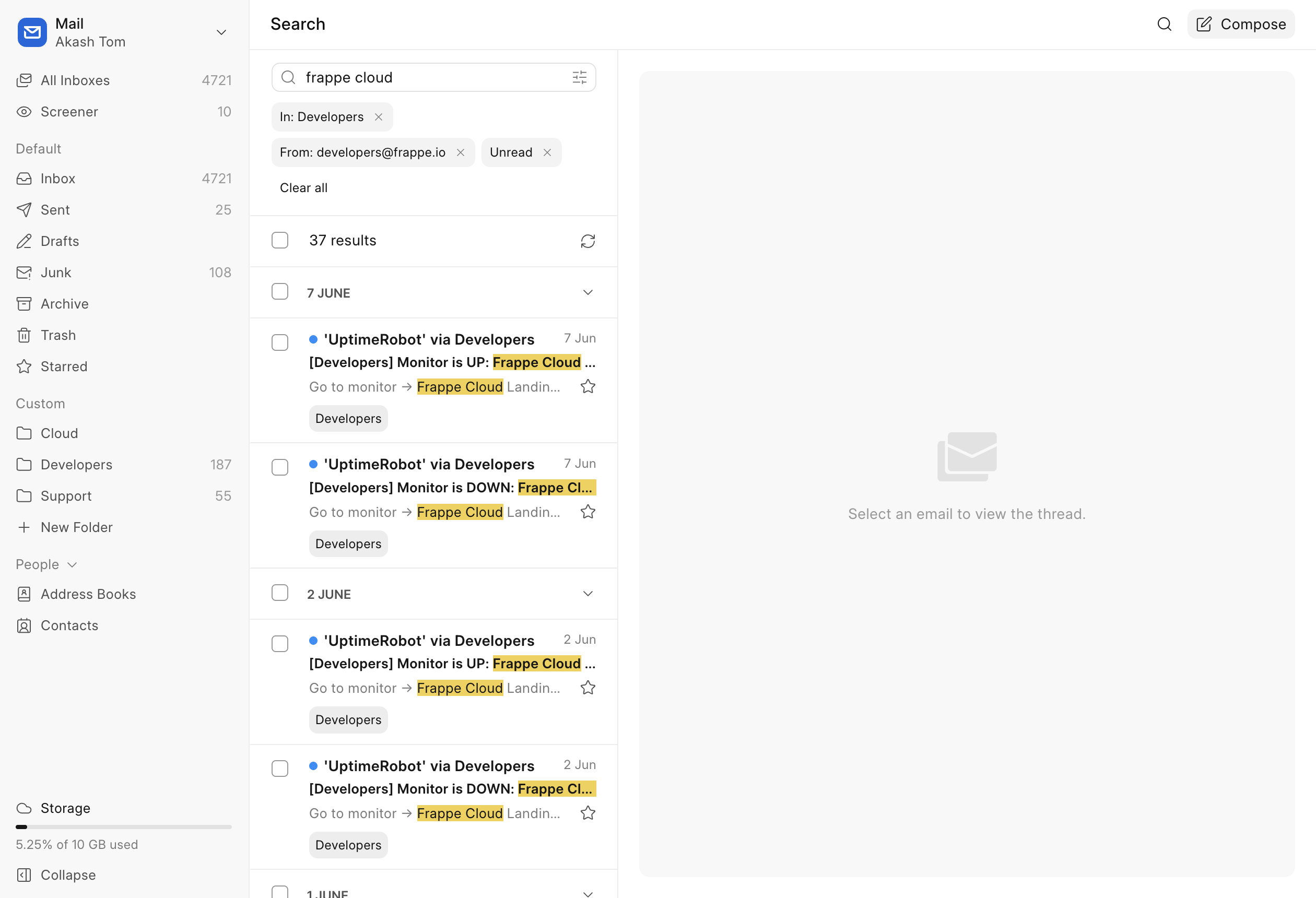
Search That Actually Finds Things
Search across all your accounts at once, with a quick-filter bar, removable filter chips, autocomplete for operators and contacts, and highlighted matches. There is also a Filter messages like this action, one click from any mail. (#211, #224, #231)
Mail in Your Pocket
Mail is now an installable app on your phone, with a bottom tab bar, swipe between threads, slide-up compose and the full settings. iOS launch screens included, because details matter. (#346, #389)
Your Day, Right in the Sidebar
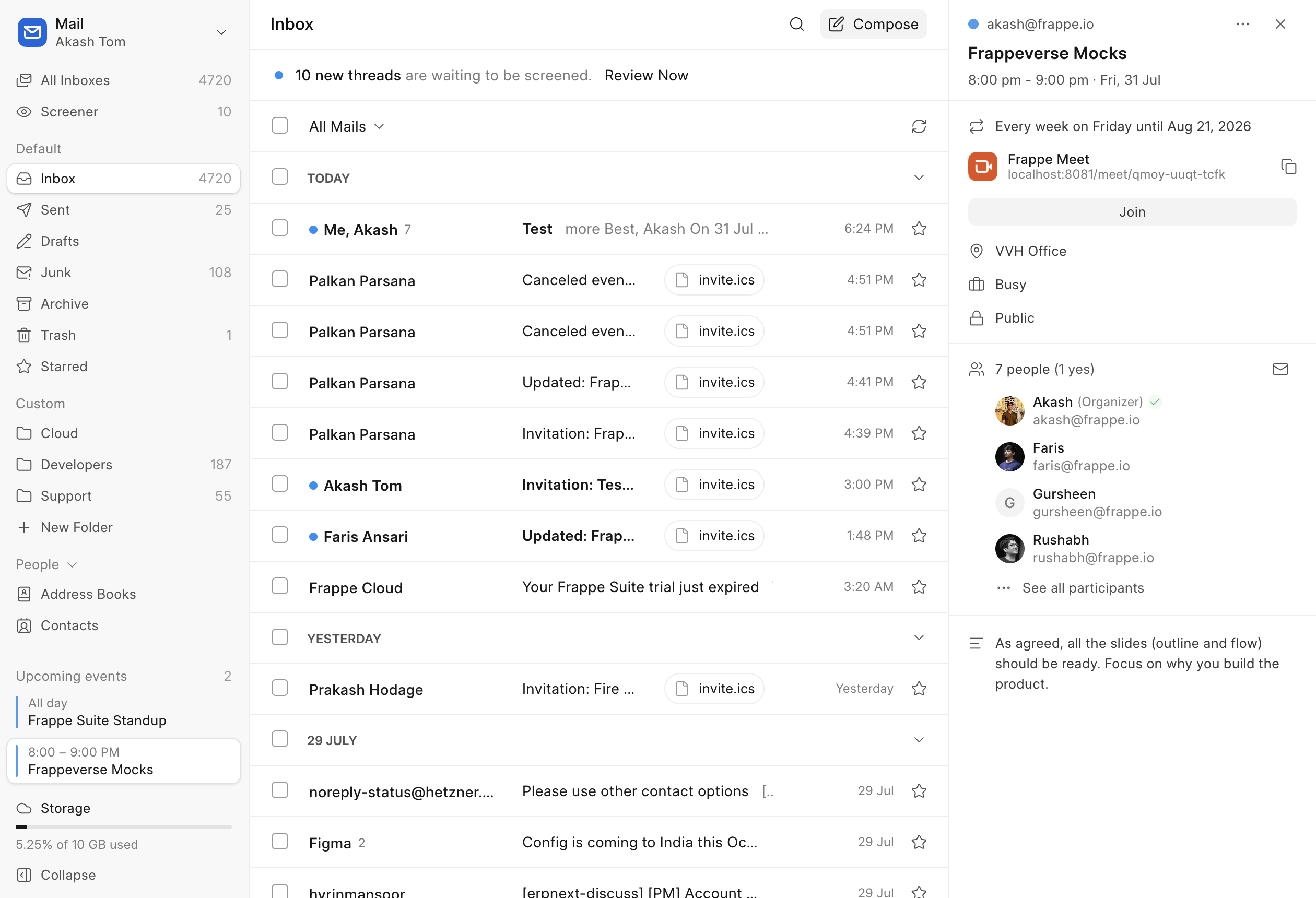
Upcoming events now live in the Mail sidebar, and clicking one opens the event details right there — no hopping over to Calendar just to check when that meeting is. (#439)
A New Home for Admins
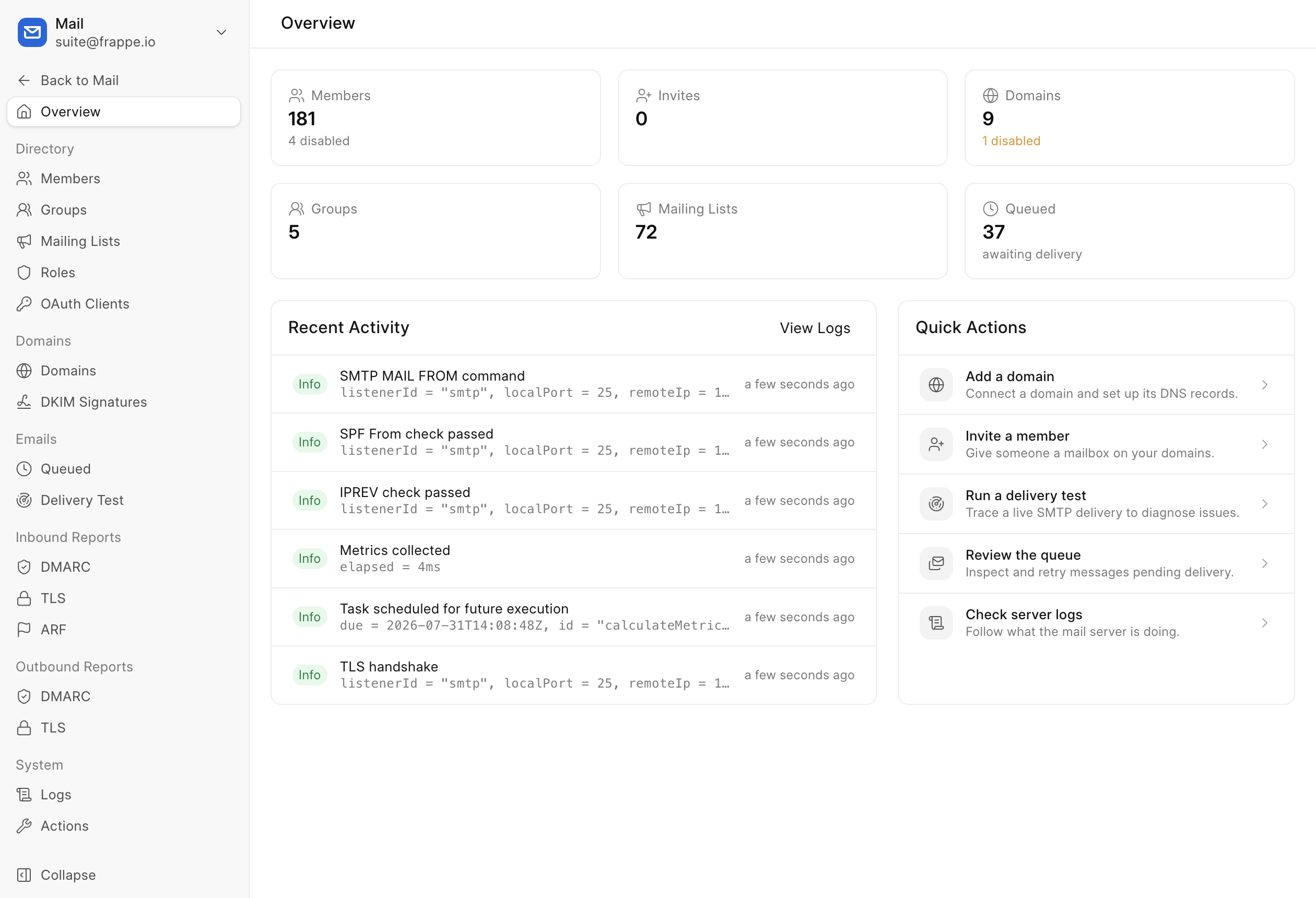
The admin dashboard was rebuilt: proper detail pages for members, groups and mailing lists with inline editing, richer invites covering quotas, groups, locale and time zone, DKIM management, logs, DMARC reports, and an audit trail of admin actions. (#357, #426)
All Inboxes Is Here
One unified inbox across every account you have. Scroll forever, open threads in place, and read mail from any account without switching. Chatty senders get stacked, so one newsletter cannot bury everything else. (#70, #424, #258)
Optimistic Actions, With Undo
Archive, trash, junk, move — actions happen instantly now, and every one of them comes with an undo. Fat-finger away. (#215)
Bring Your People With You
Contacts import and export cleanly now, as .vcf files or straight over JMAP. Moving in, or out, no longer means retyping your address book. (#170)


A Redesigned Event Experience
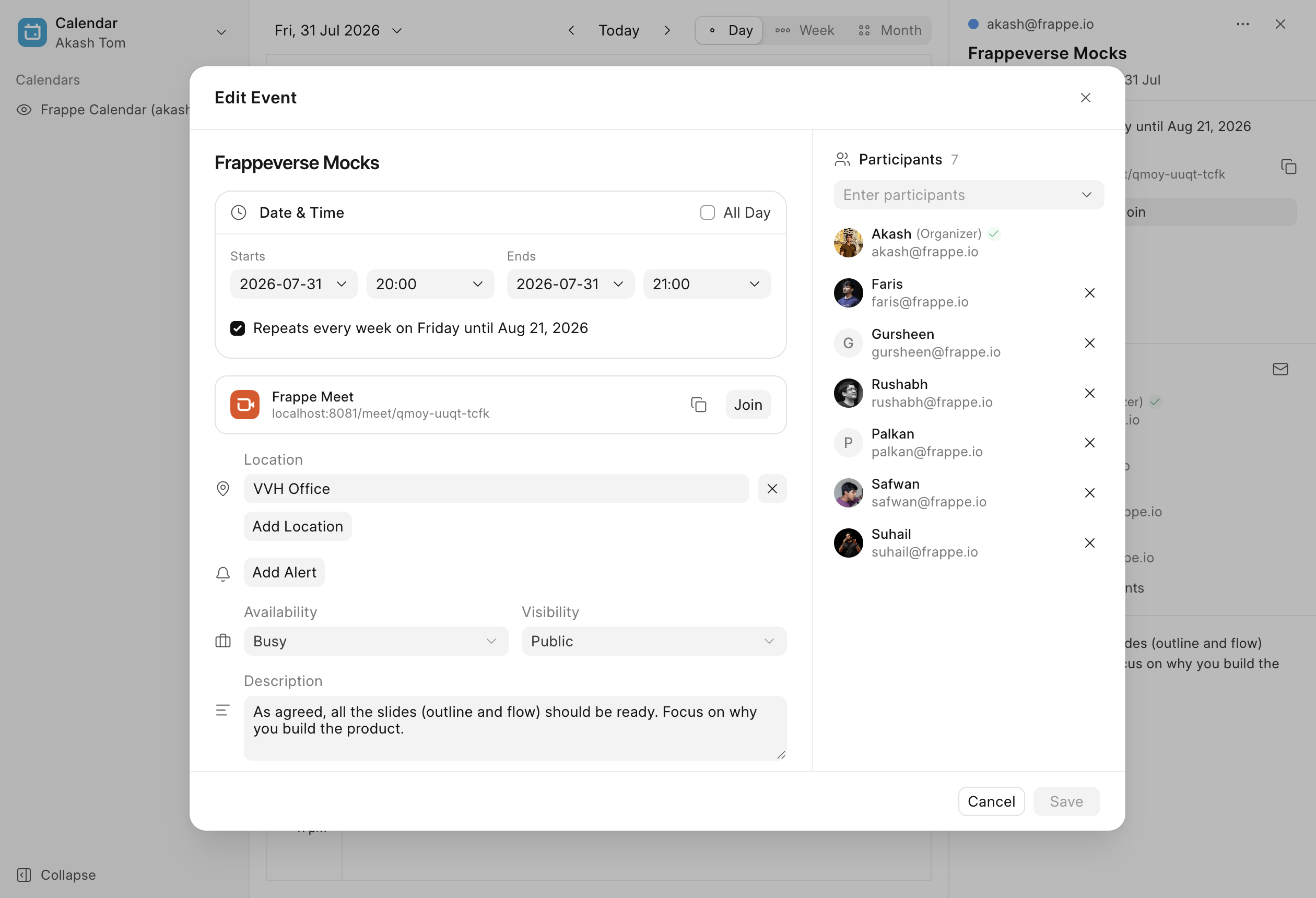
The event modal and the detail panel were rebuilt from the ground up, repeat settings got a tidy home of their own, and every event now has a URL you can share. (#297, #439)
Invites Worth Opening
Invitation emails were redesigned with proper RSVP links, the RSVP confirmation page got a facelift, organizers are notified when someone responds, and cancelling an event now actually tells your guests. (#257)
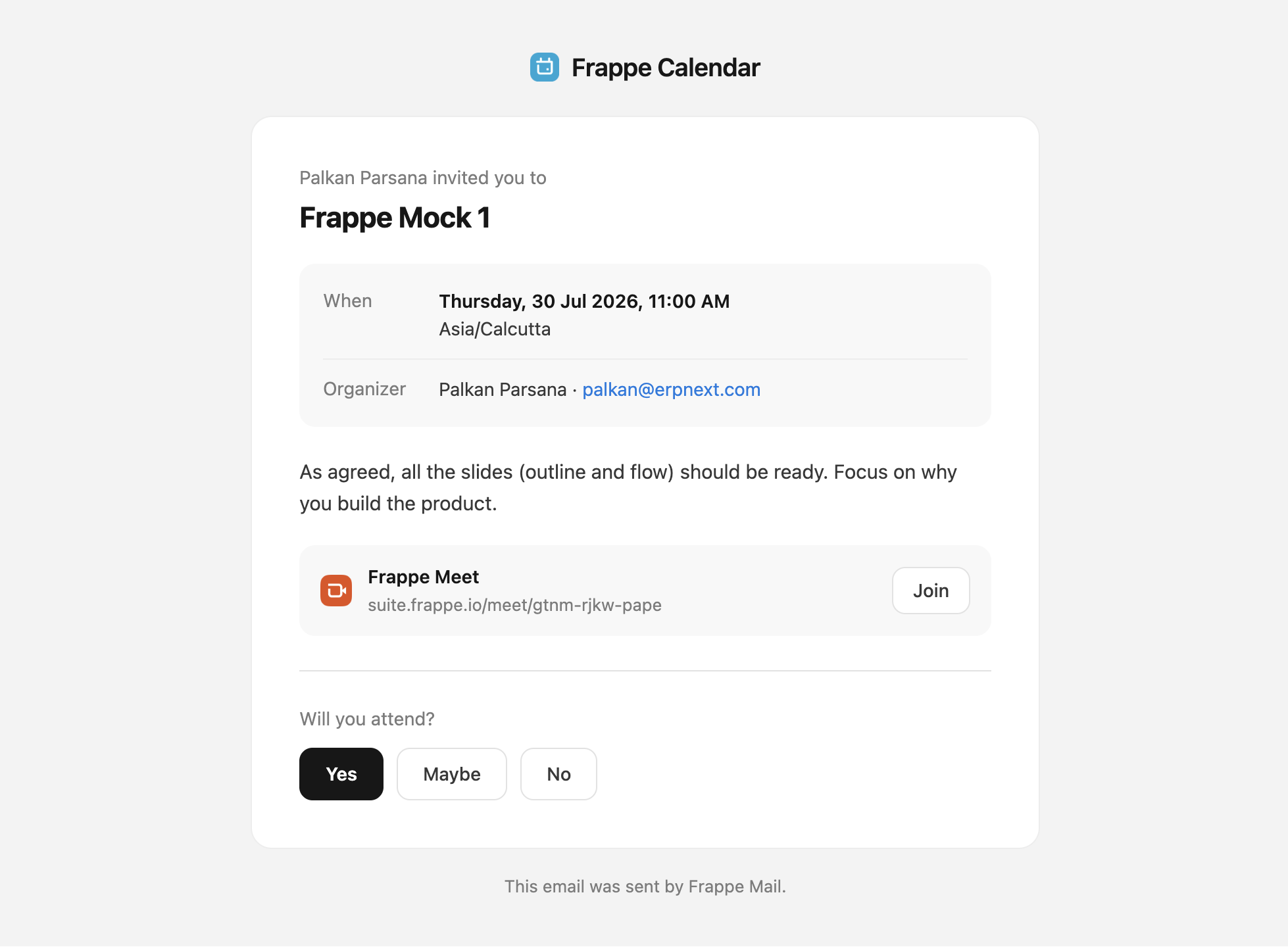
Meet, Meet Calendar
Attach a Meet link to any existing event — the meeting row is front and centre now. (#320)

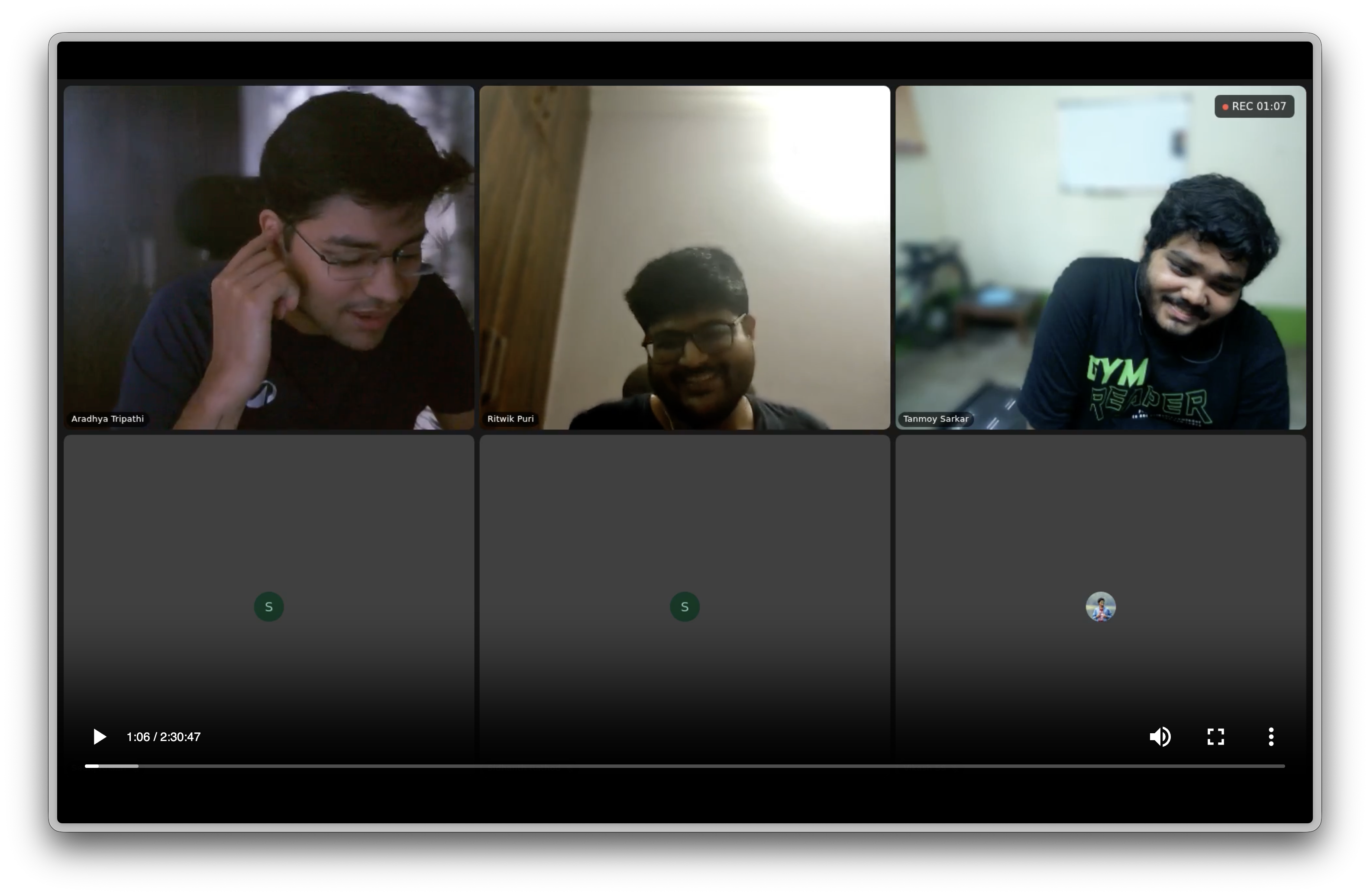
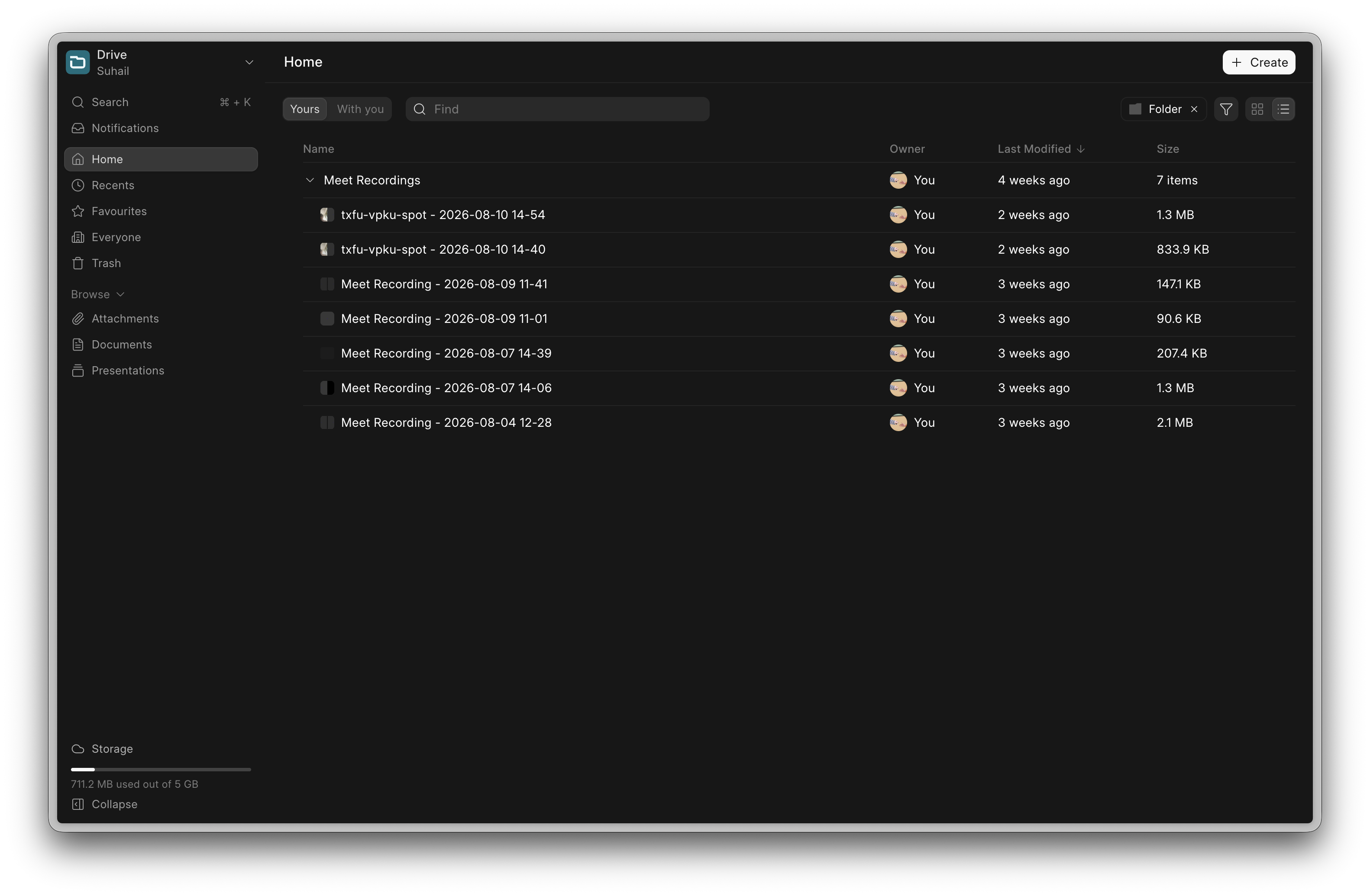
Meet Recordings
The community's most requested feature is here. You can record your meetings, and the recordings show up in your Drive.
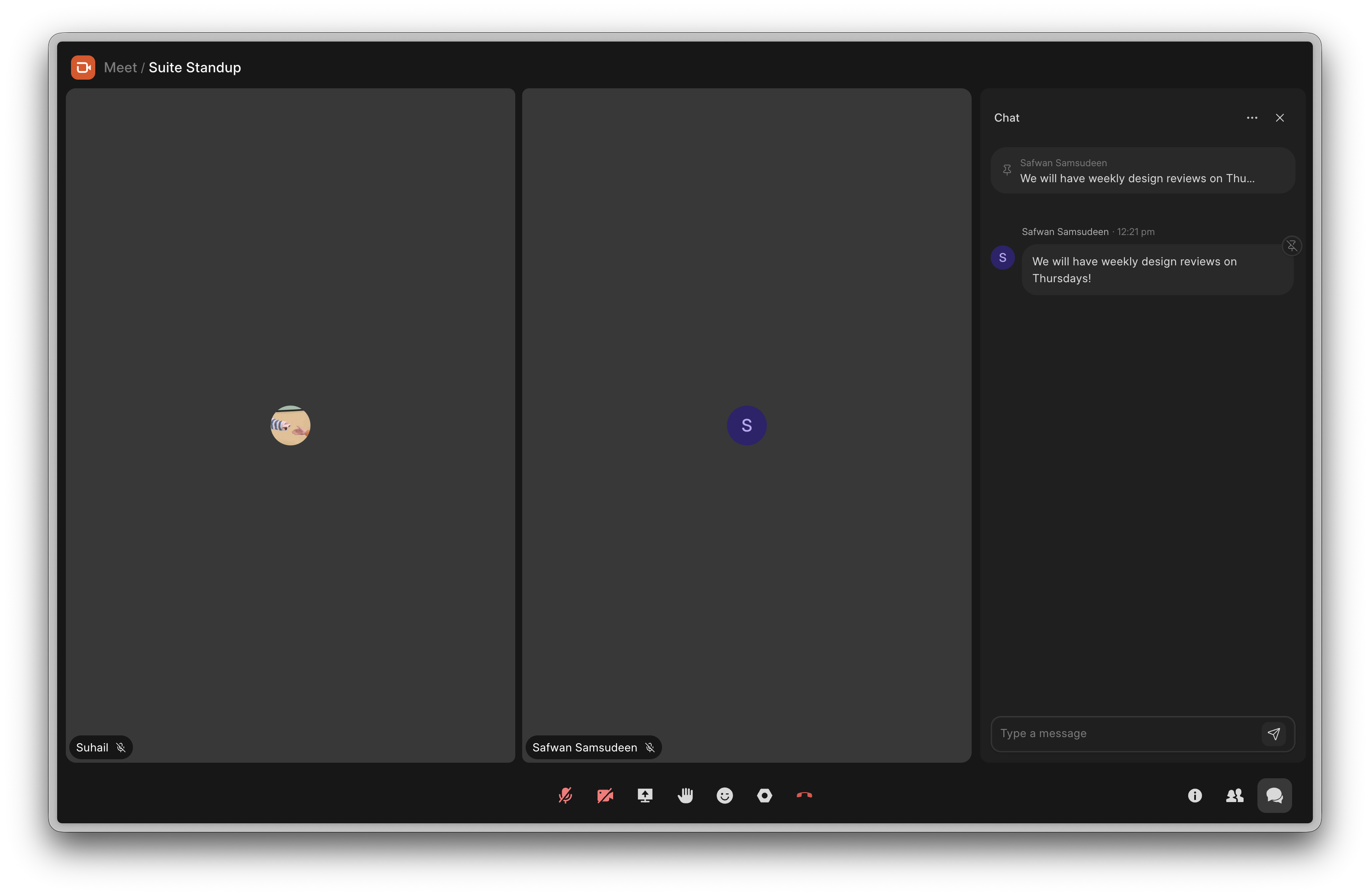
Pinned Messages
Pin the messages that matter in a call and they stay pinned until the call ends.

That's a wrap for August! 👋
Frappeverse is over, but the talks are not going anywhere, we will be putting the recordings up soon.
If the event left you wanting to build something on Frappe, our bootcamps and courses are a good place to start. See you next month.


·
Quarterly report