


When we first built Frappe CRM, we built it for ourselves. And permissions were intentionally simple. Frappe (the company) has always had a fairly open sales culture internally, so if you were part of the sales team, you could see all Leads and Deals in the system with no filters or restrictions. The idea was simple: visibility helps collaboration.
But as more companies began using Frappe CRM across larger teams, departments, regions, and verticals, open visibility started feeling less like a feature and more like a problem. Managers wanted oversight of their teams. Reps wanted their pipeline to themselves. Turns out both are reasonable things to want. Some customers even jokingly told us, “We don’t want reps stealing each other’s deals.” Fair enough.
As organizations grow, permissions become less about restriction and more about structure. Different teams need different levels of visibility. That's what led us to introduce Sales Hierarchy in Frappe CRM.
But before we get into that, it's useful to understand how permissions already work in Frappe CRM today because there's actually quite a lot happening under the hood.
How permissions work in Frappe CRM
Permissions in Frappe CRM work in mainly three layers.
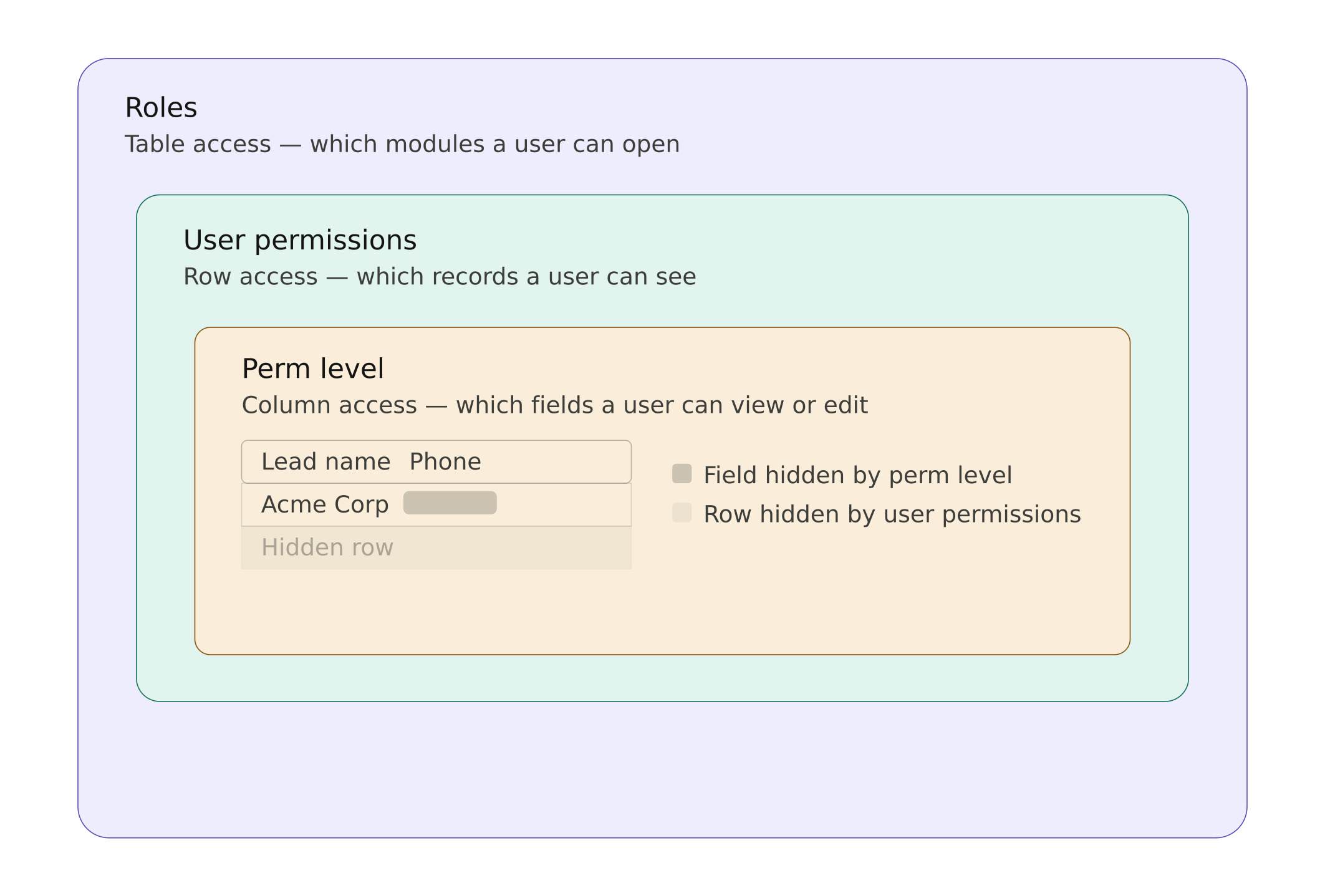
1. Roles
The first layer is Roles. Roles define what kind of access a user has. For example, you can define if a particular role, let’s say Sales User, has access to Leads and Deals. Frappe CRM primarily has three frontend roles.
Admin: System-level users who can access everything across the site, not just CRM. They can invite users, change permissions, assign roles, access backend settings, and manage all installed apps. Think of them as the overall site administrators.
Sales Manager: Essentially a CRM admin. They can invite and manage users, configure CRM settings, create custom fields, customize layouts, write scripts, and set up integrations. A lot of control, but scoped to CRM itself.
Sales User: Focused on day-to-day sales work. They too can work with Leads and Deals, but cannot customize CRM, add fields, change layouts, write scripts, or manage users and permissions.
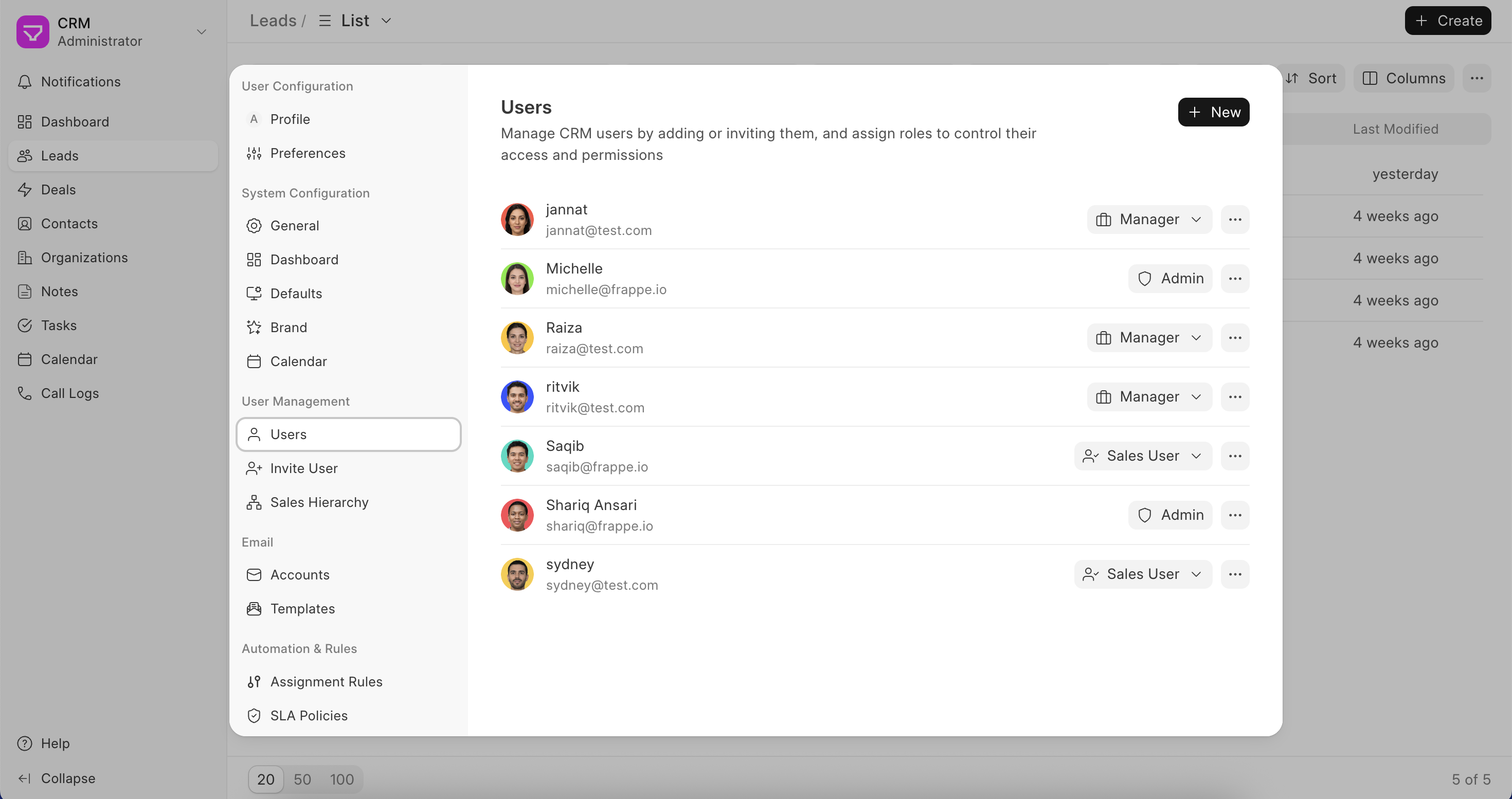
What changes with this release?
Until now, both Sales Users and Sales Managers could see all Leads and Deals by default.
With this release (v1.72.0):
- Sales Users can now only see their own + assigned records
- Sales Managers continue to see all records
- Admin behavior remains unchanged
This applies even if Sales Hierarchy is not enabled.
| Role | Before | From this release |
|---|---|---|
| Sales User | Could see all Leads and Deals (and associated notes, calls, tasks, etc.) | Can only see their own (created + assigned) records |
| Sales Manager | Could see all Leads and Deals (and associated notes, calls, tasks, etc.) | Same as before |
| Admin | Could see everything | No change |
2. User Permissions
The second layer is User Permissions. This is where record-level restrictions come in. Admins can restrict what records a user sees based on specific conditions.For example, only show Leads from a certain territory, or restrict a user to a specific company.
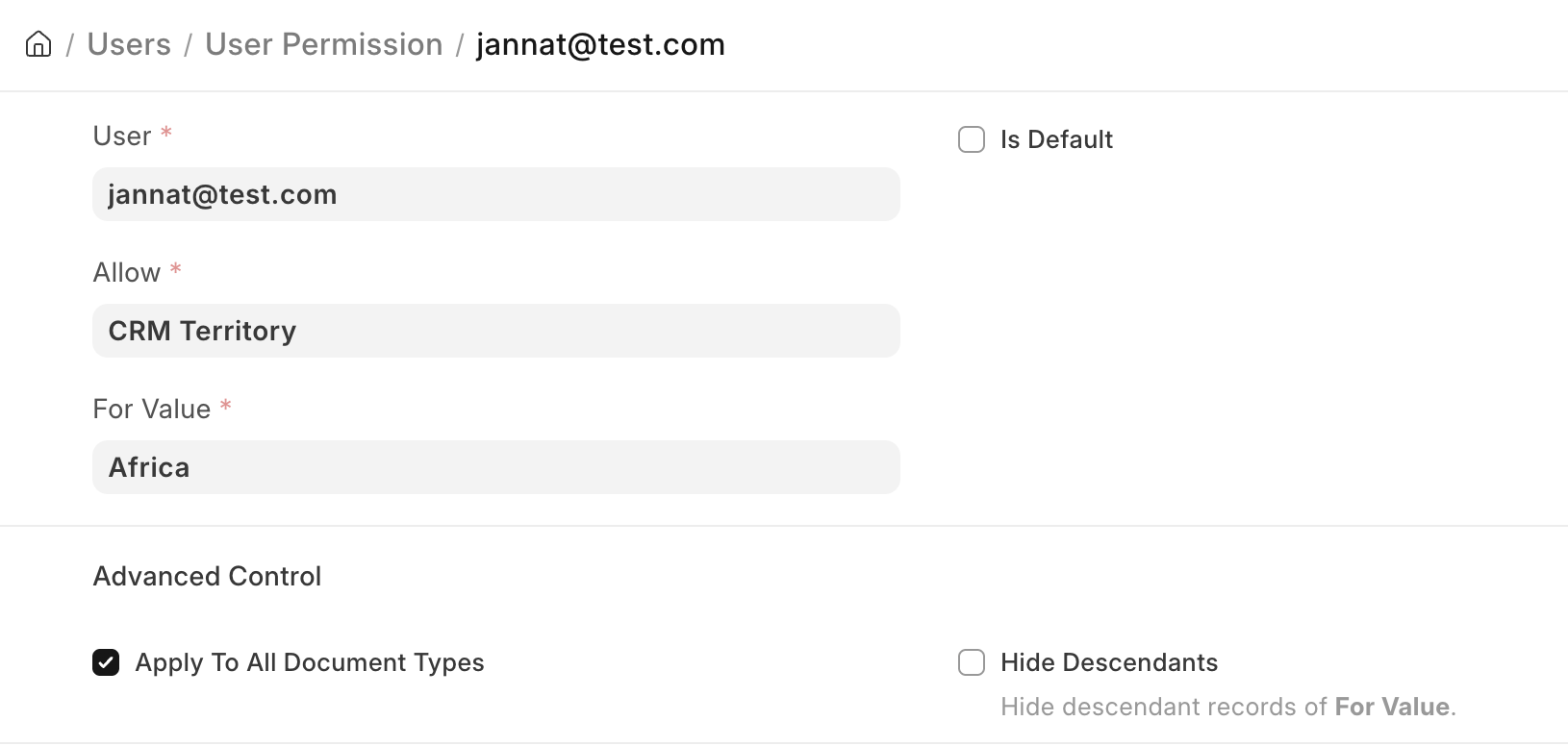
To know more about user permissions, check this.
3. Perm Level
The third layer is Perm Level, through which you can manage field-level restrictions.
Once a user has access to a record, you can restrict them from viewing or editing certain fields in the record. This can be achieved through perm levels. To know more about perm levels, check this.
So the building blocks for controlled visibility were always there. What was missing was something more natural: a way to say that managers should automatically see records belonging to the people reporting to them, without needing to manually configure conditions for every user.
That's exactly what Sales Hierarchy introduces.
Introducing Sales Hierarchy
Sales Hierarchy lets you define a reporting structure inside Frappe CRM. Once you set up who reports to whom, visibility follows that structure automatically. Once Sales Hierarchy is enabled, visibility follows the reporting structure instead of just the role.
Sales Hierarchy is an optional feature that can only be configured by Admins.
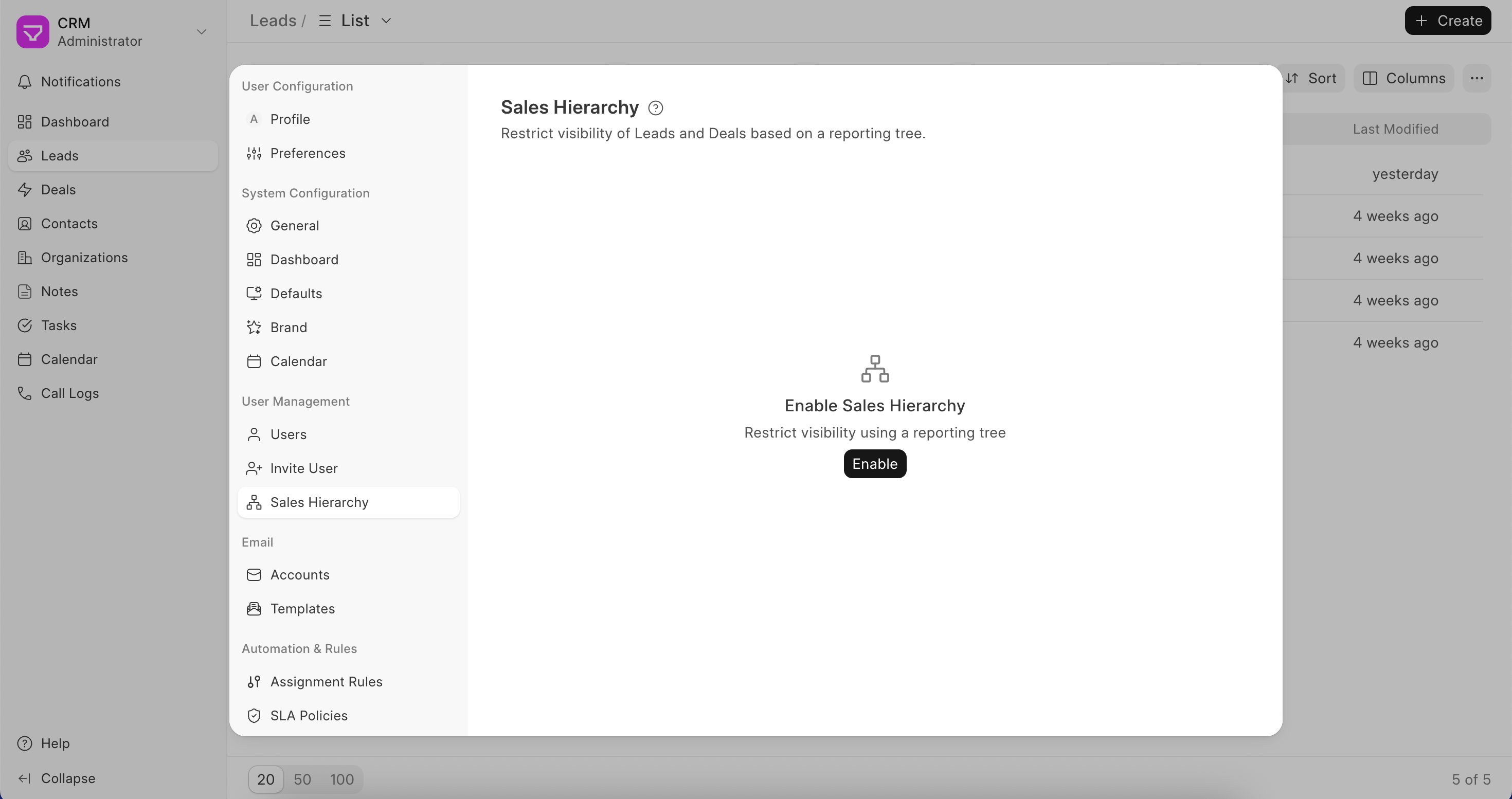
If Roles and User Permissions are enough for your team, you do not need to enable it. But if you want visibility to follow reporting structures, you can enable Sales Hierarchy and build your organization tree directly inside Frappe CRM.
Users can be added, dragged, and moved across the hierarchy as your team changes. The hierarchy updates permissions automatically as the structure changes. So once a tree is created, it will affect the roles as follows:
Sales Users can see their own records and anything assigned to them. If they have reportees under them in the hierarchy, they can also see those reportees' records. So a senior rep or team lead gets natural visibility into their team without needing admin-level powers.
Sales Managers once placed inside the hierarchy, are restricted to their own records and those of their subordinates. If a Sales Manager is left outside the tree, their default behavior stays unchanged, and they continue to see everyone's records.
Admins are kept outside the hierarchy entirely. They already have full system-wide access so the hierarchy does not apply to them.
To understand this better, take this tree as an example.
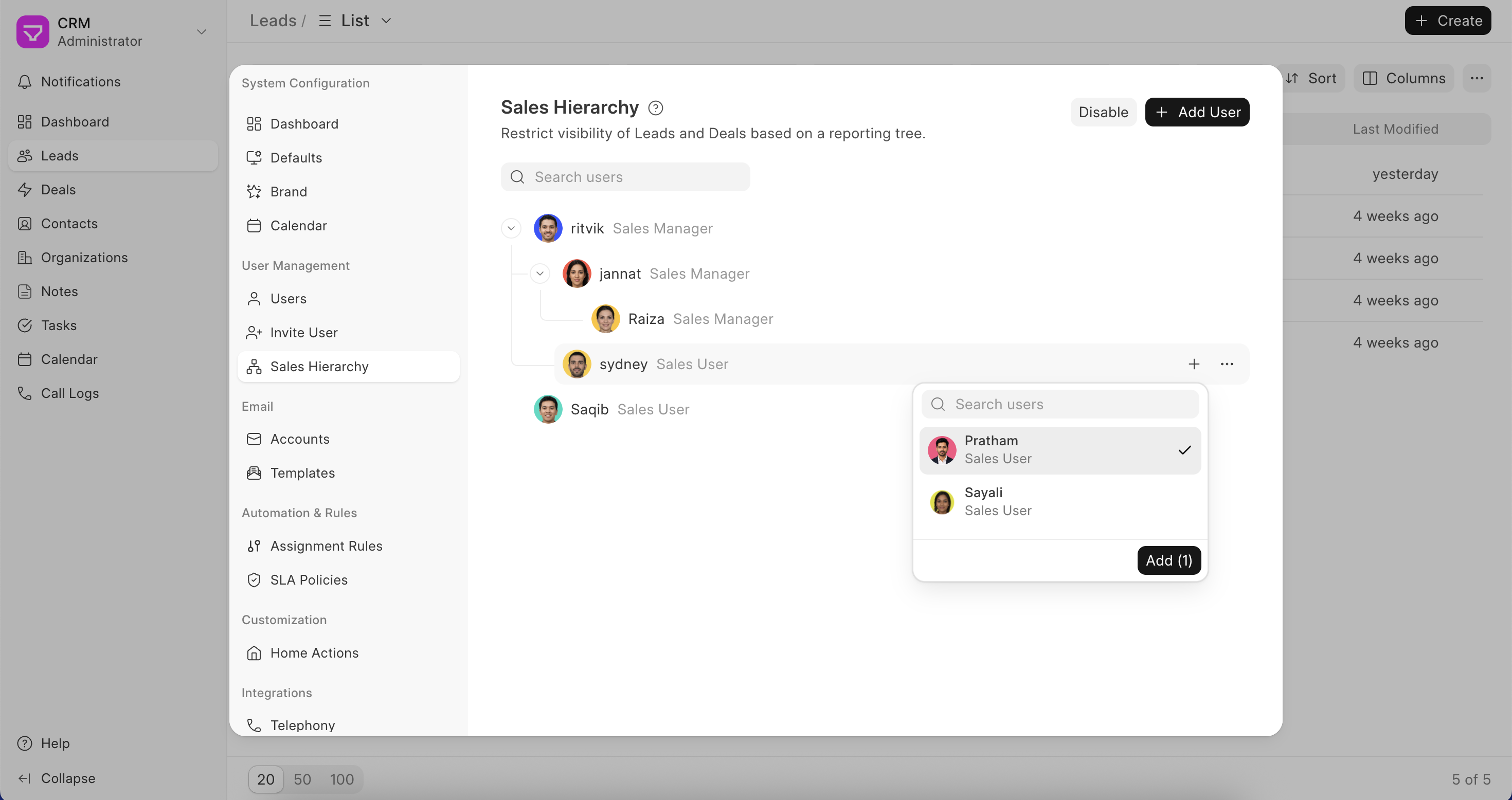
In this example:
- Ritvik can access his own records and records of the entire team below him
- Jannat, despite being a Sales Manager, can only access her own records and Raiza's records
- Raiza, although also a Sales Manager, can only access her own records since nobody reports to her
- Sydney, being a Sales User (and having no reportees), can only access his own records
- Saqib is outside the hierarchy entirely, so hierarchy-based visibility rules do not apply to him
We've also added a few rules that keep things logical:
- A Sales Manager cannot report to a Sales User
- A Sales User can report to another Sales User
- A Sales User can report to a Sales Manager
- Admins stay outside the hierarchy entirely
Before you go: what's changing in this release
Two things.
First, default visibility has changed. Sales Users can now only see their own records. Sales Managers can see everyone's. This applies regardless of whether Sales Hierarchy is enabled. If your team has always followed an open culture where everyone could see all Leads and Deals, you'll want to reassign your Sales Users to Sales Managers. Just note that Sales Managers also get access to CRM customization settings like fields, layouts, and scripts.
Second, Sales Hierarchy is a new optional feature that lets you build a reporting tree inside Frappe CRM. Once enabled, visibility flows down the tree. Whoever is at the top can see their entire subtree's records. You don't need to enable it, but if your team has a reporting structure, it's worth setting up.
Permissions aren't just about restriction
One thing we learned while building this is that permissions are not just about hiding records. They're about helping organizations mirror how their teams actually work. Some companies want open collaboration. Others want strict ownership. Most want something in between.
With Sales Hierarchy, Frappe CRM now supports all of that. And because it builds on top of the existing permission system, teams can create much more flexible and realistic access structures as they scale.
If permissions and visibility controls were holding your team back from adopting Frappe CRM, this release should make things much more flexible. Give it a try here.
*PS. Will be released in Frappe CRM v1.72.0

