


If you're new here, Frappe CRM is an open-source CRM made by the team behind ERPNext and the Frappe Framework. It's for sales teams who want a simple place to keep track of leads and deals, and who want to change it to fit how they work.
Last June, we wrote about why Frappe has two CRMs, the CRM module in ERPNext and Frappe CRM, and how they're different. At the end of that post, we said Frappe CRM is where we'd put our energy from then on.
It's been a little over a year since then. So here's what that turned out to mean: how many teams use Frappe CRM now, what we built for them, and what we're working on next.
Then and now
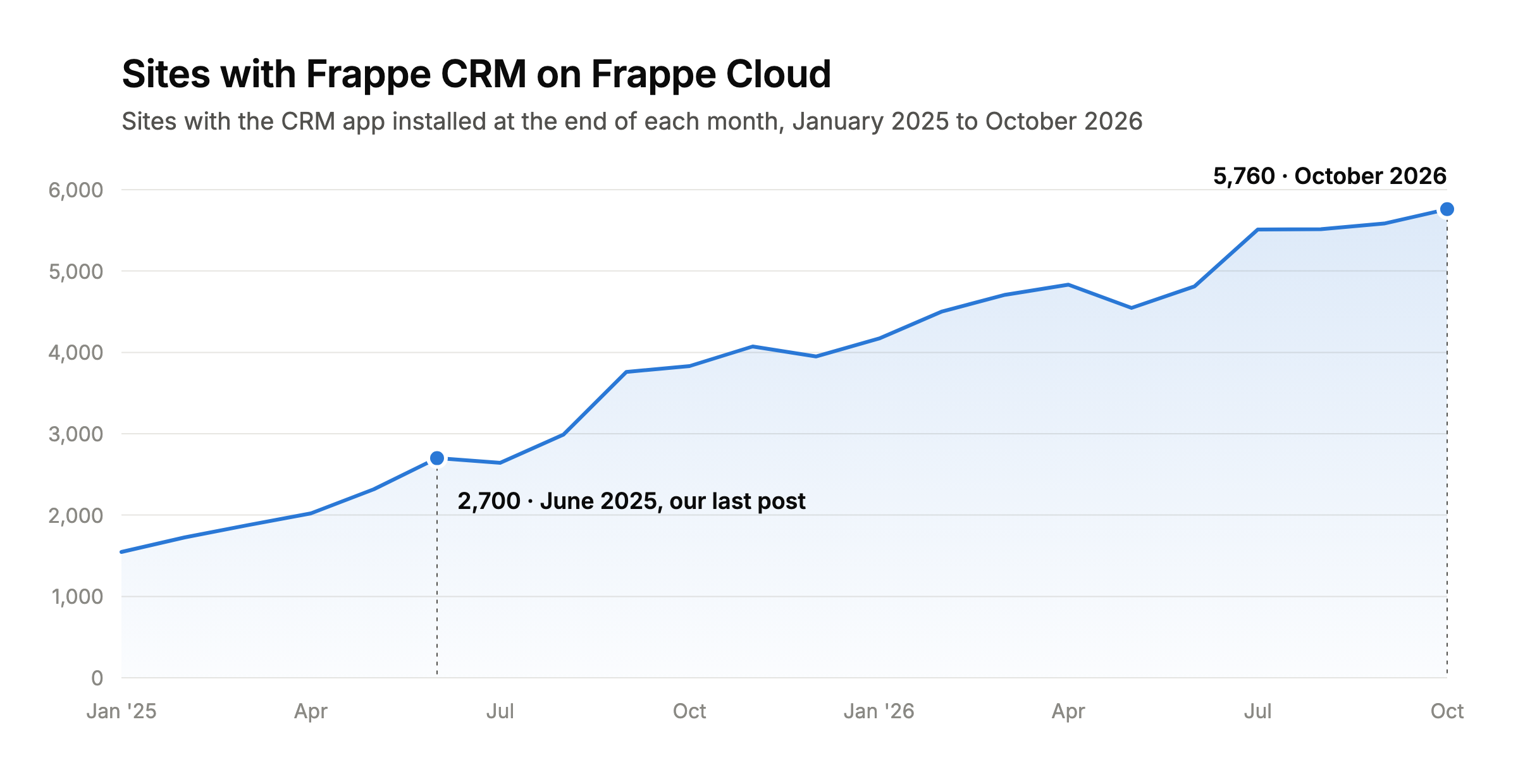
When we wrote that post, about 2,700 sites on Frappe Cloud (Frappe's own managed cloud) had Frappe CRM installed. Today, it's over 5,700. That's more than double, and it doesn't count the teams hosting it themselves.
Signups have grown too. In June 2025, about 530 people signed up to try Frappe CRM. Last month, it was over 1,500.
In the same time, we went from v1.46 to v1.91, and 74 people contributed code.
More teams meant a lot more feedback. And most of it wasn't about missing features. It was about getting started, setting things up without help, and getting the whole sales team to actually use the CRM every day. So we changed how we decide what to build. Instead of asking "what's missing?", we started asking "what's stopping this team from using it?"
What we built because teams needed it
Almost everything we shipped this year started as a conversation with a team. The easiest way to show you is to follow a team through its first few months with Frappe CRM.
1. "Our leads are all in a spreadsheet"
For most teams, day one starts with a spreadsheet of leads they've been collecting for years. Getting it in used to mean going to the Desk. Late last year we brought it into the CRM, but you couldn't easily review the rows or fix problems before importing. Now you can. Upload a CSV or Google Sheet, match your columns, and fix issues in one place: if a value doesn't fit, like a status your CRM doesn't have, map it to the right one or skip the row.

2. "Can I build my web form in the CRM?"
Once the old leads are in, the new ones need a way in. For many of our customers, that's a form on their website. Before, you had two options. You could connect your own website form to the CRM through the API, mapping each field yourself. Or you could make a Web Form in the Desk, which wasn't visual and meant leaving the CRM. So we brought it into the CRM: pick your fields, see how the form looks as you build it, and embed it on your website. Every submission comes in as a lead or deal.

3. "Our customers are all on WhatsApp"
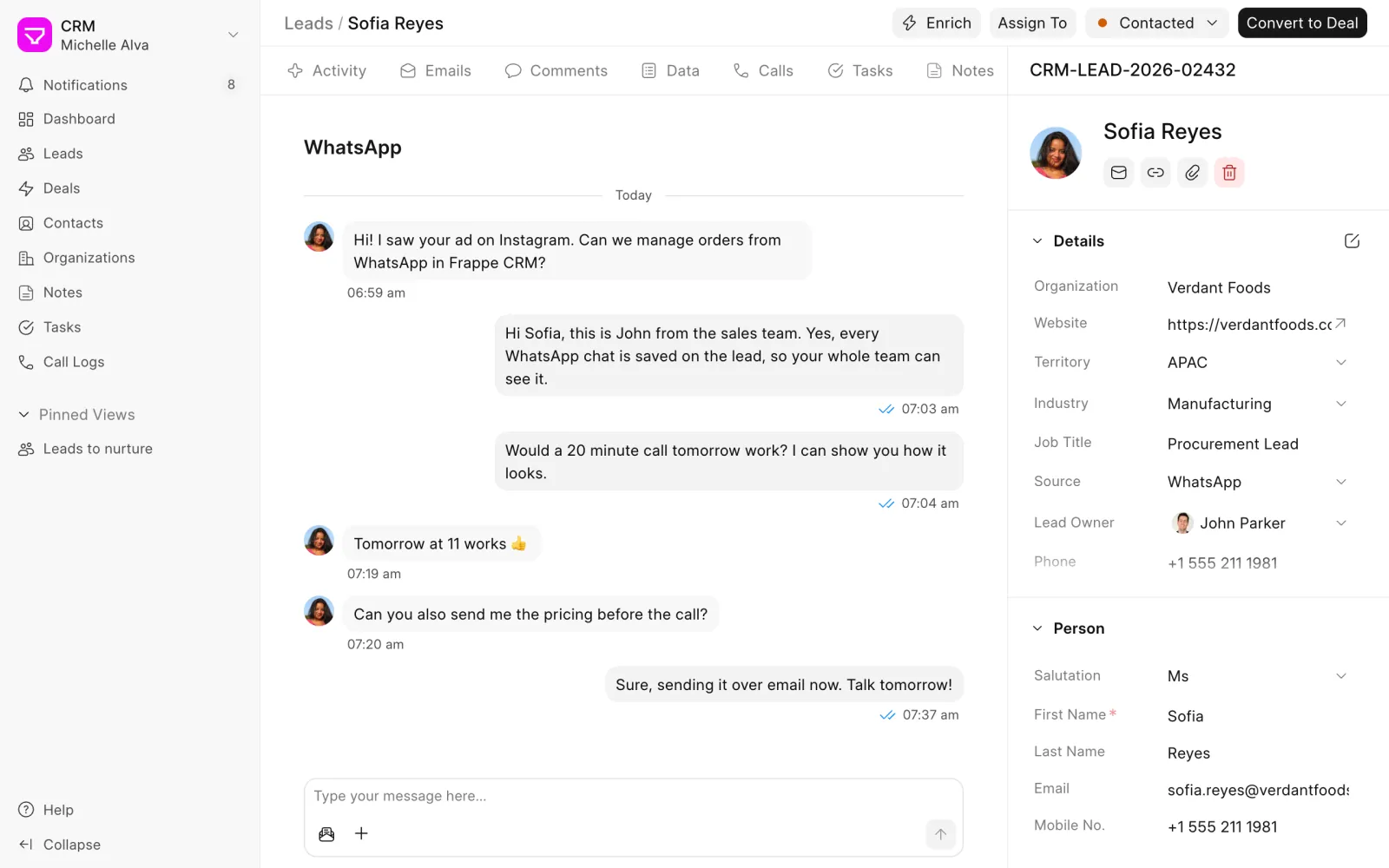
Then there are the people who never fill in a form. They just send a message. For a lot of teams, WhatsApp is where sales actually happens. So we built our own WhatsApp app, and it works with Frappe CRM out of the box. When someone new messages you, a lead is created for them, and every chat is saved on the lead or deal so anyone on the team can pick up the conversation.
4. "Who is this company, anyway?"
A lead from a website form often comes with just a name and an email. Before the first call, someone has to look up the company. Now Frappe CRM can do that for you. Click Enrich and it reads the company's website to fill in its description, logo, industry and social links. You can also have it run on its own for every new lead.
5. "Who's picking up this lead?"
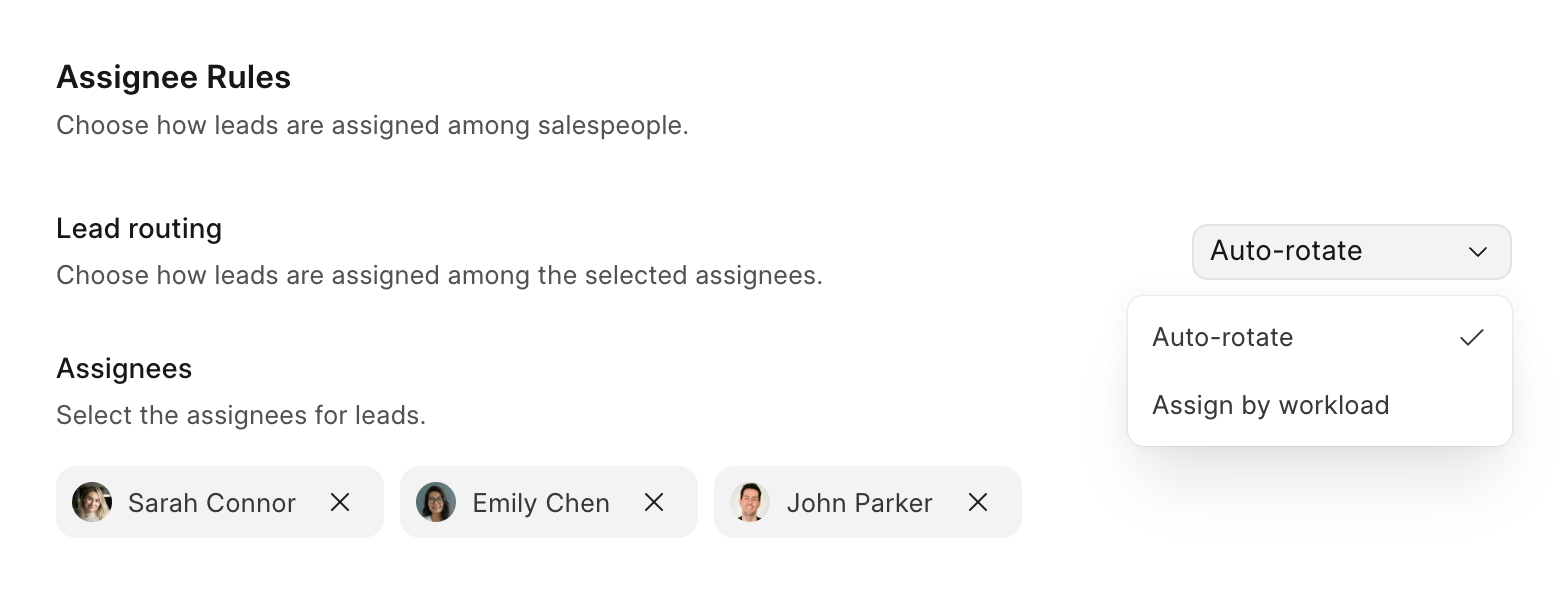
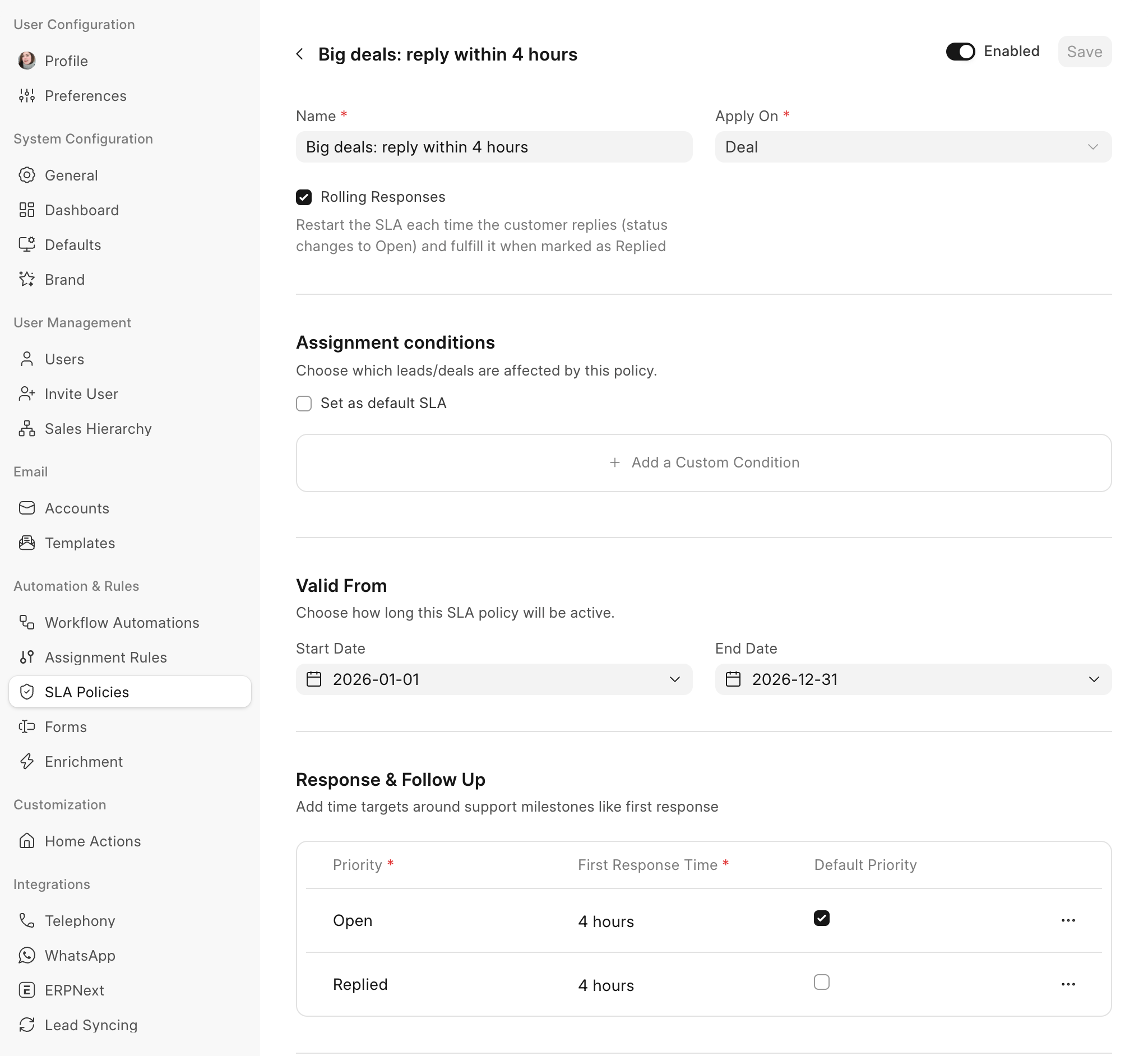
With leads coming in from everywhere, someone has to decide who takes each one, and how quickly they reply. Assignment rules and SLAs used to live in the Desk. Now you set them up inside the CRM.
An assignment rule hands out new leads in turn, or to whoever has the fewest open ones. An SLA sets how fast your team should reply, counting only working hours, and each lead shows when the first reply is due.
6. "I don't want to write code"
Once a lead has an owner, the next worry is whether anyone follows up. We wanted salespeople to set up their own automations, without asking a developer to write a script. So we built Workflow Automations. You pick when something should happen and what to do:
- Send a welcome email to every new lead
- Email the prospect again if they haven't replied in three days
- Let a manager know when a big deal changes stage
Lead scoring started as our own use case. Our sales team wanted to know which leads to call first, so now an automation can add points to a lead based on what they do and mark it Hot, Warm or Cold.
You can test an automation on a real lead before you turn it on. More examples here.
7. "We don't want reps stealing each other's deals"
As the team grows, a new question comes up: who should see what? When we first built Frappe CRM, we built it for ourselves. Our sales culture is open, so everyone in the sales team could see every lead and deal. It worked well for us.
Then bigger teams started using it. They had regional managers and team leads, and reps who had worked hard to build their own pipeline. One customer told us, half joking, "We don't want reps stealing each other's deals." Others wanted their managers to see their team's numbers without seeing everyone else's.
So we built Sales Hierarchy. You set up who reports to whom: reps see their own leads and deals, and managers see their team's too. If someone moves teams, drag them to their new place in the tree. We wrote about how it works here.

8. "How are we doing this month?"
Once there's a team, there's a manager asking how the month is going. So we added a sales dashboard. It shows your leads, open deals, won deals and average deal value, each compared with the period before, with charts for the sales trend, deals by stage and salesperson, where leads come from and why deals are lost.
Turn on forecasting, and each deal's expected value and close date add up to a chart of the revenue you can expect month by month, right next to what you've already won.
9. "We already use ERPNext. Why are we typing everything twice?"
And when a deal is finally won, the work moves on to invoicing and delivery. A lot of you do that in ERPNext on the same site, which meant two product lists and typing customer details in again.
Now CRM Products sync with ERPNext Items, so you keep one list.

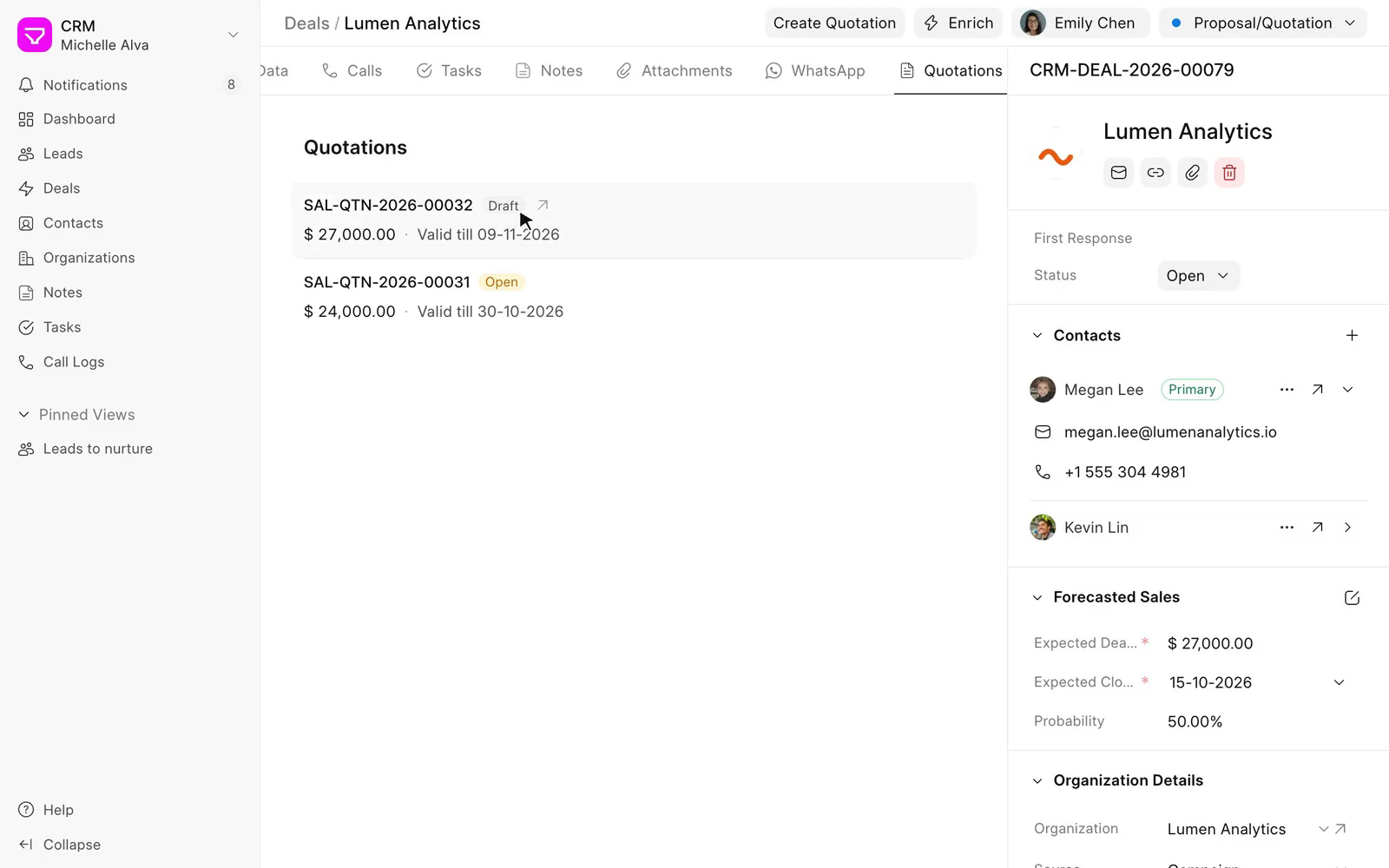
And you can create the customer and quotation in ERPNext right from the deal. More in the documentation.
Where AI fits in
"So, are you adding AI or not?"
A lot of you asked us this. Fair enough. Everything has AI in it now, and there's no shortage of "AI-powered" CRMs. But ask what the AI actually does, and it's often a summary of an email you could have read in ten seconds.
We think a CRM is still about your team talking to customers, and LLMs don't change that. Where they help is the dull part: looking things up, updating records, setting things up. So instead of adding a shiny button, we made Frappe CRM easy for LLMs to work with, and kept you in charge of what they're allowed to do.
Here's what we have lined up for you:
- MCP: Frappe Framework now has MCP support built in. This lets LLM assistants like Claude or ChatGPT read and update your CRM data, and they can only do what that user is allowed to do.
- frappectl: An open-source command-line tool that lets AI agents work with any Frappe site.
- Flow: A sneak peek at something we're still working on. Flow is an assistant inside your Frappe site. Ask it to set up a web form, add a lead or tell you what's on your plate today, and it does the work right there in the CRM, asking before it changes anything. It'll be out soon.

Frappe CRM also comes with instructions for these tools, so an agent already knows how leads, deals and conversions work before it touches your data.
Already on ERPNext?
What we said last year still holds. We still fix bugs in the CRM module in ERPNext, but all new CRM work happens in Frappe CRM. Everything in this post was built there.
You don't have to move everything at once. You can install Frappe CRM on the same site as ERPNext and try it with a few people on your team first. Your items, customers and quotations stay in ERPNext, and Frappe CRM works with them. When you're ready, you can bring over your leads, contacts and opportunities using the data import tool.
Never used Frappe CRM before?
You don't need ERPNext or anything else to use Frappe CRM. You can sign up and have a CRM ready in a few minutes, with sample data to explore and a guided setup to help you get your team going.
It's open source, so you can see the code, host it yourself or let us host it on Frappe Cloud. There's no per-user pricing, so adding your whole team doesn't cost more. And if you later need accounting, inventory or support, ERPNext and Frappe Helpdesk work with it.
Where we go from here?
A year ago, we said Frappe CRM was where our focus would be. Looking back, that mostly meant listening to teams and fixing whatever got in their way, so people actually want to open the CRM every day.
We're going to keep doing that, with a bigger team. Last year, one of us worked on Frappe CRM. Now we're three, so expect things to move a little faster. Next up, we're making setup easier, adding campaigns, appointment schedulings, expanding automations and improving how CRM works with LLMs. The goal is simple: let CRM handle more of the busywork so your team can spend more time with customers.
Give it another look
If you tried Frappe CRM a while ago, it's worth another look. If you've been using the CRM in ERPNext, try Frappe CRM next to it with a few people on your team. And if you're new, start a free trial and see how it feels.
And if you already use Frappe CRM, leave a comment below. Complaints, feedback, or something that's working well for your team, we want to hear all of it. Most of what's in this post came from that kind of feedback, and so will what we build next.

