Frappe
ERPNext
Industry
Version 16
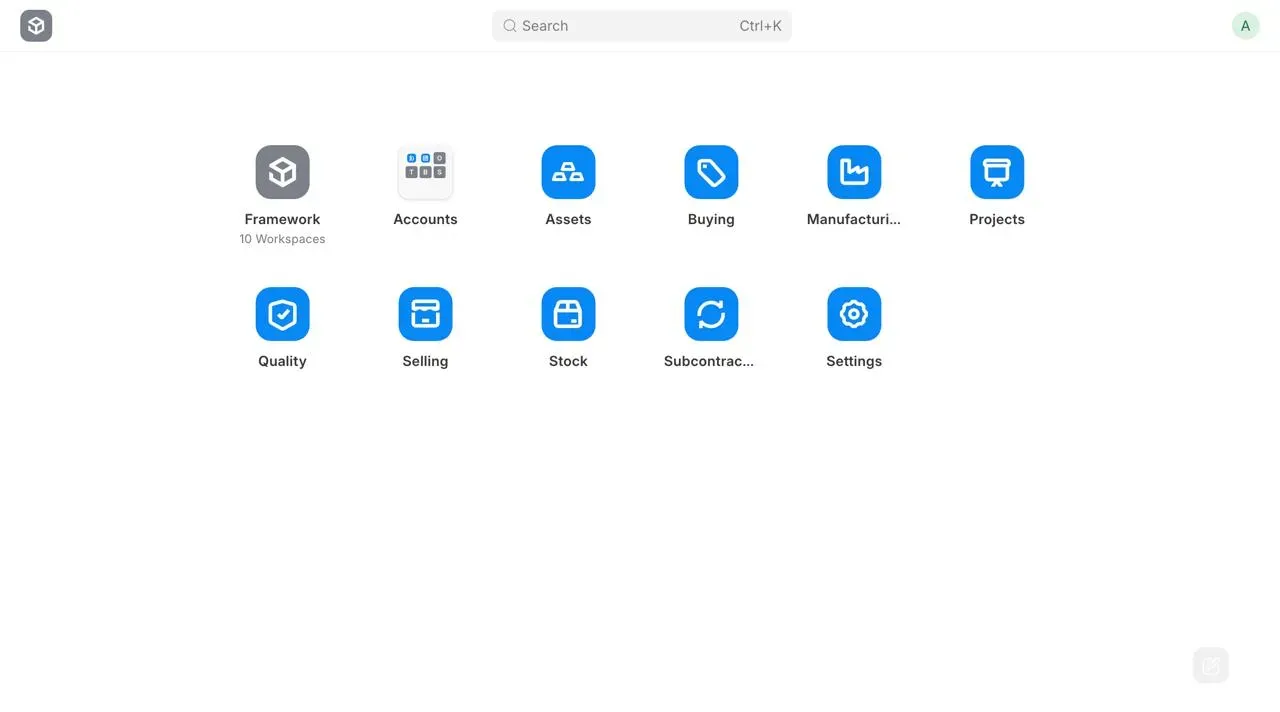
Almost two years since the last release, ERPNext v16 is finally here, our most stable major release yet. Backed by a global community of 600+ contributors and packed with 50+ new features, this version is ready for everything.
v16 brings stability and scalability with better performance, safer defaults, and smoother background processing. Heavy operations run more reliably, with fewer slowdowns or failures, even when working with large datasets. ERPNext stays fast and dependable as usage and complexity grow.
ERPNext
Sweet Sixteen
Experience ERPNext at its most stable and secure version yet
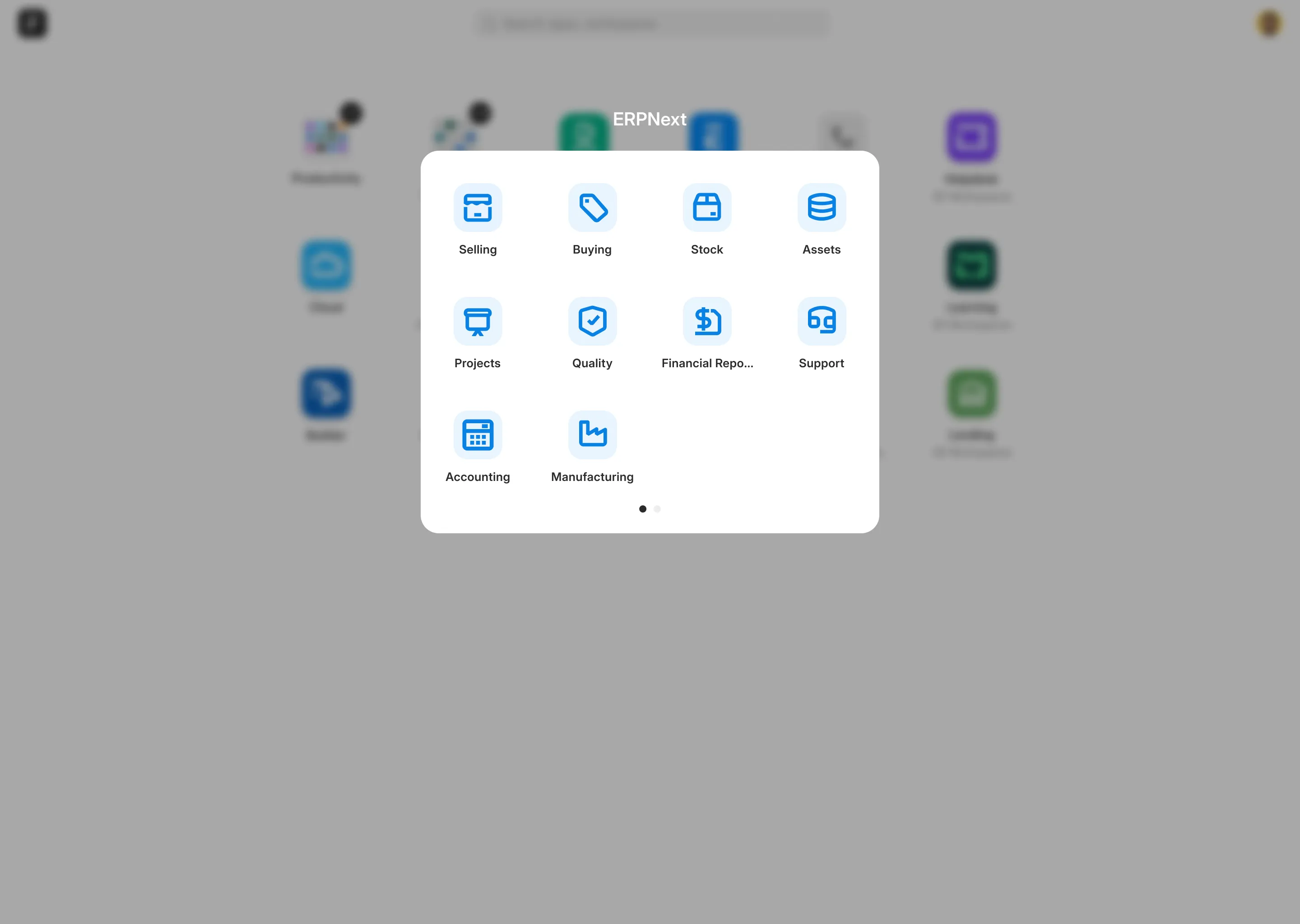
Almost two years since the last stable release, we are back with ERPNext v16 and this will be our most secure release yet. Backed by a global community of 600+ contributors and 50+ new features, this release is ready for fast operations with fewer errors. It improves stability and scalability with better performance, safer defaults, and smoother background processing. Heavy operations run more reliably, with fewer slowdowns or failures, even when handling large datasets so ERPNext stays fast and dependable as usage and complexity grow.
Manufacturing companies trust ERPNext worldwide
Manufacturing companies trust ERPNext worldwide


New Features, reports and updates
1. Accounting
1. Custom Financial Report
1.1 Custom Financial Report
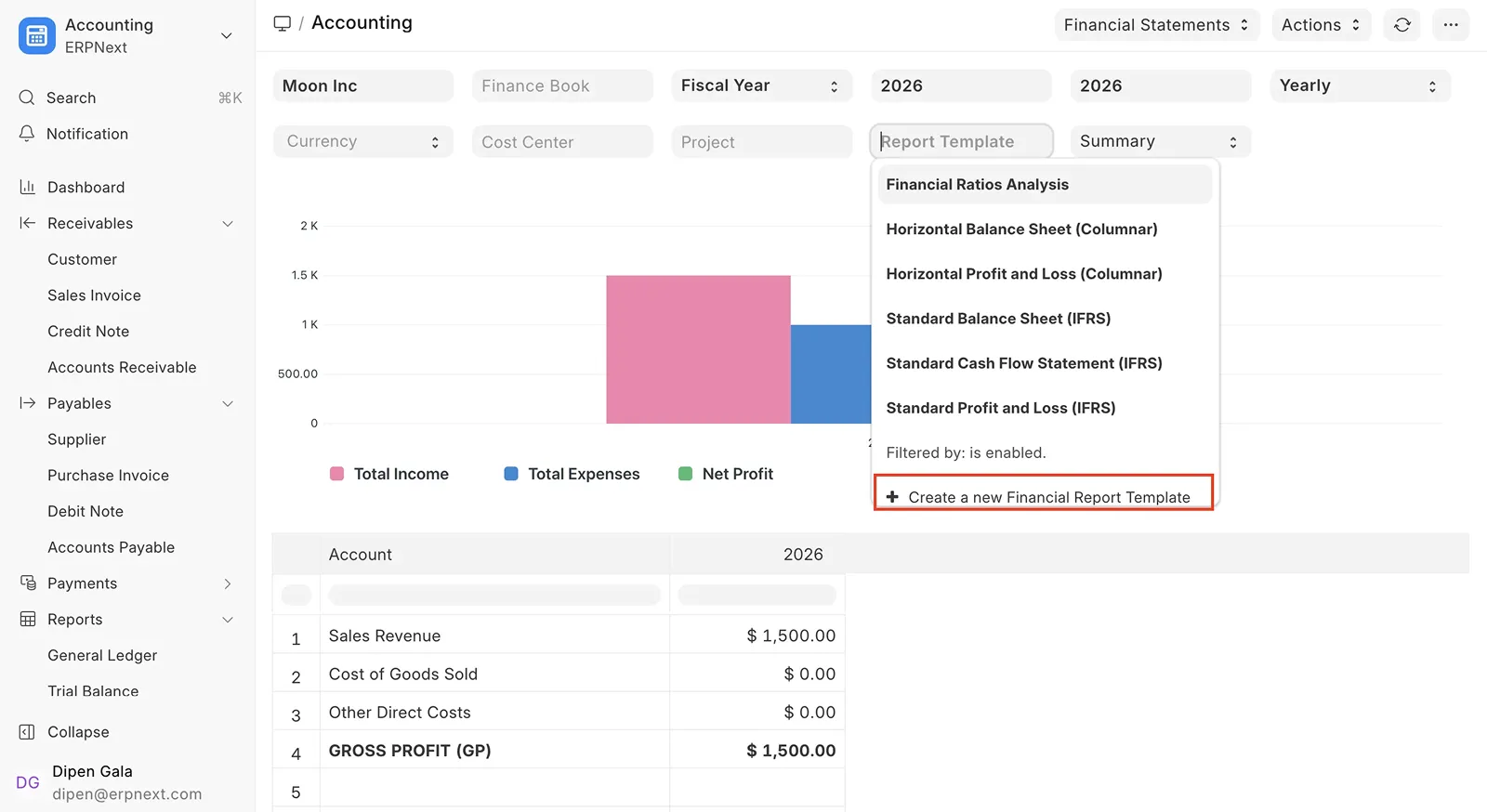
Standard financial reports make it hard to meet local compliance, customize layouts, or handle complex calculations. Creating region-specific statements is often slow and tedious.
ERPNext v16 introduces Financial Report Templates that turns P&L and Balance Sheet reports into fully customizable, formula-driven statements. Generate multi-company reports such as IFRS and others easily using reusable templates.
2. Purchase Expense Booking in the Purchase Cycle
1.2 Purchase Expense Booking in the Purchase Cycle
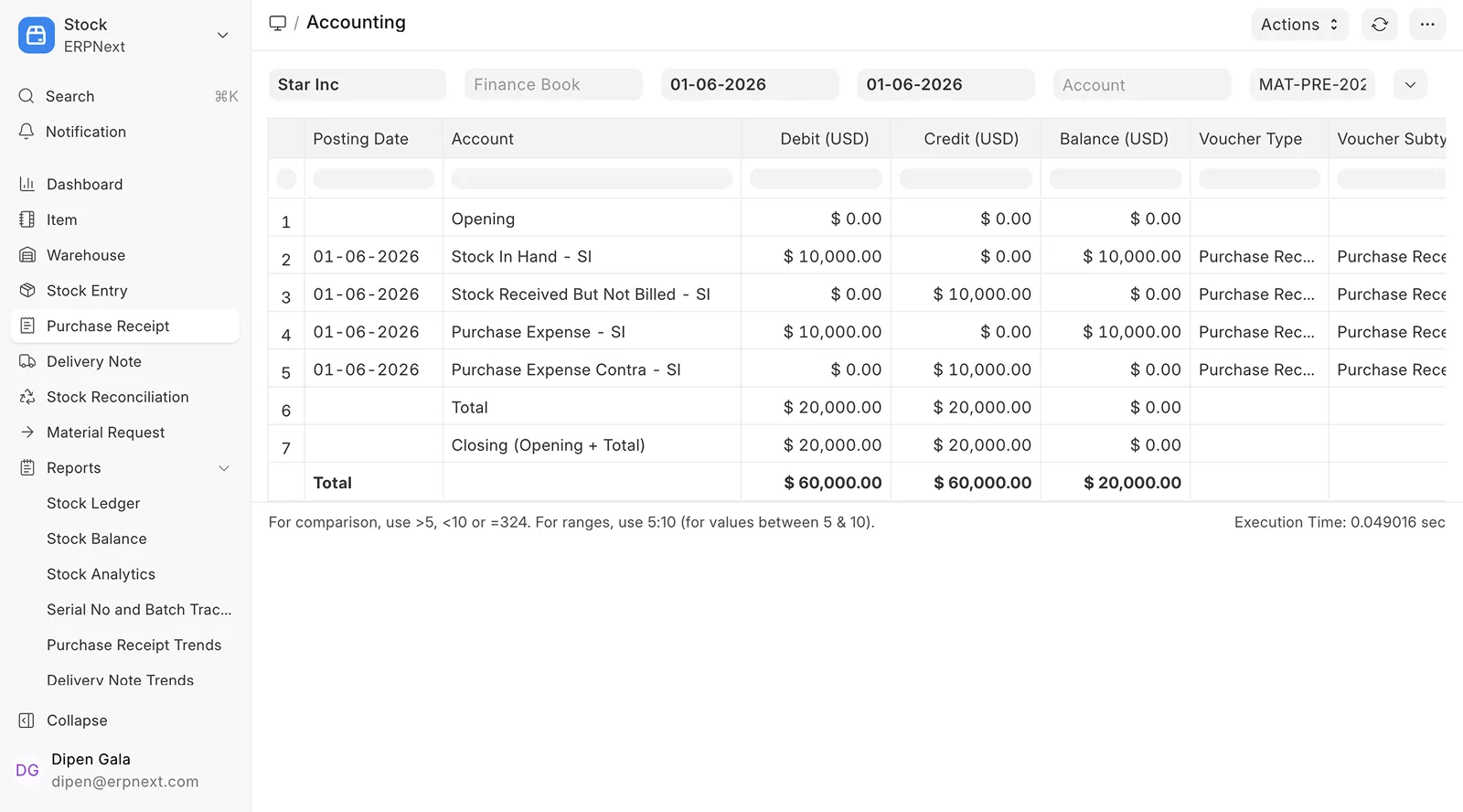
Calculating COGS takes a lot. Hidden purchase costs and incomplete reports hide the full picture, and verifying ‘Purchases’ feels like running in circles. Too many businesses end up reconciling manually.
ERPNext v16 introduces Purchase Expense Booking. Validating COGS and finding purchase cost is now easier and requires fewer clicks.
3. Automatic Closing Stock Posting
1.3 Automatic Closing Stock Posting
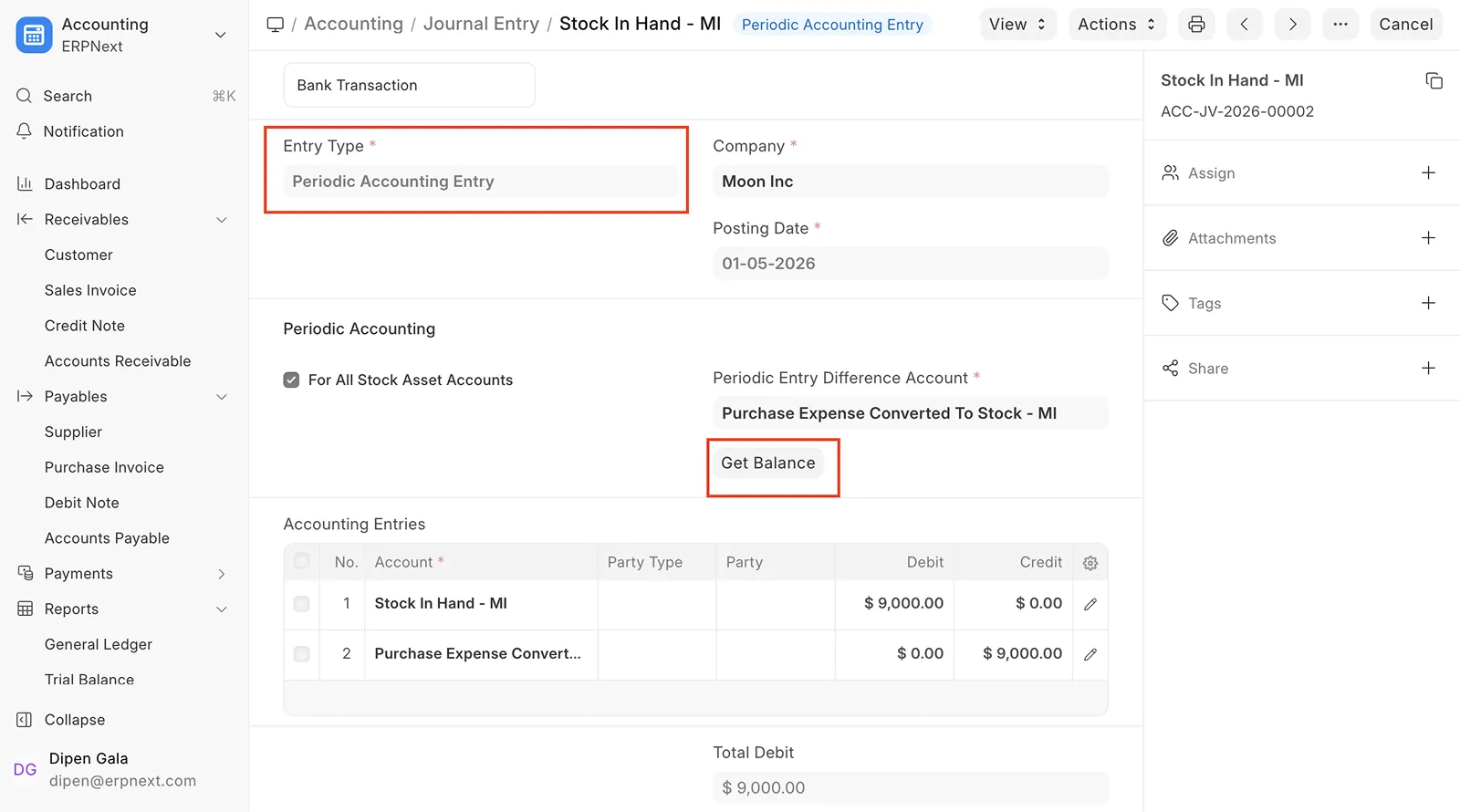
For businesses using periodic accounting, month-end stock posting is slow and error-prone. You have to calculate stock values, reconcile them with accounts, and create journal entries manually. One small mistake can throw off your books and delay reporting.
ERPNext v16 fixes this with Automatic Closing Stock Posting. Click “Get Balance,” and stock differences are posted directly to the general ledger in fast and secure way.
4. Consolidated Trial Balance Report
1.4 Consolidated Trial Balance Report
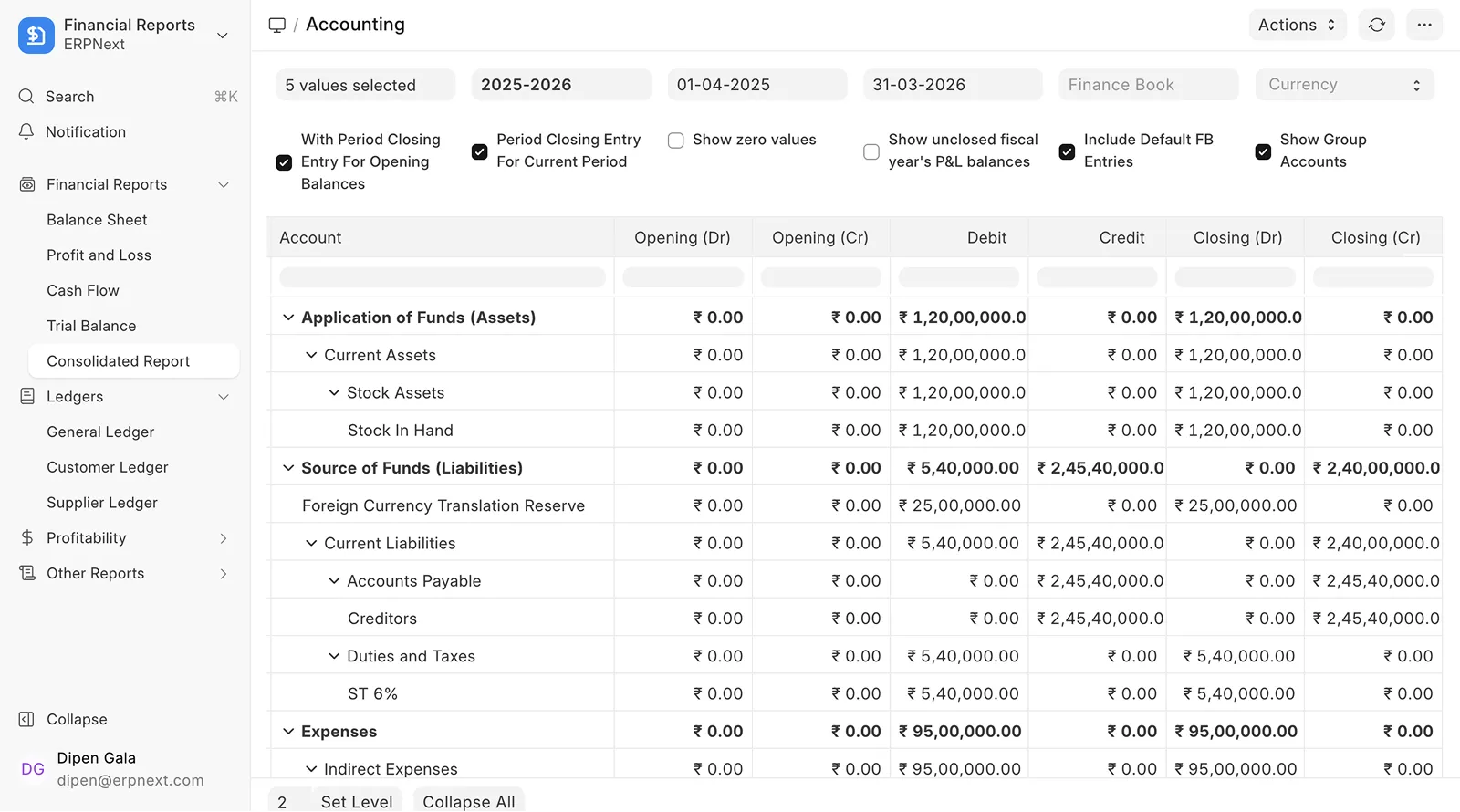
Keeping track of finances across child companies used to be a manual process. Pulling reports from each subsidiary, dealing with different currencies, and merging them into a single report was time-consuming and prone to errors.
ERPNext v16 introduces Consolidated Trial Balance Report. Now, you can see a consolidated view of all child companies in one unified report. Currencies are converted automatically, giving a reliable, consolidated view of your group’s financial health in just a few clicks.
2. Manufacturing
1. Custom Financial Report
2.1 Material Requirements Planning (MRP)
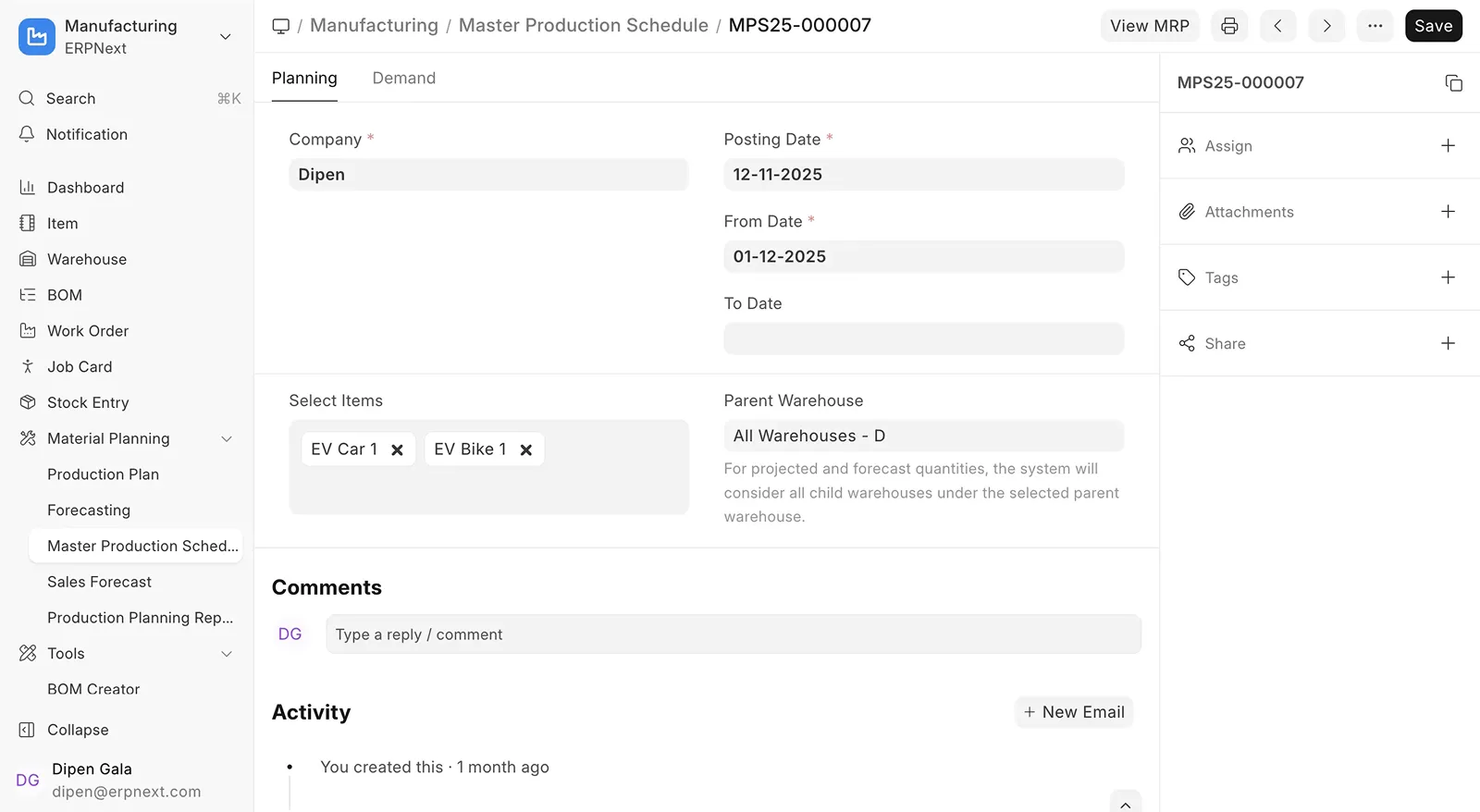
Material planning in ERPNext was buried inside Production Plans and relied only on Sales Orders or Material Requests, making MRP hard to use and ineffective for long-term planning.
ERPNext v16 added a dedicated Material Requirements Planning (MRP) workflow that combines forecasts, delivery schedules, and lead times to plan exactly what to buy or produce and when, keeping inventory lean and deliveries on track.
2. Inward Subcontracting
2.2 Inward Subcontracting
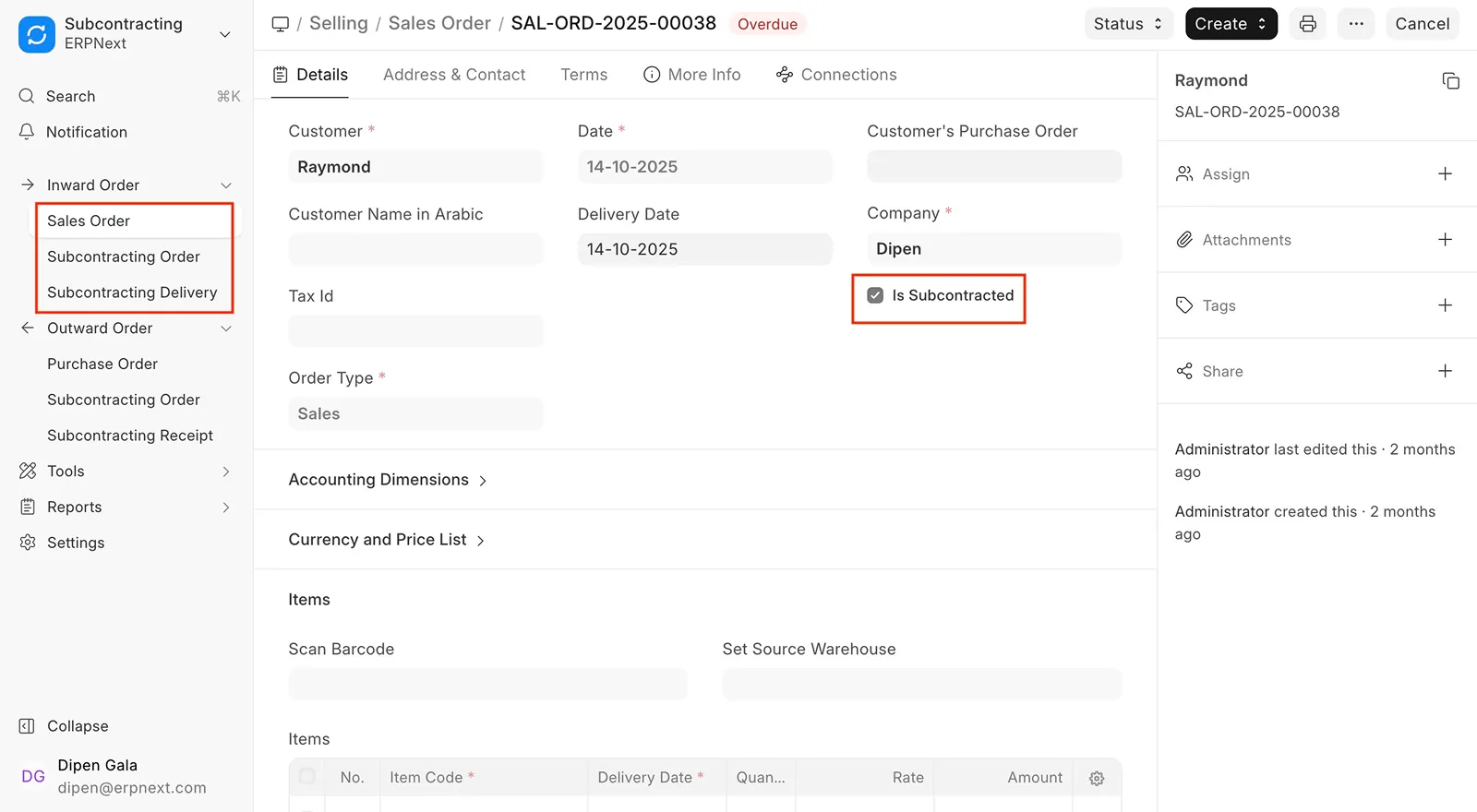
Most ERPs support workflows for Subcontracting, that is, where you send out raw materials for a third party to manufacture on your behalf but not many support the opposite. With Inward Subcontracting in ERPNext v16, you can now receive raw materials from customers and manufacture finished goods for them.
Fun fact: Although available in v15, the process was manual and fragmented. ERPNext v16 makes it robust and handy.
4. Consolidated Trial Balance Report
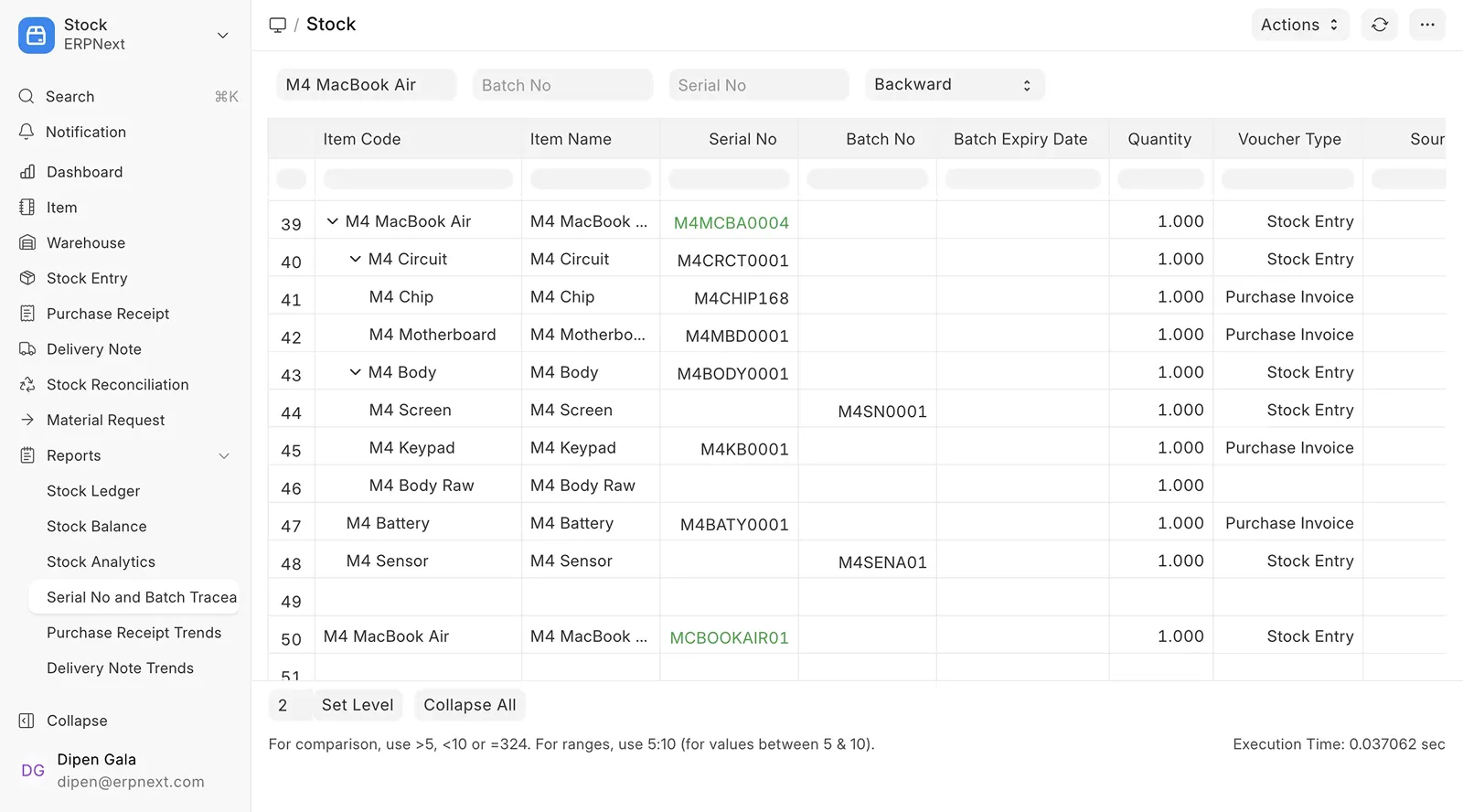
2.3 Serial and Batch Traceability Report
When quality issues or customer complaints arise for your finished goods, the first question that come to mind are: which batch was this product made in?
With the Serial & Batch Traceability Report in ERPNext v16, you’ll know exactly what’s happening. Trace backward to see which raw materials and batches were used in a product, or trace forward to see every customer or location it reached. Complete traceability in a single report.
4. Consolidated Trial Balance Report
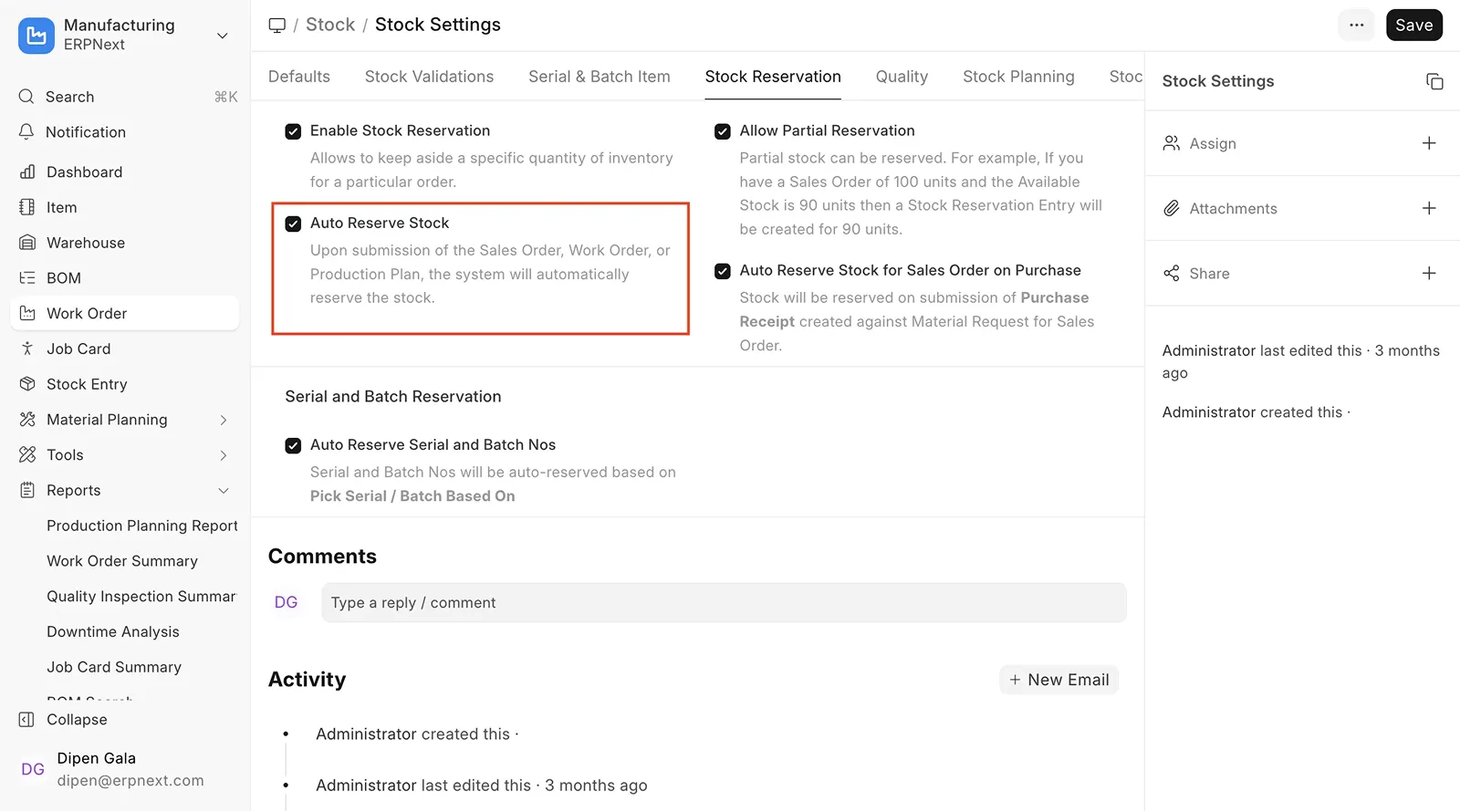
2.4 Stock Reservation for Work Order
Ever started production only to find a critical raw material is missing? Production halts and customer orders get delayed.
ERPNext v16’s Stock Reservation for Work Orders feature comes to the rescue. You can now reserve the materials you need and ensure nothing is used elsewhere. From raw materials to finished goods, every step is planned and controlled to keep production on track.
4. Consolidated Trial Balance Report
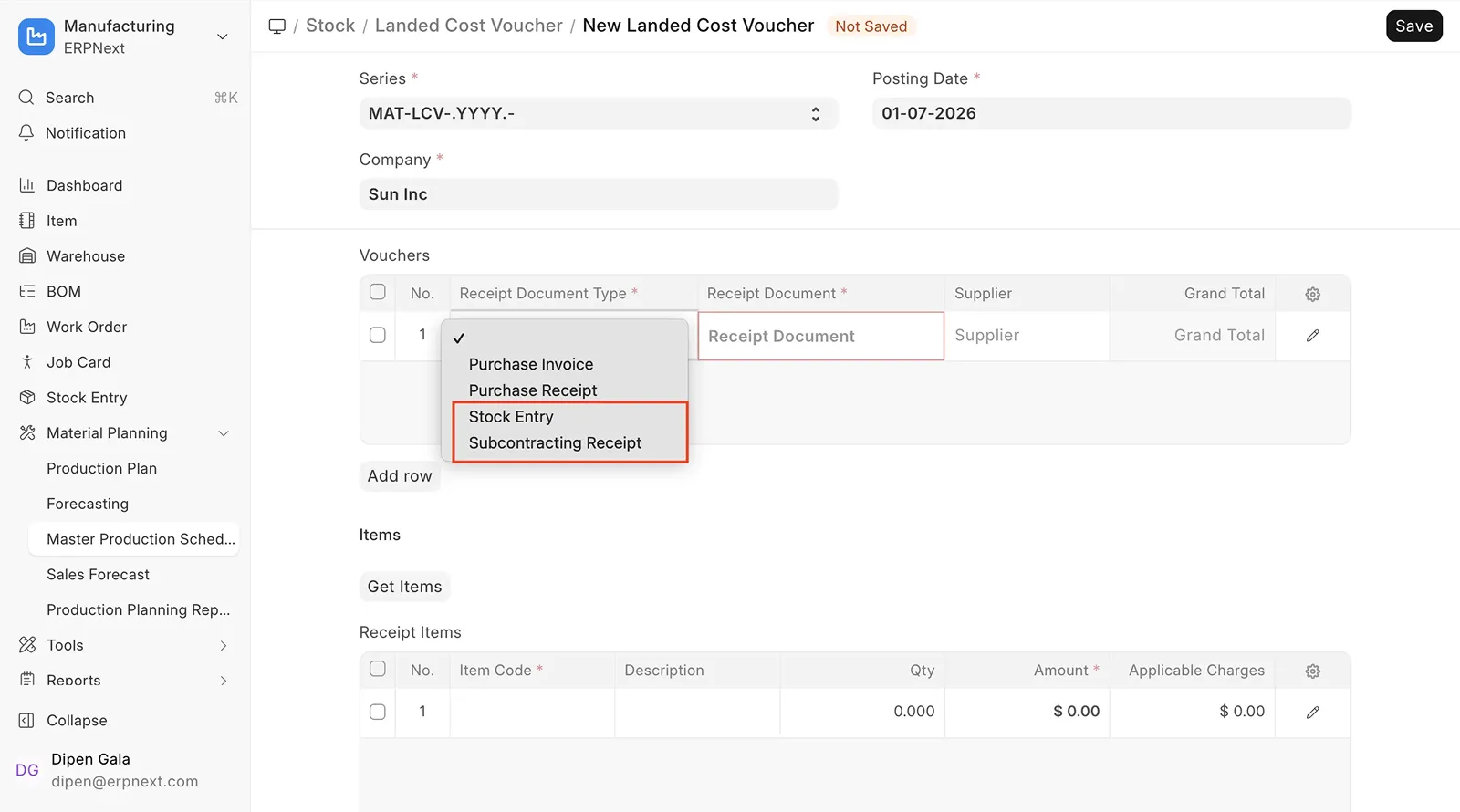
2.5 Landed Cost Voucher for Subcontracting Receipt
Extra charges like freight, handling, and duties often show up after the subcontracted goods are received. And if you can’t add them later, your product valuation won’t reflect the true cost.
ERPNext v16 lets you add these costs by Landed Cost Vouchers for Subcontracting Receipts and keeps your costing accurate.
Bonus Updates with Big Returns
Minor new additions that boost performance
POS Improvements
Refined TDS
Enhanced Budgeting
Improved Print Formats
Customizable Financial Statements
Frequently asked questions
How do I upgrade to ERPNext v16?
Upgrading to ERPNext v16 is easy. Follow the official migration guide to update ERPNext and Frappe, check deprecated features, and test your customizations. Full instructions are in the ERPNext v16 Upgrade Guide.
Will my customizations work in v16?
Most will, but some may need small updates. Test your apps using the migration guide.
Do I have to upgrade to v16 right away?
No, automatic updates won’t be pushed for at least six months
Should I update Frappe alongside ERPNext v16?
Updating Frappe with ERPNext v16 is recommended to ensure full compatibility and proper functioning of all features, APIs, and customizations.
Built with the community, for the community.
v16 is a collection of hundreds of codes, contributions and long nights from people who rely on ERPNext every day. It’s built for you and the work you do.