Frappe
Products
Framework
Version 16
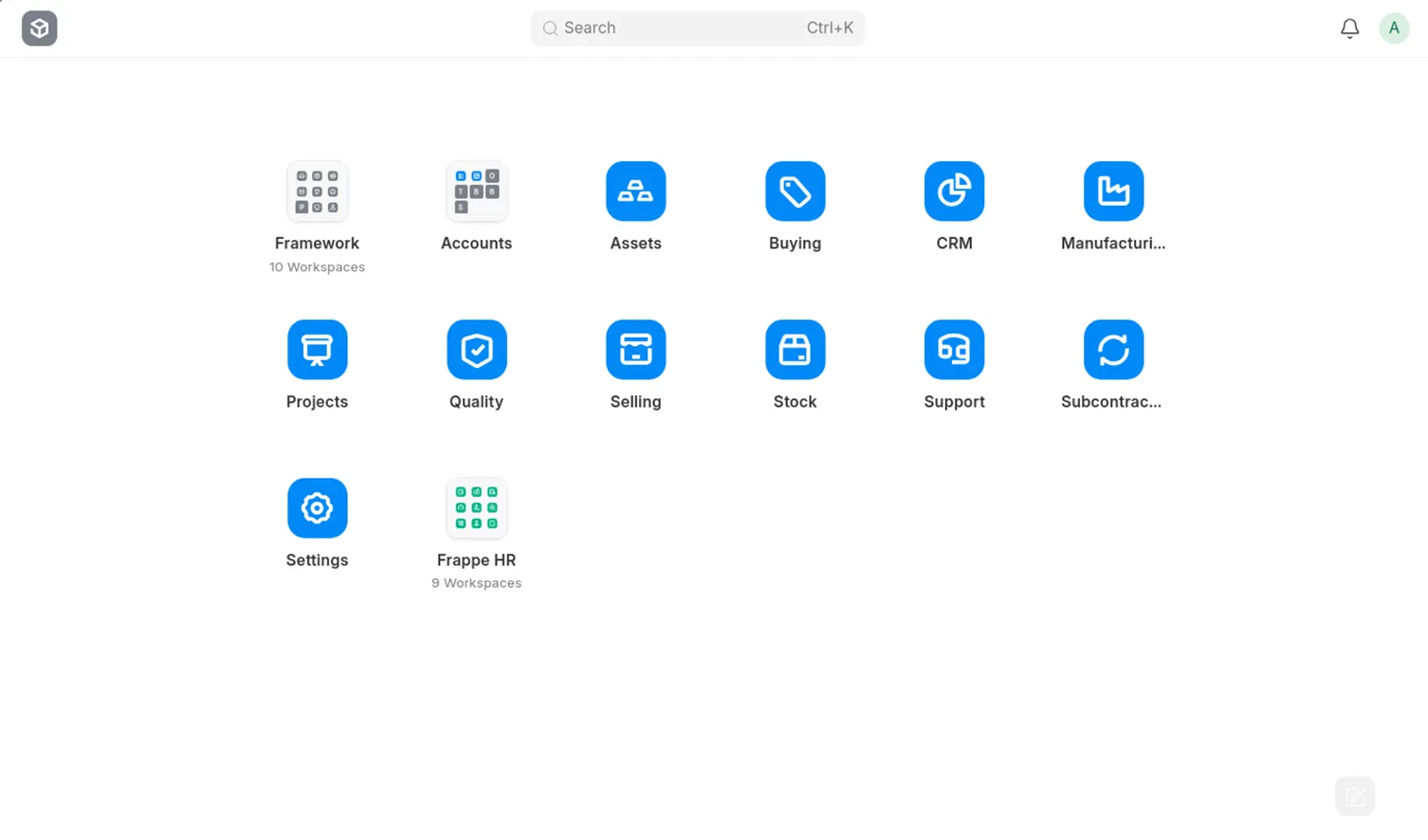
If you ever happened to use Frappe Framework version 7, you’ll feel at home with the latest version 16. The iconic desktop view returns to ease navigation and bring structure to the UI. Every top-requested feature has been added in Framework v16 to maximize your workflow. And if there’s one difference you’ll instantly notice, it’s the striking fast performance.
What’s making v16 worth your time?
Redesigned Workspace
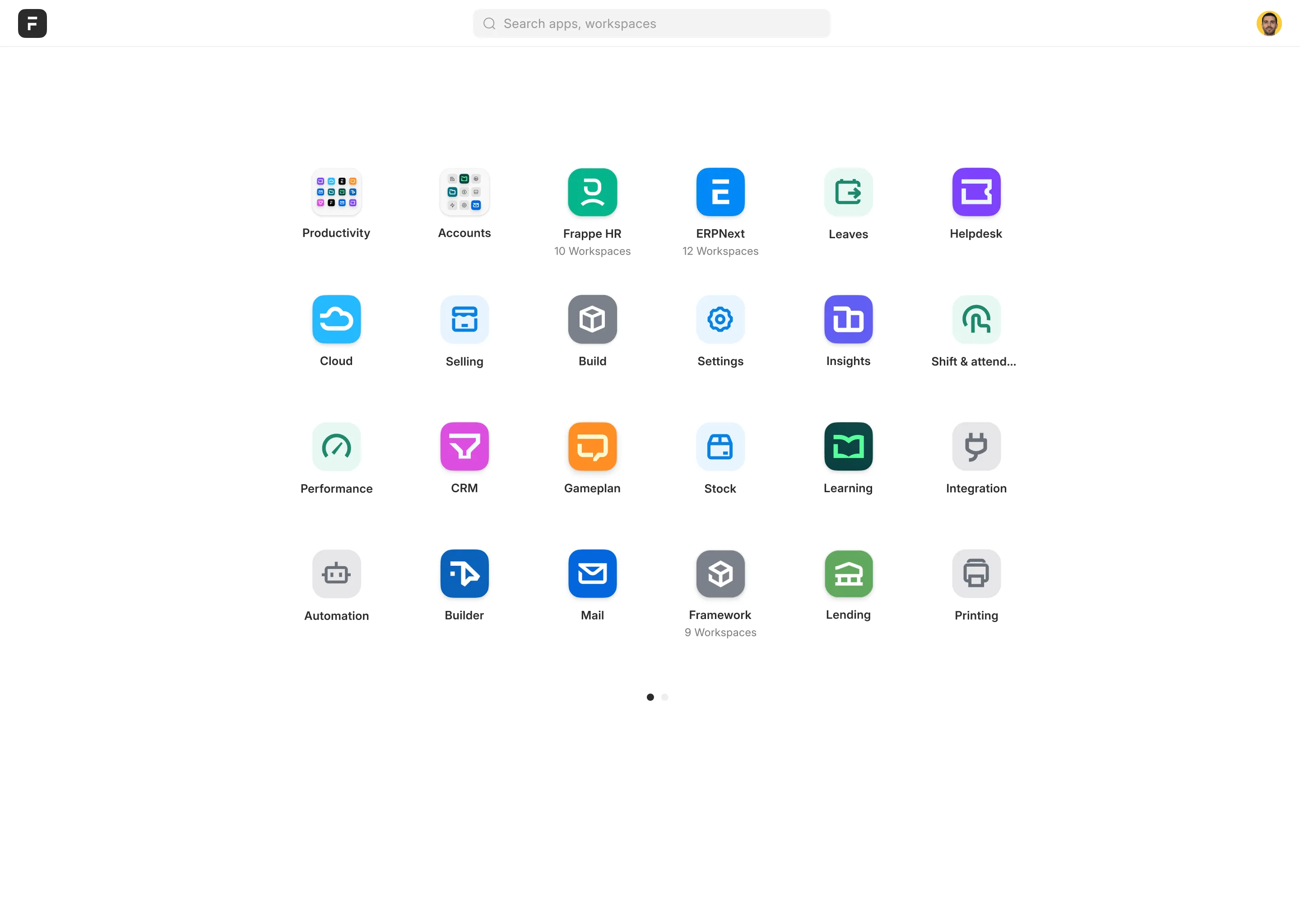
There was no single clear direction we were sure about when redesigning the Desktop UI. Multiple layouts and navigation patterns were explored to see what worked best, which led to a rethinking of how users move around the system. In v16, workspaces now open with a sidebar and keeps related items neatly grouped. Icons are easier to find, organize, and search, and can be arranged in the order of your needs. The overall layout makes navigation smooth and simple, letting you find what you need quickly without feeling lost.
Scrollable List View
One of our most requested features is finally here. Earlier, you could only add a few columns, which meant seeing all your data required opening each record one by one. Important columns would often get cramped, and column names didn’t always display fully. Now, Framework v16 lets you add as many columns as you want, scroll horizontally, and see everything at a glance with scrollable list views which makes your workflow faster and easy to scan.
Scrollable Child Tables with Sticky Columns
Child tables on desktop used to be restrictive. You could only see about 10 columns, and anything beyond that was cut off.
Framework v16 adds scrollable child tables and sticky columns. You can now scroll left and right to view every column in the table while keeping selected fields pinned in place.
Custom Print Formats for Reports
Previously, print formats could only be used for DocTypes, and creating formats for reports required writing and deploying code in a custom app. Customizing them in the desk wasn’t possible.
Now, you can create print formats for reports directly through the interface, end to end.
Role-based Field Masking
Sometimes, you need users to know that information exists, but not see the actual details. For example, a phone number, email, or date may be sensitive, and not everyone should access it.
With role-based field masking in v16, sensitive fields are visible but masked for users without the required role. Placeholders like “xxxx” show that data exists without revealing the details. This balances visibility with privacy so enterprises can protect sensitive data while staying compliant.
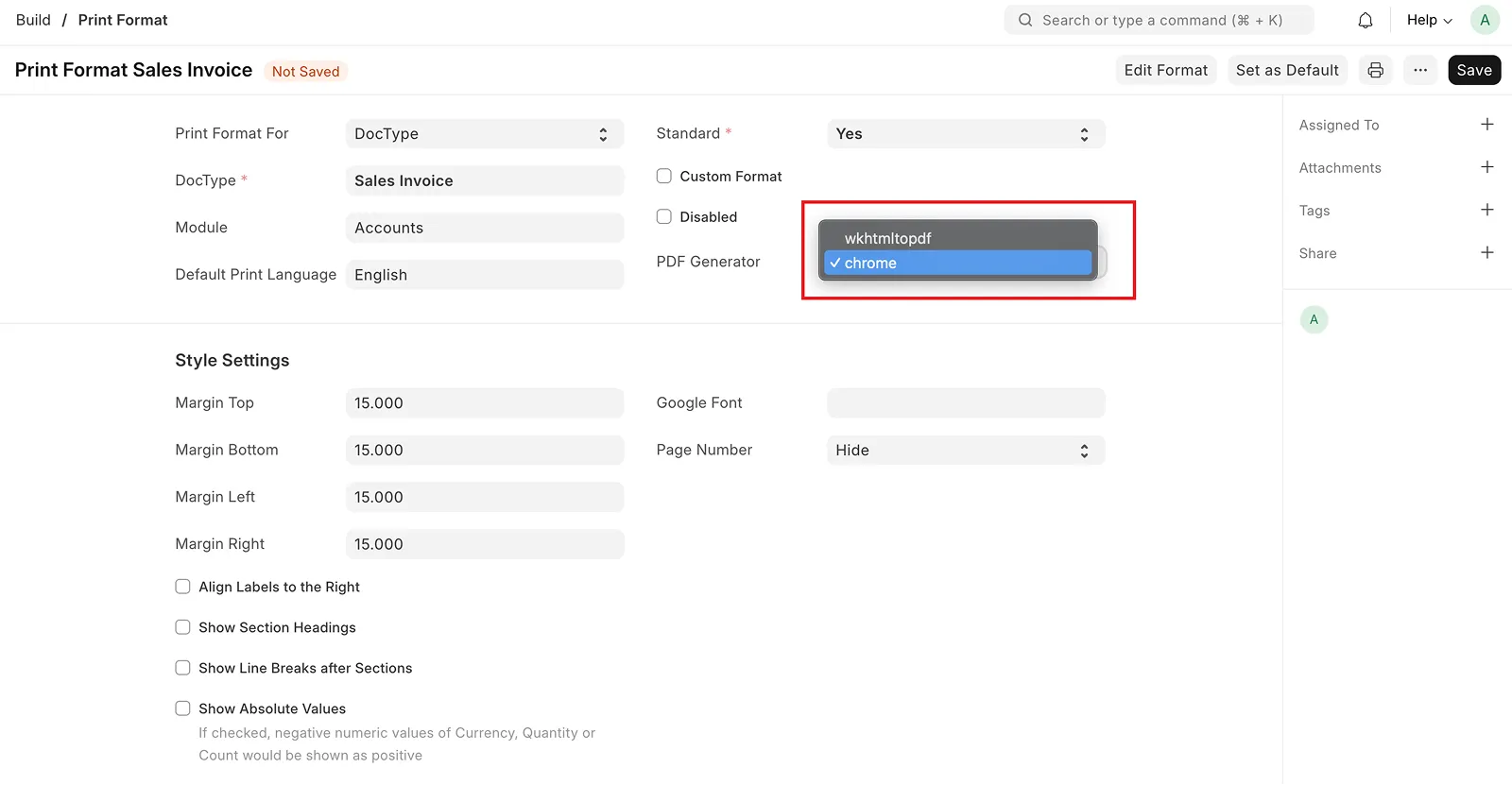
Chrome-based PDF Converter
PDFs have long been tricky in Frappe because wkhtmltopdf couldn’t handle modern CSS and while previews look right, PDFs break.
In v16, PDFs are generated using Chrome, so layouts like flexbox render perfectly, and generation is noticeably faster. Users can now select their preferred PDF generator.
Tiny Tweaks for The Win
While the list of features goes on, these updates can’t be missed.
SQLite Support
~2× Faster Performance
Background Report Download
Custom Permission Types
Popup Awesome Bar
Built with the community, for the community.
v16 is built on everything we’ve learned since the beginning. Over 750 contributors have helped evolve this open-source tool in a long span, which today powers a suite of apps at Frappe and projects built by our community.